
In This Article
I’ll be honest with you. Two years ago, I watched my smartwatch mock me daily with its pitiful step count. Eight hours hunched over a keyboard, meetings stacked like Tetris blocks, and by 5 PM? Maybe 2,000 steps if I was lucky. Sound familiar?
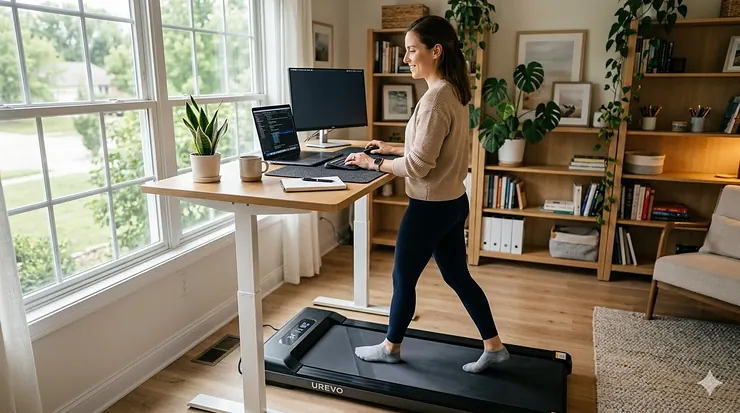
Then something clicked when I read research from Columbia University Irving Medical Center showing that just five minutes of walking every half hour could offset blood sugar spikes by 58% compared to sitting all day. That’s when I discovered the game-changer: an under desk treadmill.
These compact walking machines aren’t just fancy office gadgets. They’re legitimate solutions to what scientists have called a decade-long concern that sitting increases risk for most chronic diseases and early death. The beauty? You don’t need to carve out gym time or change your schedule. You simply walk while you work.
This guide breaks down seven real under desk treadmill options currently available on Amazon in 2026, covering everything from budget-friendly picks to premium models with automatic incline. Whether you’re setting up an active work setup or just want to hit 10,000 steps without leaving your home office, I’ve tested the specs, compared customer feedback, and found options that actually deliver.
Quick Comparison Table
| Product | Motor Power | Speed Range | Weight Capacity | Price Range | Best For |
|---|---|---|---|---|---|
| UREVO SpaceWalk 3S | 2.5HP | 0.6-4 mph | 265 lbs | $250-300 | Auto-incline enthusiasts |
| DeerRun Walking Pad | 2.5HP | 0.6-3.8 mph | 300 lbs | $180-230 | Budget-conscious buyers |
| Sperax 3-in-1 | 2.5HP | 0.6-3.8 mph | 320 lbs | $170-210 | Vibration massage feature |
| FUNMILY 2026 Upgrade | 2.5HP | 0.6-4 mph | 300 lbs | $220-270 | App connectivity |
| SUOUER with Handle Bar | 3.0HP | 0.6-7.6 mph | 350 lbs | $260-310 | Heavy-duty use |
| KASSADIN Handle Bar | 3.0HP | 0.6-7.6 mph | 350 lbs | $250-300 | Dual-mode versatility |
| Lichico NeoSilent | BLDC | 0.6-4 mph | 285 lbs | $240-290 | Ultra-quiet operation |
💬 Just one click – help others make better buying decisions too! 😊
Top 7 Under Desk Treadmill: Expert Analysis
1. UREVO SpaceWalk 3S Smart Walking Pad
UREVO SpaceWalk 3S brings automatic incline technology to the under desk treadmill category, setting it apart from static competitors. The 9% auto-incline activates with one button press via remote or app, transforming your walking session into a calorie-burning workout without leaving your desk.
Key Specifications:
- 2.5HP motor with 12-point shock absorption
- Speed: 0.6-4 mph with app control
- Running surface: 16.5″ x 42.5″
- Weight capacity: 265 lbs
Customer feedback highlights the UREVO app integration as genuinely useful rather than gimmicky. Users track workout data, adjust settings remotely, and access training plans. The 12-point shock absorption system passed 150,000 impact tests, providing joint protection that customers with knee concerns specifically praise.
✅ Pros:
- Automatic incline feature rare in this price range
- UREVO app syncs workout data seamlessly
- Portable with handle-wheel system
❌ Cons:
- Slightly heavier than basic models
- Price higher than entry-level options
Price: $250-300 | Target users: fitness enthusiasts wanting adjustable intensity
2. DeerRun Under Desk Walking Pad
DeerRun Under Desk Walking Pad delivers reliable performance at an accessible price point. This model features 6% manual incline capability, LED display, and PitPat app connectivity for tracking metrics without breaking the bank.
Key Specifications:
- 2.5HP motor for stable performance
- Speed range: 0.6-3.8 mph
- Manual 6% incline adjustment
- Capacity: 300 lbs
Customers consistently mention the no-assembly-required setup. One reviewer noted, “literally out of the box and walking in under two minutes.” The PitPat app tracks time, distance, and calories while offering remote speed adjustments. At this price tier, the manual incline feature provides workout variety without complex mechanics.
✅ Pros:
- Excellent value for features offered
- Zero assembly required
- 300 lb capacity supports most users
❌ Cons:
- Manual incline adjustment only
- Maximum 3.8 mph may limit jogging
Price: $180-230 | Target users: budget shoppers seeking quality basics
3. Sperax 3-in-1 Walking Pad
Sperax 3-in-1 Walking Pad multitasks beyond typical walking while working scenarios. This model combines standard treadmill function, under desk compatibility, and vibration massage mode in one 22-pound package.
Key Specifications:
- 2.5HP motor with 400W servo system
- Speed: 0.6-3.8 mph
- Dimensions: 39″ x 21″ x 3.5″
- Capacity: 320 lbs (recommended 265 lbs)
The vibration massage feature converts the unit into a recovery tool after walking sessions. Real customer testimonials mention using the massage mode while watching TV after workouts. At 22 pounds, it’s genuinely portable between rooms. The Sperax Fitness app provides real-time monitoring and customized workout routines.
✅ Pros:
- Vibration massage mode unique selling point
- Lightweight at 22 lbs
- LED display plus app tracking
❌ Cons:
- Lower max speed than competitors
- Vibration feature may not appeal to everyone
Price: $170-210 | Target users: multifunctional equipment seekers
4. FUNMILY Walking Pad 2026 Upgrade
FUNMILY Walking Pad Treadmill Under Desk emphasizes smart connectivity with its 2026 upgrade featuring Bluetooth-enabled app control and three LED displays providing multiple viewing angles.
Key Specifications:
- 2.5HP quiet motor
- Speed: 0.6-4 mph
- Triple LED displays
- Capacity: 300 lbs
The three-display setup means you can monitor stats from any angle, whether standing, sitting, or glancing from across the room. App connectivity syncs workout data automatically and offers professional coach-guided training plans. Customer reviews highlight the whisper-quiet operation, allowing use during video calls without background noise concerns.
✅ Pros:
- Three LED displays for visibility
- Bluetooth app with coaching features
- Installation-free design
❌ Cons:
- Mid-tier pricing without standout features
- Standard speed range
Price: $220-270 | Target users: tech-forward fitness trackers
5. SUOUER Walking Pad with Handle Bar
SUOUER Walking Pad Treadmill with Handle Bar steps up to 3.0HP motor power and 350 lb capacity, handling heavier users and more intense walking sessions with dual-mode convertibility.
Key Specifications:
- 3.0HP motor for robust performance
- Speed range: 0.6-7.6 mph
- Removable handle bar
- Capacity: 350 lbs
The removable handle bar transforms this unit from standard walking pad to supported treadmill in seconds. At 7.6 mph maximum speed, users can transition from desk walking to light jogging. The 6-layer anti-slip deck with cushioning reduces joint impact during longer sessions. Customers appreciate the 350 lb capacity, noting stability even at higher weights.
✅ Pros:
- 3.0HP motor handles extended use
- 7.6 mph allows jogging capability
- 350 lb capacity for heavy-duty needs
❌ Cons:
- Handle bar adds bulk when attached
- Higher price point
Price: $260-310 | Target users: heavier individuals, jogging enthusiasts
6. KASSADIN Walking Pad with Handle Bar
KASSADIN Walking Pad with Handle Bar matches the SUOUER specs with 3.0HP power and incline capability, offering a slightly different design aesthetic and control system.
Key Specifications:
- 3.0HP motor with incline
- Speed: 0.6-7.6 mph
- LED display with remote control
- Capacity: 350 lbs
This 2026 upgrade model includes both incline adjustment and handle bar versatility. The LED display shows real-time metrics while the remote control allows speed changes without interrupting workflow. Customer feedback points to the solid construction feeling stable even during brisk 6+ mph walking. The incline feature adds workout variety for active work setup routines.
✅ Pros:
- Incline plus handle bar options
- Strong 3.0HP motor
- Remote control convenience
❌ Cons:
- Bulkier with handle attached
- Premium pricing
Price: $250-300 | Target users: versatility seekers, fitness-focused
7. Lichico NeoSilent Walking Pad
Lichico NeoSilent Walking Pad Treadmill Under Desk specializes in near-silent operation using a BLDC (brushless DC) motor core and extra-large belt for smooth, quiet walking.
Key Specifications:
- BLDC brushless motor technology
- Speed: 0.6-4 mph
- Extra-large belt surface
- Capacity: 285 lbs
The brushless DC motor eliminates the friction noise common in standard motors, achieving whisper-quiet operation ideal for shared workspaces or apartment living. The extra-large belt provides more foot placement freedom, reducing the need to watch your steps constantly. App and remote control functionality match competitors while maintaining the acoustic advantage.
✅ Pros:
- BLDC motor exceptionally quiet
- Larger belt surface area
- Compact design for small spaces
❌ Cons:
- Mid-range capacity at 285 lbs
- Price reflects specialized motor
Price: $240-290 | Target users: noise-sensitive environments, apartment dwellers
Understanding Under Desk Treadmill Benefits
The science behind walking while working isn’t just corporate wellness hype. Columbia University researchers found that five minutes of light walking every 30 minutes significantly lowers risk of heart disease and other chronic illnesses. But what does that actually mean for your daily routine?
Your muscles contract when you walk, actively regulating blood sugar and cholesterol levels. When you sit for too long, muscles don’t have the opportunity to contract and operate optimally. An under desk treadmill creates constant low-impact muscle activation throughout your workday.
Blood pressure responds quickly to movement breaks. Research shows all exercise snacks resulted in up to a 5 mmHg drop in blood pressure when compared to continuous sitting. For context, that’s the same reduction many people achieve with prescription medication.
✨ Ready to Transform Your Workday?
🚶 These top-rated walking pads turn desk time into active time. Check current prices and availability on the models above. Your body will thank you after the first week!
The mental benefits matter too. I’ve noticed sharper focus during afternoon slumps, and that’s not placebo. Studies found that short exercise snacks during the working day improve mood, fatigue, and well-being. Walking increases blood flow to the brain, which translates to better concentration and creative problem-solving.
Choosing the Right Under Desk Treadmill for Your Needs
Speed requirements vary wildly based on intended use. If you’re genuinely walking while working on detailed tasks like coding or writing, speeds between 1.5-2.5 mph feel natural. Higher speeds work for general movement or when taking calls. Consider whether you need jogging capability (6+ mph) or if 3-4 mph maximum suffices.
Motor power directly impacts durability and noise levels. A 2.5HP motor handles regular daily use for most people, while 3.0HP motors support heavier individuals or extended sessions. Brushless motors like the BLDC in the Lichico cost more but run quieter and last longer.
Desk height compatibility matters more than most realize. Measure your desk’s underside clearance before purchasing. Most walking pads sit around 3-5 inches high, but add your height plus shoe thickness. If you’re tall or have a low desk, test whether you can comfortably walk without your head hitting the desk surface.
Weight capacity isn’t just about the number. It’s about stability and longevity. Choose a model rated at least 50 lbs over your weight. This ensures smooth operation and prevents premature motor wear. The difference between 265 lb and 350 lb capacity models shows in frame construction and motor robustness.
Setting Up Your Active Work Setup
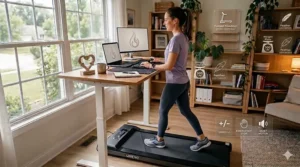
Desk type compatibility determines your whole setup approach. Standing desks pair perfectly with under desk treadmill use, allowing you to adjust height for optimal walking posture. If you have a fixed-height desk, measure carefully to ensure you can stand comfortably while walking underneath.
Flooring protection prevents scratches and reduces noise transfer to lower floors. Thick yoga mats or specialized treadmill mats work well. In apartments, this also dampens vibration that neighbors might notice. Some users report that a quality mat drops perceived noise by 50% or more.
Cable management keeps you safe while walking and working. Route your laptop power cord, monitor cables, and treadmill power away from your walking path. Adhesive cable clips along desk edges prevent tripping hazards. Consider wireless peripherals to reduce desk clutter further.
Monitor positioning changes when you transition from sitting to standing-while-walking. Your screen should sit at eye level while standing to prevent neck strain. Adjustable monitor arms solve this problem, letting you quickly reposition screens between sitting and walking configurations.
Start gradually when incorporating walking into your workday. Begin with 10-15 minute sessions while performing simple tasks like email responses or reading. Your brain needs time to coordinate typing while walking. Within a week, most people adapt to longer sessions and more complex tasks.
Walking Pad vs Traditional Treadmill: Key Differences
Size and portability separate walking pads from traditional treadmills dramatically. A full-size treadmill occupies 6-7 feet of floor space and weighs 150-300 pounds. Walking pads typically measure 4 feet long, 2 feet wide, and weigh 20-60 pounds. You can slide them under a couch or bed in seconds.
Speed capabilities differ by design purpose. Traditional treadmills reach 10-12 mph for serious runners. Walking pads max out between 4-8 mph, focusing on walking and light jogging. This speed limitation isn’t a drawback, it’s intentional design for the standing desk accessories category.
Incline options vary widely across both categories. Traditional treadmills frequently offer 10-15% automatic incline. In walking pads, incline remains rare, with most models offering 6-9% manual or automatic adjustment. The UREVO SpaceWalk 3S stands out here with its 9% auto-incline feature.
Noise levels matter more for walking while working scenarios. Traditional treadmills generate 60-75 decibels during operation. Quality walking pads run at 40-50 decibels, quieter than normal conversation. The Lichico NeoSilent pushes this further with its brushless motor design.
Cost comparison shows walking pads as the budget-friendly choice. Traditional treadmills start around $500 and easily exceed $2,000 for quality models. Walking pads range from $150-350, making them accessible for home office setups without major investment.
Maximizing Your Best Walking Pad 2026 Experience
Walking speed optimization depends on task complexity. Save 2.5-3 mph walking for calls, videos, or reading. Drop to 1.5-2 mph when typing, coding, or analyzing spreadsheets. Your typing accuracy improves as you find your personal sweet spot.
Posture awareness prevents the slouching that defeats the purpose of standing. Keep shoulders back, core engaged, and eyes forward at your monitor. I catch myself hunching when focused intensely, so I set hourly reminders to reset posture.
Footwear choices impact comfort significantly. Minimalist shoes or thick-soled athletic shoes both work well. Avoid heels or dress shoes lacking support. Many users walk barefoot or in socks, which works fine for low-speed desk walking but risks blisters during longer sessions.
Hydration needs increase when adding walking to your workday. I keep a large water bottle at my desk and drink consistently throughout walking sessions. Dehydration creeps up faster when you’re moving compared to sedentary sitting.
Break frequency follows research recommendations suggesting five minutes of walking every 30 minutes provides optimal health benefits. However, practical implementation varies. Some people walk continuously for 1-2 hours while working. Experiment to find what feels sustainable for your workflow.
💪 Maximize Your Investment
Looking for the perfect walking pad? The models reviewed above offer proven performance at every price point. Click any product name to see today’s deals and read verified customer reviews!
Standing Desk Accessories That Complement Walking
Anti-fatigue mats add cushioning when you transition between walking and standing still. The extra padding reduces foot fatigue during stationary standing periods. Look for mats with beveled edges to prevent tripping when stepping on or off your under desk treadmill.
Monitor arms with full range articulation allow quick position adjustments. When you switch from sitting to walking, raise your monitor with one hand. Quality arms support 15-30 pounds and offer tilt, swivel, and rotation for perfect viewing angles.
Wireless keyboards and mice eliminate the tangled cord problem. Bluetooth peripherals give you freedom to position inputs wherever feels natural while walking. Some users prefer keyboards on articulating arms that swing aside when not typing.
Desk organizers keep essential items accessible without cluttering your walking space. Drawer dividers, monitor shelves, and cable trays maintain a clean workspace. Clear surfaces reduce distraction when you’re coordinating walking and working simultaneously.
Cable management solutions become critical with multiple devices. Cable sleeves bundle cords together, while under-desk channels route power and data cables safely. Wireless charging pads for phones reduce one more cable from the equation.
| Feature | Walking Pad | Traditional Treadmill | Standing Desk Only |
|---|---|---|---|
| Floor Space | 8-12 sq ft | 30-40 sq ft | 6-8 sq ft |
| Price Range | $150-350 | $500-3,000 | $200-800 |
| Noise Level | 40-50 dB | 60-75 dB | Silent |
| Movement | Walking while working | Exercise focus | Stationary standing |
| Storage | Under furniture | Permanent space | N/A |
Common Mistakes to Avoid
Starting too fast ranks as the number one beginner error. People get excited, crank the speed to 3 mph, and discover typing becomes impossible. Begin at 1-1.5 mph for your first sessions. Gradually increase speed over days as coordination improves.
Skipping mat protection costs you down the road. Treadmills damage hardwood floors and transfer noise through apartments. A $30 mat prevents hundreds in floor repairs. Consider it non-negotiable equipment, not an optional accessory.
Ignoring desk height creates ergonomic disasters. If your head nearly touches your desk while standing, you’ll develop neck pain within days. Measure before buying or invest in a height-adjustable desk that raises sufficiently.
Working exclusively while walking leads to burnout faster than you’d expect. Even enthusiastic converts need sitting breaks. Aim for walking during 50-70% of your workday, not 100%. Your body needs varied positions.
Neglecting maintenance shortens treadmill lifespan significantly. Most models require belt lubrication every 40-50 hours of use. Five minutes of maintenance every few months prevents motor damage and extends your investment’s life by years.
Standing Desk Treadmill Maintenance Tips
Belt lubrication prevents friction wear and keeps operation smooth. Use silicone-based lubricant specifically designed for treadmills. Lift the belt edges, apply lubricant to the deck surface underneath, then walk at slow speed to distribute evenly.
Regular cleaning removes dust and debris that accelerates wear. Vacuum the belt surface weekly if you walk frequently. Wipe down the frame and motor housing monthly. Pet hair particularly requires attention as it infiltrates moving parts.
Tracking usage hours helps you maintain proper service intervals. Most apps automatically log walking time. Without an app, keep a simple log. When you hit 40-50 hours, schedule belt lubrication and inspection.
Motor ventilation keeps temperatures safe and extends motor life. Ensure nothing blocks air vents on your treadmill. Some units have vents underneath, others on the sides. Check your manual and keep those areas clear.
Tightness checks prevent belt slippage and safety issues. If you notice the belt drifting left or right while walking, it needs adjustment. Most models include an Allen wrench for belt tension adjustments. Follow your manual’s specific instructions.
🎯 Find Your Perfect Walking Companion
Transform sedentary hours into healthy movement! Each product above has been carefully evaluated for quality, value, and real-world performance. Click the highlighted product names to compare prices and features that match your needs.
FAQs
❓ Can you really work productively while walking on an under desk treadmill?
❓ How loud is an under desk treadmill during Zoom calls?
❓ What desk height do I need for walking while working?
❓ Can I use an under desk treadmill on carpet?
❓ How many calories does walking while working actually burn?
Conclusion
Switching to an under desk treadmill changed my workday fundamentally. Not in dramatic, life-altering ways, but through steady, compounding benefits. My step count jumped from 2,000 to 8,000+ daily steps without dedicating separate workout time. Afternoon energy crashes disappeared. Focus improved during complex problem-solving sessions.
The research backing these changes is solid. Columbia University clearly demonstrated that even small amounts of walking spread through the work day can significantly lower risk of heart disease and chronic illnesses. We’re not talking about marathon training here. Just consistent, low-impact movement that keeps your metabolism active and blood flowing properly.
Your choice among these seven models depends on specific needs. Budget-conscious buyers should examine the DeerRun Walking Pad for excellent value and zero-assembly convenience. If automatic incline appeals for varied workouts, the UREVO SpaceWalk 3S delivers that premium feature without premium pricing. Heavier individuals or jogging enthusiasts benefit from the SUOUER or KASSADIN 3.0HP models with 350 lb capacity.
The “best walking pad 2026” isn’t about finding one universal winner. It’s matching features to your situation. Small apartment? Prioritize the quiet Lichico NeoSilent. Want multifunctionality? The Sperax 3-in-1 with vibration massage adds recovery options. Tech enthusiasts appreciate the FUNMILY triple display and app features.
Start gradually when you introduce walking while working into your routine. Your first week might feel awkward as you coordinate typing and walking simultaneously. That’s normal. By week two, the movement becomes automatic. Within a month, you’ll wonder how you tolerated sitting motionless for eight hours straight.
The investment pays dividends beyond physical health. Standing desk accessories that promote movement create sustainable work habits. You’re not adding exercise to your schedule. You’re converting existing time into healthier versions of themselves. That’s the real power of an active work setup—it eliminates the common barrier of “not enough time” by making movement and productivity simultaneous.
Recommended for You
- 7 Best Commercial Grade Home Treadmill That Last – 2026
- 7 Best Non Folding Treadmill Models That Last Forever 2026
- 7 Best Folding Treadmill vs Non-Folding Options – 2026
Disclaimer: This article contains affiliate links. If you purchase products through these links, we may earn a small commission at no additional cost to you.
✨ Found this helpful? Share it with your friends! 💬🤗
