
In This Article
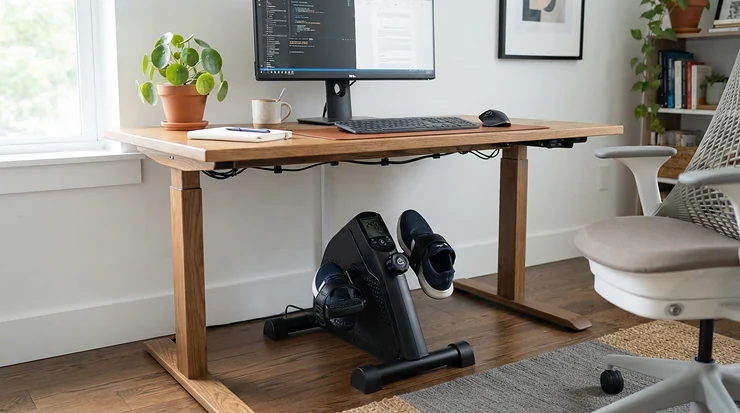
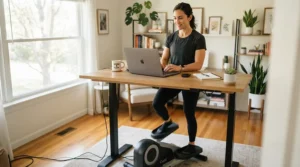
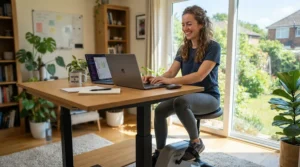
A desk bike with resistance is exactly what it sounds like: a compact pedal machine that slides under your workstation and lets you dial up (or down) how hard your legs have to work while you sit through spreadsheets, calls, and inbox zero. It is not a replacement for a real workout, but it is a legitimate way to convert dead sitting time into low-level, joint-friendly movement — and the resistance knob is what separates a serious tool from a glorified fidget toy.
If you have ever pedaled a cheap mini bike for ten minutes and gotten bored because there was nothing to push against, you already understand why resistance matters more than almost any other spec on these machines. A unit with a wide, adjustable resistance range lets you start gentle on a Monday morning and crank things up once your legs (and your patience) are ready for more. That is the whole point of this guide: we researched real, currently available models — not fictional “best of” filler — so you can match a machine’s actual resistance ceiling, weight capacity, and noise profile to your own workday.
We will walk through seven real desk bike with resistance options spanning budget, mid-range, and premium price points, followed by comparison tables, buying frameworks, and answers to the questions people actually search for. According to the Physical Activity Guidelines for Americans, adults need at least 150 minutes of moderate-intensity activity a week, and a resistance-adjustable desk bike is one of the easiest ways to chip away at that number without blocking off gym time.
Quick Comparison Table: Desk Bikes With Resistance at a Glance
| Product | Resistance Levels | Weight Capacity | Best For | Price Range |
|---|---|---|---|---|
| DeskCycle 2 Under Desk Bike Pedal Exerciser | 8 magnetic | 270 lbs | Serious daily pedaling | $150-$230 range |
| Cubii JR1 Under Desk Elliptical | 8 manual | ~250 lbs | Low-impact, joint-friendly motion | $230-$300 range |
| YOSUDA Under Desk Bike (16-Level) | 16 magnetic | 300 lbs | Fine-tuned intensity control | $140-$250 range |
| Sunny Health & Fitness Smart Dual Motion Mini Bike | 8 magnetic | 220 lbs | App-connected budget tracking | $110-$170 range |
| FLEXISPOT V9 Pro Exercise Bike with 2D Desktop | 8 magnetic | 300 lbs | All-in-one bike-plus-desk setup | $250-$350 range |
| MERACH S04 Under Desk Bike Pedal Exerciser | 16 manual | 280 lbs | Value-priced granular resistance | $90-$150 range |
| Vaunn Under Desk Bike Pedal Exerciser | 5 manual | Standard duty | Lowest-risk starter bike | Under $70 |
Looking at the spread above, the pattern is clear: more resistance levels and higher weight capacity generally track with higher price, but not always in a straight line. The MERACH S04 undercuts the YOSUDA on price while matching its 16-level resistance range, and the Vaunn proves you can test the desk-cycling habit for less than the cost of a nice dinner. Your best pick depends less on which machine has the “most” of everything and more on which resistance ceiling and price point actually match how hard you plan to pedal.
Found a favorite already? Bookmark this page and keep scrolling — the side-by-side spec breakdown below will confirm whether it’s really the right fit for your desk.
What Is a Desk Bike With Resistance?
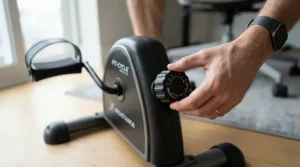
A desk bike with resistance is a small, low-profile pedal exerciser — usually magnetic or friction-based — that fits under a standard or adjustable-height desk and lets you change how much force the pedals push back with, typically through a dial or button offering anywhere from 5 to 16-plus intensity levels.
Unlike a full stationary bike, there is no seat attached; you use your own office chair. That is precisely why the resistance range matters so much: the machine has to supply the entire “workout” through the flywheel, since there is no saddle-based effort or handlebar steering involved. A wider resistance band means the same physical box can serve a rehab patient doing gentle circulation work and, on a different setting, a fit remote worker chasing a genuinely challenging desk cycle session.
Top 7 Desk Bikes With Resistance: Expert Analysis
We researched real specifications, aggregated review sentiment, and manufacturer data for seven currently sold models. Each one below covers a different intensity ceiling, price bracket, and use case, so treat this as a menu rather than a ranked countdown — the “best” one is the one whose resistance range matches your actual fitness level.
1. DeskCycle 2 Under Desk Bike Pedal Exerciser — deepest resistance range for serious pedaling
The DeskCycle 2 has built its reputation on one thing: a resistance system that actually gets hard. It offers 8 levels of magnetic resistance capable of producing up to 39 pounds of pedaling force, backed by a high-inertia flywheel that keeps the stroke smooth instead of jerky as you climb the levels.
That 39-pound ceiling is not just a marketing number — it is roughly double what several rival mini bikes claim, and it is paired with a detachable LCD that tracks RPM, distance, calories, and time so you can actually see the intensity you are working at. The frame supports up to 270 pounds and the pedal height adjusts to accommodate desks as low as 27 inches.
Based on the spec comparison, this is the pick for someone who wants a desk bike that can grow with them rather than topping out after a few weeks of consistent use. Reviewers consistently note that the highest resistance setting is legitimately difficult, with independent testers at Garage Gym Reviews specifically calling out that the top level surprised them with how much it demanded. Aggregated buyer feedback also flags the floor stabilizer as prone to loosening in transport — worth knowing if you plan to move it between rooms often.
Pros:
- ✅ Eight magnetic resistance levels reach genuinely tough settings
- ✅ Detachable LCD tracks RPM, distance, calories, and time
- ✅ Quiet, high-inertia flywheel keeps pedaling smooth on calls
Cons:
- ❌ Floor stabilizer can loosen if moved frequently
- ❌ Recumbent-style pedaling feel differs from a road bike
Priced in the $150-$230 range depending on the standard or adjustable-height version, the DeskCycle 2 earns its price by delivering a resistance ceiling that few compact competitors match — a strong value if you actually intend to use the upper levels.
2. Cubii JR1 Under Desk Elliptical — smoothest low-impact motion for long sessions
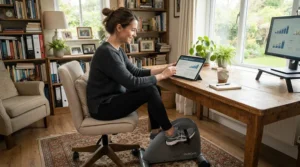
The Cubii JR1 swaps a pedal-bike motion for a seated elliptical glide, which changes the entire feel of “resistance” on this machine. It offers 8 manual resistance levels controlled by a dial, paired with an LCD that tracks calories, distance, RPM, and active minutes, plus free access to the Cubii Studio+ platform for guided classes.
What most buyers overlook about elliptical-style desk machines is that the gliding motion inherently reduces joint impact compared to a straight pedal stroke, which is exactly why physical therapists and older users gravitate toward this format. On paper, that low-impact design is the tradeoff for a resistance ceiling that will not satisfy someone chasing a genuinely challenging desk cycle workout — aggregated reviews describe the resistance as adequate for keeping legs moving but “mediocre” for anyone hoping to break a real sweat.
Where the JR1 pulls ahead is portability and polish: it is lightweight, quiet, and backed by an active online community and workout library that most rivals simply do not offer. The published weight capacity sits lower than several competitors here, so heavier users should check current listings carefully before buying.
Pros:
- ✅ Elliptical glide motion is gentler on knees than pedaling
- ✅ Cubii Studio+ access adds guided workout variety
- ✅ Compact and light enough to move between rooms easily
Cons:
- ❌ Resistance ceiling is lower than dedicated pedal bikes
- ❌ Published weight capacity trails several rivals in this list
At around $230-$300, the Cubii JR1 is priced for the ecosystem as much as the hardware — you are paying for the smoothness and the app, not for maximum resistance.
3. YOSUDA Under Desk Bike with 16-Level Magnetic Resistance — most granular intensity control
Where the DeskCycle 2 wins on raw force, the YOSUDA wins on precision. This model doubles the typical 8-level standard to 16 levels of magnetic resistance, which means the jump between settings is smaller and easier to fine-tune — useful if you find most bikes go from “too easy” to “surprisingly hard” in a single click.
The unit ships with two resistance bands for arm and upper-body work, a 300-pound weight capacity (the highest in this roundup), and an LCD tracking stride count, mileage, duration, and calories. Some current listings also mention Kinomap and Zwift syncing, though Bluetooth availability varies by specific SKU, so it is worth double-checking the exact listing before you buy.
Here’s what to weigh: aggregated buyer reviews are largely positive on smoothness and quiet operation — several describe it as “strong, heavyweight, reliable” — but at least one recurring theme is that even fit, younger users can eventually outgrow the resistance ceiling, since more levels does not automatically mean more maximum force compared to the DeskCycle 2’s 39-pound rating. In other words, granularity and raw ceiling are two different things, and the YOSUDA optimizes for the former.
Pros:
- ✅ Sixteen resistance levels allow finer intensity adjustments
- ✅ Included resistance bands add an upper-body option
- ✅ Highest published weight capacity in this lineup at 300 lbs
Cons:
- ❌ Bluetooth connectivity is not standard on every listed variant
- ❌ Some reviewers note a lower resistance ceiling for very fit riders
Expect to pay somewhere in the $140-$250 range depending on the specific bundle, which places the YOSUDA squarely in the mid-range tier for buyers who prioritize adjustability over maximum burn.
4. Sunny Health & Fitness Smart Dual Motion Mini Bike — best app-connected budget pick
Sunny Health & Fitness has been in the budget fitness space for over two decades, and its Smart Dual Motion Mini Bike reflects that experience: 8 levels of magnetic resistance, a quiet belt-drive mechanism, and Bluetooth connectivity to the SunnyFit app for tracking workouts and routes.
What most buyers overlook about belt-drive designs is that they typically run quieter than chain-driven alternatives at the same price point — a meaningful advantage if your desk sits inside earshot of a video call. The bike is also compatible with Sunny’s HR200 heart-rate monitor, giving you a data layer that most sub-$150 competitors skip entirely.
Based on the spec comparison, the tradeoff here is a lower 220-pound weight capacity and a fixed, low profile that is not height-adjustable — testers who are noticeably tall have reported it still works, but it is worth measuring your desk clearance first. Aggregated review sentiment describes the resistance as stable and predictable rather than punishing, which tracks with its positioning as an everyday, moderate-intensity tool rather than a hardcore training device.
Pros:
- ✅ SunnyFit Bluetooth app adds route tracking and workout variety
- ✅ Belt-drive mechanism runs quieter than basic chain designs
- ✅ Compatible with the Sunny HR200 heart-rate monitor
Cons:
- ❌ Fixed low height may not suit very tall users
- ❌ 220-lb weight capacity trails several rivals here
Priced around $110-$170, the Sunny Health & Fitness Smart Dual Motion Mini Bike delivers app connectivity at a price point where most competitors offer none at all.
5. FLEXISPOT V9 Pro Exercise Bike with 2D Desktop — best all-in-one workstation bike
FLEXISPOT built its name on standing desks, and the V9 Pro shows that DNA clearly: instead of a separate mini bike you slide under an existing desk, this model bolts an adjustable 2D desktop directly onto the bike itself. It runs 8 levels of magnetic flywheel resistance and supports up to 300 pounds.
Here’s what to weigh: a built-in desktop solves the classic problem of a laptop sliding around on your lap or a too-far desk while you pedal, since the surface moves with you and adjusts to your seated position. What the spec sheet won’t tell you, but reviewer commentary from hands-on testers suggests, is that the pedaling geometry feels more like a comfort cruiser than an aggressive road bike — fine for steady, moderate effort, less ideal if you are trying to replicate a spin class.
This is also the priciest option in our lineup, and its footprint is meaningfully larger than a simple under-desk unit, so it suits people replacing an entire office chair setup rather than adding a bike to an existing desk.
Pros:
- ✅ Built-in 2D desktop removes the laptop-balancing problem
- ✅ 300-lb weight capacity accommodates heavier riders
- ✅ Doubles as a legitimate standalone desk-and-chair setup
Cons:
- ❌ Highest price point of any product in this roundup
- ❌ Bulkier footprint than compact, pedal-only alternatives
At roughly $250-$350, the FLEXISPOT V9 Pro is less a “desk bike” add-on and more a full furniture replacement — price it against a chair-plus-bike combo, not against a $150 mini pedaler.
6. MERACH S04 Under Desk Bike Pedal Exerciser — best value for granular manual resistance
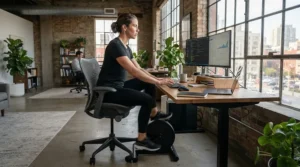
The MERACH S04 quietly matches the YOSUDA’s headline spec — 16 levels of resistance — at a noticeably lower price, making it one of the more interesting value plays in this category. Resistance is manually adjusted rather than app-controlled, and the package includes two resistance bands, a non-slip mat, and access to the MERACH app with a 180-day free membership.
What most buyers overlook here is that manufacturer materials break the 16 levels into practical bands: roughly levels 1-4 for gentle rehabilitation or recovery work, and levels 5-8-plus for pushing heart rate and endurance during work breaks — a useful mental model even if you never open the companion app. The frame is rated for up to 280 pounds, competitive with pricier rivals.
Based on the spec comparison, the honest caveat is that independent, third-party review coverage for this specific model is thinner than for market leaders like DeskCycle or Cubii, so some of what is known comes from manufacturer listings and marketplace ratings rather than long-term third-party lab testing. That is not a red flag, just a reason to read current buyer reviews on your preferred retailer before checkout.
Pros:
- ✅ Sixteen manual resistance levels at a distinctly lower price
- ✅ MERACH app includes a 180-day free membership
- ✅ Ships with resistance bands and a non-slip floor mat
Cons:
- ❌ Manual dial lacks the polish of Bluetooth-controlled rivals
- ❌ Independent long-term reviews are less established than category leaders
Typically priced in the $90-$150 range, the MERACH S04 is the strongest case in this list for buyers who want granular resistance control without paying YOSUDA-level pricing.
7. Vaunn Under Desk Bike Pedal Exerciser — lowest-risk way to start desk cycling
Not everyone needs — or wants — 16 resistance levels and an app on day one. The Vaunn is the entry point: 5 resistance levels adjusted via a tension knob, shipped fully assembled, and designed to fold flat for storage when you are done with it.
What most buyers overlook about “starter” desk bikes is that the biggest barrier to building a desk-cycling habit is rarely the resistance ceiling — it is whether the thing gets used at all in the first six weeks. A fully assembled, foldable, genuinely inexpensive unit removes almost every excuse: no tools, no dedicated floor space, no meaningful financial risk if it turns out desk cycling is not for you.
On paper, this means fewer resistance levels than every other product on this list, so a fit rider will likely outgrow the Vaunn’s ceiling faster than they would the DeskCycle 2 or YOSUDA. Aggregated buyer feedback consistently frames it as the lowest-risk way to test the habit rather than a long-term training tool, which is precisely how we would recommend using it.
Pros:
- ✅ Fully assembled out of the box with zero setup stress
- ✅ Folds flat for easy storage in small apartments
- ✅ Lowest price of any bike featured in this roundup
Cons:
- ❌ Only five resistance levels limit long-term progression
- ❌ No app or advanced tracking features included
At under $70, the Vaunn Under Desk Bike Pedal Exerciser is the cheapest on-ramp into desk cycling in this entire guide, and arguably the smartest first purchase for a total skeptic.
Top 7 Products: Full Spec Comparison
| Product | Resistance Type | Levels | Extras | Best For |
|---|---|---|---|---|
| DeskCycle 2 Under Desk Bike Pedal Exerciser | Magnetic | 8 (up to 39 lbs) | Detachable LCD | Maximum resistance ceiling |
| Cubii JR1 Under Desk Elliptical | Manual dial | 8 | Cubii Studio+ app | Low-impact glide motion |
| YOSUDA Under Desk Bike (16-Level) | Magnetic | 16 | Resistance bands | Fine intensity steps |
| Sunny Health & Fitness Smart Dual Motion Mini Bike | Magnetic, belt-drive | 8 | SunnyFit Bluetooth app | Budget app tracking |
| FLEXISPOT V9 Pro Exercise Bike with 2D Desktop | Magnetic flywheel | 8 | Attached adjustable desktop | Full workstation swap |
| MERACH S04 Under Desk Bike Pedal Exerciser | Manual magnetic | 16 | MERACH app, bands, mat | Value-priced granularity |
| Vaunn Under Desk Bike Pedal Exerciser | Manual knob | 5 | Folds flat, fully assembled | Testing the habit cheaply |
Scanning across rows, the two 16-level machines — the YOSUDA and the MERACH S04 — offer the finest resistance control, but only the DeskCycle 2 publishes an actual force rating (39 pounds), which matters more than level count if raw difficulty is your priority. If you are choosing based on total cost of ownership rather than specs alone, the Vaunn and MERACH S04 deliver the most usable resistance range per dollar spent.
How to Choose a Desk Bike With Resistance
Picking the right desk bike with resistance comes down to matching a handful of concrete specs to your actual workday, not chasing the longest feature list. Here is the process we would walk through:
- Confirm your desk clearance first. Measure from the floor to the underside of your desk and compare it against the bike’s pedal height; a unit that forces your knees into the desktop is a nonstarter regardless of resistance range.
- Decide how hard you actually want to work. If you are aiming for a genuinely challenging desk cycle session, prioritize a published force rating (like the DeskCycle 2’s 39 pounds) over a simple level count.
- Weigh granularity against raw ceiling. More levels (YOSUDA, MERACH S04) means smaller, easier jumps in intensity; fewer levels with a higher top end means you reach real difficulty faster but with less fine-tuning.
- Factor in noise tolerance. Magnetic and belt-drive systems are consistently quieter than friction or chain designs — a meaningful consideration if your desk sits within earshot of video calls.
- Check the weight capacity against your own body weight, not just the marketing number, since some listings show conflicting figures across retailers.
- Decide if you need app tracking. Bluetooth-connected models add motivation through logged data, but a simple LCD is enough for most casual users.
- Set a realistic budget band using the comparison tables above rather than assuming the priciest option is automatically the best fit for your fitness level.
Desk Bike Intensity Levels Explained: What Each Setting Actually Feels Like
Desk bike intensity levels are not standardized across brands, which is why “level 5” on one machine can feel completely different from “level 5” on another. Based on the spec comparison across this lineup, a useful mental model splits most 8-to-16-level machines into three practical bands.
The lowest quarter of levels — roughly 1 through 2 on an 8-level bike, or 1 through 4 on a 16-level one — is built for gentle circulation work: rehabilitation, recovery days, or simply keeping blood moving during a long meeting without breaking a sweat. The middle band is where most desk workers actually live day to day, offering enough push to notice your legs working without derailing your typing. The top quarter is where the real differentiation between models shows up: on the DeskCycle 2, reviewers describe the highest setting as legitimately tough, while lower-ceiling machines like the Vaunn simply run out of resistance before things get genuinely hard.
What most buyers overlook is that intensity is also shaped by cadence, not just the resistance dial — pedaling faster at a low level can produce a similar heart-rate response to pedaling slowly at a higher one. If your goal is customizable workout intensity that adapts across a full workday, look for a model with both a wide level range and a flywheel heavy enough to stay smooth at every setting, since a jerky low-inertia flywheel makes the lower levels feel less controlled.
Setting Up and Maintaining Your Desk Bike With Resistance
Getting real fitness while working out of a desk bike starts with setup, not the machine itself. Most units, including the DeskCycle 2 and MERACH S04, arrive needing only pedal attachment and battery installation for the LCD — a five-to-fifteen-minute job with the included tools.
Once assembled, place the bike on a hard floor or the included non-slip mat if one comes with your model; carpet can allow lighter units to creep during use, especially at higher resistance settings where you are pushing harder against the pedals. Adjust your chair height so your knee reaches only a gentle bend at the top of the pedal stroke — too high a chair strains the hips, too low overextends the knee.
For the first 30 days, resist the urge to start on the highest resistance level. A common mistake is treating day one like a cardio class; instead, spend the first week at the lowest one or two levels for 15-20 minute stretches, then increase resistance every few days as your legs adapt. Maintenance is minimal: wipe down the flywheel housing monthly, check that pedal straps or clips have not loosened, and periodically confirm the unit has not drifted from its original floor position, particularly on models without a locking floor stabilizer.
Real-World Scenarios: Matching a Desk Bike to Your Work Day
Consider a remote customer-support rep who spends six hours a day on calls in a small apartment with thin walls. Noise and footprint matter more than raw power here, which points toward the belt-drive Sunny Health & Fitness Smart Dual Motion Mini Bike or the compact, foldable Vaunn — both prioritize quiet operation and small storage footprints over maximum resistance.
Now picture a former competitive cyclist working a desk job who misses feeling genuinely worked by a bike. For that user, the resistance ceiling is the whole ballgame, making the DeskCycle 2‘s 39-pound rating the clear standout over lower-force competitors, since a fit rider will simply spin through a five-level bike’s top setting without effort.
Finally, think about a physical therapy patient easing back into movement after knee surgery, working from home part-time. The Cubii JR1’s elliptical glide motion reduces joint impact compared to a straight pedal stroke, and its lower resistance ceiling is actually an advantage here rather than a limitation, since gentle, consistent movement — not intensity — is the goal during early-stage rehab.
Common Desk Cycling Problems (And How an Adjustable Resistance Desk Bike Solves Them)
Problem: The bike is too easy after two weeks. This is the single most common complaint with fixed or narrow resistance ranges. The fix is buying ahead of your current fitness level — an adjustable resistance desk bike like the DeskCycle 2 or either 16-level model gives you headroom to grow into, rather than maxing out almost immediately.
Problem: Pedaling is distracting during video calls. Magnetic and belt-drive systems are quieter than friction or chain mechanisms across every model in this guide; if noise is derailing your calls, that is a resistance-type issue, not a levels issue, and switching mechanisms solves it faster than switching brands.
Problem: The bike slides across the floor at higher resistance. Higher settings mean more force being pushed back into the base, which is exactly when a light unit without a proper stabilizer or non-slip mat will creep. Models shipping with a dedicated mat (YOSUDA, MERACH S04) or a weighted, low-profile base (DeskCycle 2) are built specifically to counter this.
Problem: Knees hit the underside of the desk. This is a fit issue, not a resistance issue — recheck your desk clearance and pedal height before assuming the wrong machine is at fault; several models offer adjustable pedal height specifically to solve it.
Problem: Motivation fades after the first month. Bluetooth-app-connected models like the Sunny Health & Fitness bike or YOSUDA give you logged data and route tracking, which for many users is the difference between a bike that gets used daily and one that becomes an expensive footrest.
Progressive Resistance Training at Your Desk: Building a Challenging Desk Cycle Habit
Progressive resistance training is a simple principle borrowed straight from strength coaching: your body adapts to a fixed stimulus, so the stimulus has to increase over time to keep producing results. Applied to a desk bike, that means the resistance level you start on in week one should not be the level you are still using in month three.
A workable framework looks like this: spend the first one to two weeks at the lowest levels simply to build the daily habit, then increase by one resistance level every five to seven working days as long as the current setting no longer feels genuinely taxing by the last ten minutes of a session. On a machine like the DeskCycle 2 or YOSUDA, this slow climb can take two to three months before you reach the upper levels, which is exactly the point — it mirrors how research on interval training shows that alternating higher-intensity bouts with lower-intensity recovery periods builds fitness more efficiently than a single unchanging effort level.
Here’s what to weigh: a genuinely challenging desk cycle session does not require constant maximum resistance. Many users get strong results alternating five-minute stretches at a moderate level with two-minute pushes at a high one, essentially building informal interval training into an otherwise mundane workday, and this approach is far more sustainable across an 8-hour shift than trying to hold the top resistance level the entire time.
Common Mistakes When Buying a Desk Bike With Resistance
The most frequent mistake is buying based on level count alone. A 16-level bike is not automatically “harder” than an 8-level one — the DeskCycle 2’s 8 levels top out at a published 39 pounds of resistance, which may exceed what some 16-level competitors offer at their own maximum setting. Always look for an actual force rating when one is published, not just a level number.
The second mistake is skipping the desk-clearance measurement entirely. Buyers commonly discover after unboxing that their pedal height clashes with a fixed-height desk, forcing an awkward hunch that no amount of resistance adjustability can fix.
A third mistake is ignoring weight capacity discrepancies between retailers — several models in this category show conflicting numbers across listings, so cross-referencing two or three sources before checkout is worth the extra five minutes. Finally, buyers frequently underestimate noise as a factor, assuming “quiet enough for home” also means “quiet enough for back-to-back video calls,” when in practice only magnetic and belt-drive systems reliably clear that bar.
Desk Bike With Resistance vs Standing Desk and Treadmill Desks
| Factor | Desk Bike With Resistance | Standing Desk | Treadmill Desk |
|---|---|---|---|
| Adjustable intensity | Yes, via resistance dial | No (static posture only) | Limited (speed only) |
| Typing stability | High, seated and stationary | High | Low to moderate |
| Noise level | Low (magnetic models) | None | Moderate to high |
| Space required | Small footprint | Moderate | Large footprint |
| Approx. cost | $70-$350 | $200-$600 | $400-$1,200 |
A standing desk changes posture but adds no adjustable intensity whatsoever — you are simply upright instead of seated, and research published in the Annals of Internal Medicine found that sitting time itself is linked to higher risk of heart disease, diabetes, cancer, and death largely independent of regular exercise habits, which is one reason posture-only solutions have real limits. A treadmill desk offers genuine cardio but at a much larger footprint and with typing stability that suffers noticeably above a slow walking pace, making it a poor fit for detail-heavy work like spreadsheets or design.
A desk bike with resistance splits the difference: it keeps your upper body stable enough for accurate typing and mousing while still offering a genuinely adjustable intensity range, and it does so in a fraction of the floor space a treadmill desk demands. For most home offices, that combination of stability, adjustability, and footprint is the deciding factor over either alternative.
Desk Bikes for Specific Audiences: Beginners, Seniors, and Power Users
Beginners chasing customizable workout intensity without early frustration should start with a mid-range 8-level magnetic model like the DeskCycle 2 or Sunny Health & Fitness Smart Dual Motion Mini Bike, both of which offer enough range to progress for months before topping out, without the higher price tag of premium units.
Seniors and rehabilitation users are generally better served by the Cubii JR1‘s elliptical glide, which reduces joint impact, or the lower resistance bands (roughly levels 1-4) on the MERACH S04, both of which prioritize gentle, consistent movement over raw intensity. Aggregated review sentiment across this category consistently notes that low-impact, quiet operation matters more to this group than top-end resistance force.
Power users — former athletes, cyclists, or anyone who finds most desk bikes laughably easy — should look almost exclusively at the DeskCycle 2‘s 39-pound resistance ceiling or the 16-level granularity of the YOSUDA and MERACH S04, since a genuinely challenging desk cycle session simply is not available on entry-level 5-level machines like the Vaunn.
Long-Term Cost & Maintenance
A $70 Vaunn and a $230 DeskCycle 2 look far apart on a receipt, but total cost of ownership tells a more nuanced story. Magnetic-resistance models have no chains, belts, or bearings that wear down quickly under friction, so a one-time purchase in this category typically has minimal ongoing cost beyond an occasional battery swap for the LCD display.
| Model | Upfront Price | Est. Annual Cost of Use* | Resistance Longevity |
|---|---|---|---|
| Vaunn Under Desk Bike Pedal Exerciser | Under $70 | ~$5 (batteries) | Outgrows quickly at higher fitness |
| MERACH S04 Under Desk Bike Pedal Exerciser | $90-$150 | ~$5-10 (batteries, app optional) | Strong for 1-2 years of progression |
| DeskCycle 2 Under Desk Bike Pedal Exerciser | $150-$230 | ~$5-10 (batteries) | Multi-year headroom for most users |
*Estimated based on typical battery replacement cycles for LCD displays; app subscriptions, where optional, are not included.
Looking at the table, the value verdict is not simply “buy the cheapest” or “buy the most expensive.” If you expect to outgrow a low resistance ceiling within a year, spending more upfront on the DeskCycle 2 or a 16-level model often works out cheaper per year of actual use than replacing a $70 unit once it stops being challenging.
Features That Actually Matter (And Those That Don’t)
Resistance range and weight capacity actually matter — they directly determine whether the machine still challenges you in six months and whether it will hold up under your body weight without excess wobble. Pairing a desk bike with sound desk posture also actually matters: Cornell University’s ergonomics guidelines recommend keeping knees and hips at a neutral angle and taking frequent short breaks, principles that still apply even while your legs are pedaling. A properly weighted, high-inertia flywheel also actually matters, since it is the difference between smooth pedaling and a jerky stroke that is distracting during focused work.
App connectivity and Bluetooth syncing are nice-to-have rather than essential; they add motivation for some users but contribute nothing to the physical resistance you are pushing against. Similarly, a large number of tracked metrics on an LCD screen looks impressive on a spec sheet but rarely changes outcomes compared to a simpler display showing time and resistance level. Marketing claims about calories burned should be treated skeptically across this entire category — these estimates are notoriously rough on compact pedal machines and vary widely between models measuring the exact same effort.
Frequently Asked Questions
❓ What resistance level should a beginner start on?
❓ Do desk bikes with resistance actually help you lose weight?
❓ Are magnetic resistance desk bikes quieter than friction models?
❓ Can a desk bike with resistance fit under any desk?
❓ How many resistance levels do I actually need?
Conclusion
A desk bike with resistance is only as useful as its resistance range matches your fitness level, and that single variable — more than price, brand, or app polish — should drive your final decision. The DeskCycle 2 wins on raw ceiling, the YOSUDA and MERACH S04 win on fine-tuned granularity, the Cubii JR1 wins on low-impact comfort, the Sunny Health & Fitness Smart Dual Motion Mini Bike and FLEXISPOT V9 Pro win on connected tracking and all-in-one convenience respectively, and the Vaunn wins simply by removing every excuse not to start.
Building genuine fitness while working does not require a dramatic lifestyle overhaul — it requires picking a machine whose lowest setting will not bore you and whose highest setting will not defeat you before you have had a chance to adapt. Measure your desk, be honest about your current fitness level, and choose accordingly; the resistance dial will do the rest.
Whatever you choose, remember that consistency beats intensity in this category. Even the DeskCycle 2’s 39-pound ceiling delivers nothing if the bike spends more time as a footrest than in use, so pick the model you will actually reach for daily — then let progressive resistance training handle the rest over the following months.
✨ Don’t Miss These Exclusive Deals!
🔍 Take your desk bike with resistance search to the next level with the picks above. Click on any highlighted product to check current pricing and availability. These tools will help you build authentic fitness while working habits your future self will thank you for!
Recommended for You
- 7 Best Quiet Desk Bikes For 2026: Silent Picks Compared
- Portable Desk Bike 2026: 7 Picks That Actually Work At A Desk
- Desk Cycle vs Deskbike: 7 Best Under Desk Bikes Compared (2026)
Disclaimer: This article contains affiliate links. As an Amazon Associate, I earn from qualifying purchases. If you purchase products through these links, we may earn a small commission at no additional cost to you.
✨ Found this helpful? Share it with your friends! 💬🤗
