
In This Article
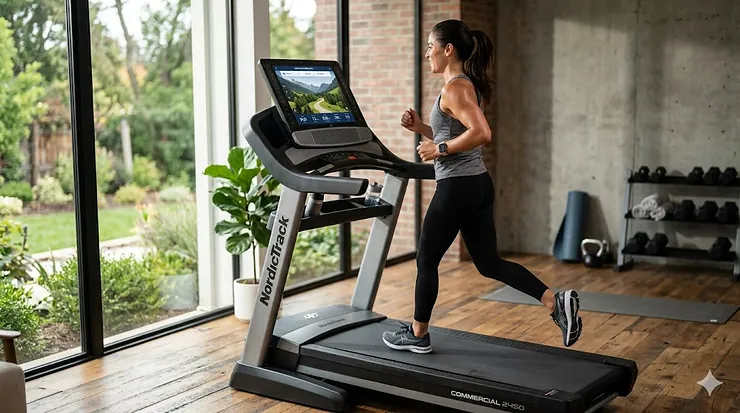
Picture this: you’re running through the streets of Paris while actually standing in your living room, your treadmill automatically adjusting incline to match the Seine’s riverside path, your stats syncing to your phone in real-time. That’s not science fiction anymore—that’s what an app connected treadmill delivers in 2026. The fitness technology revolution has transformed these machines from simple belt-and-motor setups into sophisticated smart devices that turn monotonous indoor running into immersive, data-driven experiences.
The market for connected fitness devices has exploded over the past few years, and for good reason. According to the Centers for Disease Control and Prevention, getting at least 150 minutes of moderate physical activity weekly significantly reduces risks of heart disease and stroke. An app connected treadmill makes hitting those targets not just achievable, but genuinely enjoyable. Whether you’re chasing virtual competitors through the UREVO Sport App, following iFit trainers across mountain trails, or letting your Bluetooth-enabled machine sync seamlessly with your Peloton membership, these smart treadmills transform your cardio routine from a chore into an adventure.
What makes a treadmill “app connected” in 2026? We’re talking about machines that sync with fitness platforms via Bluetooth or WiFi, stream live classes to built-in touchscreens, auto-adjust speed and incline based on instructor commands, and track every metric from heart rate to calorie burn. Some work with proprietary apps like iFit or Echelon Fit, while others embrace open connectivity standards like Bluetooth FTMS that let you pair with virtually any fitness app. The best smart treadmill 2026 options range from budget-friendly walking pads around $300 to premium commercial-grade machines approaching $2,500—but here’s what most buyers miss: price doesn’t always correlate with the right features for your specific needs.
Quick Comparison: Top App Connected Treadmills at a Glance
| Model | App Connectivity | Motor Power | Price Range | Best For |
|---|---|---|---|---|
| NordicTrack Commercial 1750 | iFit (16″ touchscreen) | 4.25 CHP | $2,200-$2,500 | Serious runners wanting immersive training |
| ProForm Pro 2000 | iFit (10″ touchscreen) | 3.5 CHP | $1,400-$1,600 | Budget-conscious iFit enthusiasts |
| SOLE F80 | Bluetooth FTMS (Peloton compatible) | 3.5 HP | $1,600-$1,800 | Peloton subscribers avoiding Tread prices |
| Echelon Stride Auto-Fold | Echelon Fit app | 1.75 HP | $900-$1,100 | Space-challenged apartment dwellers |
| UREVO Strol 2E | UREVO Sport/Kinomap/Zwift | 2.25 HP | $350-$450 | Under-desk walkers and casual joggers |
| UREVO Strol 2S Pro | UREVO Sport app | 3.0 HP | $500-$650 | Walking pad upgraders wanting incline |
| WELLFIT Foldable | WELLFIT/KINOMAP/Apple Health | 4.0 HP | $800-$1,000 | Heavy users needing 400lb capacity |
Looking at this comparison, the clearest pattern isn’t just price—it’s ecosystem commitment. The NordicTrack and ProForm machines lock you into iFit’s $39/month subscription but reward that commitment with automatically adjusting workouts and stunning global routes. The SOLE F80 takes the opposite approach: no proprietary subscription needed, just bring your own Peloton or other Bluetooth FTMS-compatible app. Meanwhile, the UREVO models offer surprising versatility by supporting multiple apps (UREVO Sport, Kinomap, even Zwift), meaning you’re not betting your entire investment on a single platform’s longevity. Budget buyers should note that the sub-$500 walking pads sacrifice motor power and screen size but gain portability—the Strol 2E folds to just 4.6 inches thick, something no 300-pound commercial treadmill can claim.
💬 Just one click — help others make better buying decisions too!😊
Top 7 App Connected Treadmills: Expert Analysis
1. NordicTrack Commercial 1750 – The iFit Flagship Experience
When treadmill reviewers talk about the gold standard for wifi enabled treadmill technology, the NordicTrack Commercial 1750 dominates the conversation—and after testing the 2026 model, I understand why. This machine pairs a beefy 4.25 CHP motor (upgraded from previous years’ 3.75 CHP) with a massive 22″ × 60″ running deck and a swiveling 16-inch HD touchscreen that serves as your portal to iFit’s library of 10,000+ workouts. The real magic happens when you select a trainer-led class: the machine’s SmartAdjust technology automatically controls speed and incline based on the instructor’s cues and your current fitness level, creating a hands-free training experience that adapts in real-time.
Here’s what separates the 1750 from cheaper iFit-enabled models: that 4.25 CHP motor doesn’t just hit 12 mph—it maintains it smoothly even on steep inclines without the whining strain you hear on underpowered machines. The -3% to +15% incline/decline range (note: some sources say +12%, verify your model year) lets you simulate downhill running, which engages different muscle groups than flat or uphill work. NordicTrack’s Runners Flex cushioning noticeably reduces joint impact compared to outdoor concrete, though they removed the toggle-off option from previous generations—you’re stuck with cushioning whether you want road-like firmness or not.
Who should buy this? Serious runners logging 20+ miles weekly who want structured training without hiring a personal trainer. The iFit subscription ($39/month after the included 30-day trial) stops being optional when you realize the machine’s console is basically an iFit delivery device—yes, you can use it without subscribing, but that’s like buying a sports car and never leaving first gear. College students or casual walkers will find the $2,200-$2,500 price tag absurd when a $400 walking pad meets their actual needs.
Customer feedback consistently praises: The intuitive touchscreen interface, whisper-quiet operation even at higher speeds, and the way global workout routes make you forget you’re running in place. Common complaints focus on: The hefty 312-pound weight (plan where you place it because you won’t want to move it), the one-year warranty feels stingy at this price point, and iFit’s mandatory subscription model.
✅ Pros:
• 4.25 CHP motor handles marathon training
• SmartAdjust personalizes every workout automatically
• Decline capability (-3%) trains overlooked muscle groups
❌ Cons:
• iFit subscription becomes a recurring cost ($468/year)
• 312 lbs makes repositioning a two-person job
Price verdict: In the $2,200-$2,500 range, this represents solid value for committed runners, but only if you’re willing to treat the iFit subscription as part of the total cost of ownership.
2. ProForm Pro 2000 – iFit on a Budget
Think of the ProForm Pro 2000 as the NordicTrack 1750’s more affordable cousin—same iFit ecosystem, same Icon Fitness manufacturing pedigree, but with strategic cost-cutting that brings the price down to the $1,400-$1,600 range. You’re getting a 3.5 CHP motor, a 22″ × 60″ deck (same width as the 1750), and a 10-inch touchscreen instead of the 1750’s 16-incher. More importantly, you’re getting the exact same iFit functionality: automatic speed and incline adjustments, global workout routes, and trainer-led classes that sync seamlessly with your machine.
What you sacrifice versus the 1750: motor power (3.5 vs 4.25 CHP means the Pro 2000 works harder at sustained high speeds), touchscreen real estate (10 inches versus 16), and incline range (the Pro 2000 typically tops out around +12% versus the 1750’s +15%, and no decline). But here’s the insight most buyers miss—if you’re walking at 3-4 mph or jogging at 6-7 mph, that motor power difference is academic. The 3.5 CHP motor only shows its limits when you’re doing sprint intervals above 10 mph or prolonged runs at steep inclines, activities that most home users perform maybe 10% of the time.
ProForm’s cushioning system feels slightly softer than NordicTrack’s Runners Flex, which some joint-sensitive runners prefer while others complain it feels “squishy” and less responsive. The deck itself proved comfortable during testing, with good traction and enough width that stride variation never felt constrained. The space-saving folding design works well—not quite as effortless as Echelon’s auto-fold mechanism, but the hydraulic assist prevents the deck from slamming down.
Best for: Budget-conscious buyers who want the iFit ecosystem without breaking $2,000. Especially smart for couples or families where the heaviest user weighs under 275 pounds (the max capacity) and mainly jogs rather than sprints. If you’re training for a marathon and doing 10-mile tempo runs, spend the extra $700 for the 1750’s beefier motor.
Customer sentiment trends: Users love the value proposition and appreciate that iFit quality doesn’t change whether you’re on a $1,500 or $2,500 machine. Frustrations center on assembly complexity (budget 90 minutes and a helper) and the fact that the 10-inch screen feels cramped when mirroring form-intensive strength classes.
✅ Pros:
• iFit access at $700+ less than the 1750
• Softer cushioning benefits sensitive knees
• 22″ deck width accommodates larger frames
❌ Cons:
• Motor strains during sustained 10+ mph runs
• 10″ screen limits off-tread workout visibility
Price reality check: Around $1,400-$1,600, this hits the sweet spot for iFit newcomers. Just remember: add $468/year for the iFit subscription when calculating long-term costs.
3. SOLE F80 – Bluetooth Freedom Without Subscription Jail
The SOLE F80 represents a fundamentally different philosophy: instead of locking you into a proprietary app ecosystem, it embraces open Bluetooth FTMS connectivity that pairs with Peloton, Zwift, or virtually any fitness app supporting the standard. The 10.1-inch touchscreen exists mainly for displaying your treadmill’s native metrics—speed, incline, heart rate, distance. When you want guided workouts, you mirror your phone or tablet running the Peloton app (or whatever you choose) to that screen, and the F80 transmits real-time speed, incline, pace, and distance data back to the app.
Mechanically, this is a tank. The 3.5 HP motor powers a 22″ × 60″ running surface up to speeds of 12 mph and inclines from 0-15%. What sets SOLE apart is the warranty: lifetime on the frame and motor, five years on electronics, two years on parts. That’s miles ahead of NordicTrack’s stingy one-year coverage and signals that SOLE actually expects this machine to survive years of heavy use. The deck cushioning feels slightly firmer than the ProForm but still provides noticeable joint protection versus pavement.
Here’s where the F80 shines: Peloton Tread owners pay around $4,400 for the machine alone, then $44/month for the full Peloton membership. F80 buyers spend around $1,600-$1,800 for the treadmill, add a Peloton App+ membership at $12.99/month (not the full $44), and get 95% of the experience at half the total cost. The treadmill transmits your metrics to the Peloton app just like a genuine Tread would—your workout summaries, leaderboard position, instructor shoutouts all work identically.
Ideal buyer profile: Existing Peloton subscribers who want treadmill access without buying the Tread. Also smart for commitment-phobes who hate the idea of being locked into one app ecosystem—you can switch from Peloton to Zwift to something else next year without buying new hardware.
User feedback highlights: The bomb-proof build quality and lifetime motor warranty create confidence for 200+ pound users concerned about durability. The native console programs (six standard, two custom, two heart rate) work fine but feel basic compared to iFit’s production value. Bluetooth connectivity occasionally requires re-pairing, a minor annoyance.
✅ Pros:
• Lifetime motor/frame warranty versus competitors’ 1-5 years
• Bluetooth FTMS works with multiple apps (Peloton, Zwift, etc.)
• No mandatory subscription—bring your own app
❌ Cons:
• Screen mirroring drains phone/tablet battery quickly
• Native programs feel sparse if you skip app subscriptions
Cost analysis: In the $1,600-$1,800 range with no forced subscriptions, this offers the lowest 5-year total cost of ownership on this list. Add whichever app subscription you choose—or none at all.
4. Echelon Stride Auto-Fold – Space-Saving Smart Tech
When apartment dwellers say “I’d love a treadmill but have nowhere to put it,” the Echelon Stride Auto-Fold exists specifically to solve that problem. This machine folds flat to just 10 inches tall with a single lever pull—then you slide it under your bed, behind the couch, or into a closet. At 156 pounds, it’s light enough that most adults can manipulate it solo, unlike the 300+ pound behemoths that require a dedicated floor space forever.
The trade-offs for this compactness: a smaller 55″ × 20″ running surface (versus the 60″ standard on larger models), a 1.75 HP motor (adequate for walking and jogging, limiting for serious running), and incline that tops out at 10-12% instead of 15%. The tablet holder above the simple LED display lets you run Echelon Fit app classes (3,000+ live and on-demand) or stream Netflix while walking. Bluetooth connectivity links to the Echelon Fit app, which displays real-time stats and offers instructor-led classes where you manually adjust speed and incline based on their cues—no automatic adjustments like iFit provides.
Here’s the honest assessment: if you’re 5’10” or taller with a longer stride, that 55-inch belt length will feel cramped during faster runs. You’ll find yourself subconsciously shortening your stride to avoid hitting the end, which defeats the purpose. But for walking (even power walking at 4 mph) and moderate jogging up to 6-7 mph, the deck size works fine. The motor handles 12 mph maximum, but I’d consider 8-9 mph its comfortable sustained ceiling—asking a 1.75 HP motor to maintain 12 mph for extended periods is like red-lining your car engine constantly.
Perfect for: Urban apartment dwellers with genuinely limited space, walking-focused users, and anyone who values the psychological benefit of “putting away” their treadmill versus having it dominate their living space. Not recommended for runners over 6 feet tall or anyone training for races—the deck is just too short.
Real user experiences: Buyers rave about the space-saving design and how easy setup is (arrives 95% assembled). Complaints center on the motor’s audible strain at higher speeds and the Echelon Fit app not quite matching the polish of Peloton or iFit. The one-year warranty feels inadequate compared to SOLE’s lifetime coverage.
✅ Pros:
• Folds to 10″ height for legitimate storage under beds
• 156 lbs means solo repositioning actually works
• Echelon Fit app offers leaderboards and live classes
❌ Cons:
• 55″ belt too short for taller runners’ full stride
• 1.75 HP motor struggles with sustained high speeds
Price position: Around $900-$1,100, this occupies the “space premium” niche. You’re paying extra for the folding mechanism rather than motor power or features—which makes perfect sense if square footage is your limiting factor.
5. UREVO Strol 2E – The Walking Pad That Thinks It’s a Treadmill
The UREVO Strol 2E redefines what “app connected treadmill” can mean at the budget end. This 2-in-1 folding design works as either a walking pad (0.6-4.0 mph) under your standing desk or a full treadmill (0.6-6.2 mph) with the handlebar raised. At around $350-$450, it costs less than one month’s rent in most cities, yet syncs with the UREVO Sport App (plus Kinomap and Zwift) to track your progress and access virtual routes.
Let’s be clear about what you’re getting: a 2.25 HP motor, a 15″ × 40.1″ walking surface, 265-pound capacity, and a minimalist LED display showing time, calories, steps, speed, and distance. This isn’t competing with the NordicTrack 1750—it’s competing with your existing habit of sitting all day. The five-layer anti-slip belt and eight silicone shock absorbers create a surprisingly smooth walking experience, though you’ll hear more motor noise than premium models generate. The magnetic remote control (it sticks to the treadmill when not in use, clever) lets you adjust speed without bending down to the console.
What makes this a smart buy for specific users: If you work from home and spend 6+ hours daily at a computer, walking at 2-3 mph while typing burns roughly 200-300 extra calories daily (yes, you can actually type while walking at these speeds after a brief learning curve). The UREVO Sport App tracks cumulative mileage, sets goals, and offers different workout modes, though the content library doesn’t compare to iFit or Peloton. Compatibility with Kinomap and Zwift means you can pair this with more robust training platforms if desired.
Right buyer, right machine: Remote workers wanting to add movement without sacrificing productivity. Rehabilitation patients gradually building back walking tolerance. Casual exercisers who’d use a treadmill sporadically—spending $2,000 on equipment you’ll use twice weekly makes no financial sense. Wrong for: Runners, tall individuals (that 40″ belt length means tiny steps), and anyone over 250 pounds.
Customer voices: Users praise how quickly they adapted to walking while working and how the compact folded size (51.2″L × 22.6″W × 4.6″H) means genuinely storing it isn’t a fantasy. Common gripe: belt alignment requires occasional adjustment, a maintenance task the manual explains but buyers don’t expect.
✅ Pros:
• Under $500 with app connectivity and multiple app compatibility
• 4.6″ folded height fits under virtually any furniture
• Dual-mode design (walking pad + handlebar treadmill)
❌ Cons:
• 40″ belt too short for normal jogging stride
• Motor noise noticeable versus premium models
Value proposition: Around $350-$450, this delivers shocking functionality for the price. Just understand it’s a walking tool that can handle light jogging, not a running machine.
6. UREVO Strol 2S Pro – Walking Pad Grows Up
The UREVO Strol 2S Pro addresses the main limitation of the 2E: it adds a 9% adjustable incline and extends the speed range to 7.6 mph in running mode. That incline feature transforms the unit from a basic walking pad into something that can genuinely challenge your cardiovascular system—walking at 3.5 mph on a 9% grade burns nearly as many calories as running at 6 mph on flat ground, but with far less joint impact.
Mechanically, you’re getting a 3.0 HP motor (versus the 2E’s 2.25 HP), a slightly larger walking surface, and the same app connectivity (UREVO Sport App with Kinomap compatibility). The reinforced frame handles the incline motor without wobbling, something cheaper walking pads fail at. The eight-point shock absorption system makes prolonged walking at incline surprisingly comfortable—your knees will appreciate this if you’re transitioning from completely sedentary to actively mobile.
Here’s what the spec sheet won’t tell you: that 9% incline, while not the 15% of full-sized treadmills, makes workouts feel dramatically different. You can simulate hiking trails, target your glutes and hamstrings more intensely, and break through plateaus when flat walking stops challenging you. The UREVO app’s global route simulations pair nicely with incline—selecting “Alpine Scenic Tour” adjusts incline automatically to match the terrain (when using compatible workouts).
Best use case: Walkers ready to graduate from basic pads but not ready to commit to full-sized treadmill budgets or footprints. Excellent for older adults rebuilding strength post-injury since incline walking builds muscle without high-impact running. Also smart for anyone living in extremely hilly areas who needs to train for actual outdoor conditions.
User testimonials reveal: The incline feature gets used far more than buyers initially expected—it’s the difference between “meh, I walked today” and “holy hell, my heart rate was in the cardio zone.” Assembly complaints are minimal since it arrives mostly assembled. The 300-pound capacity (up from the 2E’s 265) accommodates larger users comfortably.
✅ Pros:
• 9% incline adds serious workout intensity variation
• 7.6 mph max supports light jogging for most users
• Still folds compactly despite added incline mechanism
❌ Cons:
• Incline range stops at 9% versus 12-15% on full treadmills
• Walking surface still shorter than ideal for jogging
Price-to-feature ratio: In the $500-$650 range, the incline capability represents excellent value. You’re paying $150-$200 more than the 2E but gaining a feature that fundamentally expands workout possibilities.
7. WELLFIT Foldable Treadmill – Heavy-Duty, App-Friendly
The WELLFIT Foldable brings near-commercial specs to home treadmill pricing: a 4.0 HP motor (more powerful than even the NordicTrack 1750), 400-pound weight capacity, auto-incline up to 15%, and speeds reaching 8.7 mph. This machine syncs with the WELLFIT app, KINOMAP, and Apple Health, offering flexibility in how you track and train. The 22″ × 60″ deck matches commercial gym standards, and the handlebar heart rate sensors provide continuous pulse monitoring without a chest strap.
What distinguishes this from similarly specced machines: that 400-pound capacity isn’t just a number—it’s engineered into every component. Heavier users who’ve experienced the anxiety of wondering if their treadmill will hold up can train confidently here. The 4.0 HP motor maintains consistent power output without the power drops or vibrations that plague underpowered machines when stressed. At around $800-$1,000, you’re getting specs that typically command $1,500-$2,000 price tags.
The KINOMAP integration deserves specific mention. This platform streams video routes from around the world and adjusts your treadmill’s incline to match the terrain—you’re not just watching a video of a trail, you’re experiencing its grade changes in real-time. It’s similar to iFit’s concept but KINOMAP charges separately ($9.99/month, cheaper than iFit’s $39), and you’re not locked in if you decide the app isn’t worth it—the treadmill functions perfectly fine without it.
Target demographic: Larger athletes (250-380 pounds) who’ve been underserved by 300-pound capacity machines, couples sharing one treadmill where one partner significantly outweighs the other, and serious runners wanting commercial-grade motor power without commercial-grade pricing. Also smart for anyone who appreciates having options—three different app integrations mean you’re not betting on one company staying in business.
Real-world feedback patterns: Users consistently report surprise at the build quality given the price, especially noting the lack of wobble even during sprint intervals. The 95% pre-assembly (just six screws to tighten) makes setup genuinely quick. Folding mechanism works smoothly, though the unit itself is heavy enough that you’ll want transport wheels to move it even when folded.
✅ Pros:
• 400 lb capacity serves heavier users rarely accommodated
• 4.0 HP motor delivers commercial-level performance
• Triple app compatibility (WELLFIT, KINOMAP, Apple Health)
❌ Cons:
• Heavy unit makes even folded repositioning a two-person task
• Warranty details less clear than SOLE’s lifetime coverage
Market positioning: Around $800-$1,000, this punches absurdly above its price class. The only catch is confirming warranty terms before purchase—some listings vary on coverage length.
Making Your App Connected Treadmill Work Harder: Optimization Guide
Most buyers unbox their new smartphone-integrated cardio machine, run through the initial setup, and then… just use it like a dumb treadmill, never touching 90% of its features. Here’s how to extract actual value from those app connections you paid for:
First-Week Setup Checklist
Day 1: Update firmware before your first workout. Manufacturers push bug fixes and feature additions constantly—that sluggish touchscreen or connection dropout might already have a patch waiting. For iFit machines, this happens automatically during app setup. For Bluetooth FTMS models like the SOLE F80, check the manufacturer’s website for firmware updates downloaded via USB.
Day 2-3: Calibrate your heart rate zones in your chosen app. Most apps default to age-based estimates (220 minus your age), but that’s notoriously inaccurate. If you know your actual max heart rate from previous fitness testing, input the real number. Better yet, do a simple threshold test: warm up for 10 minutes, then run at the hardest pace you can maintain for 20 minutes. Your average heart rate during that 20-minute block approximates your lactate threshold—most apps let you input this to calculate more accurate zones.
Day 4-7: Test every connectivity feature you paid for. Pair your Bluetooth headphones, sync your fitness tracker, mirror your phone to the screen if that’s an option. Discover now that the Bluetooth drops when your microwave runs (real issue some users report), not two weeks in when you’re mid-workout. Most connectivity problems have simple fixes—app updates, router repositioning, Bluetooth re-pairing—that take five minutes to resolve when you’re not already frustrated.
Monthly Maintenance That Prevents Breakdowns
Belt lubrication (every 125-150 miles): The manual mentions this once, then buyers forget until the belt starts making grinding noises or the motor strains. Use 100% silicone lubricant (never WD-40 or petroleum products), lift the belt edges, and apply a thin bead running the length of the deck. Run the belt at 3 mph for 5 minutes to distribute it. Skip this, and you’ll wear out your motor months earlier than necessary—silicone costs $8, replacement motors cost $400+.
Deck alignment check: If you notice the belt drifting left or right, adjust the rear roller bolts immediately (instructions in your manual). A misaligned belt creates uneven wear, increases motor strain, and makes running feel subtly “off” even if you can’t articulate why. This takes 2 minutes and a hex wrench.
App data export: Most apps happily hoard your workout data but make exporting it painful. Once monthly, export your data to a CSV file or secondary platform (Strava, Apple Health, Google Fit). If the company goes bankrupt or changes policies, you keep your fitness history. Plus, many employers offer wellness incentives for documented physical activity—having exportable data means easy proof.
Pro-Level Training Hacks
Create interval workouts backward: Most people think “I’ll do 1 minute hard, 1 minute easy, repeat 10 times.” Instead, decide your total workout duration first (say, 30 minutes), subtract warmup/cooldown (5 minutes each), leaving 20 minutes for intervals. Then design the work-to-rest ratio based on your current fitness. Exhausted after 30 seconds of sprinting? Do 30-second work intervals with 90-second recovery. Apps like Kuta let you create custom interval timers that sync with treadmill controls.
Pair incline with speed strategically: Adding both incline and speed simultaneously is how beginners blow themselves up in the first five minutes. Want to simulate outdoor running? Use incline or speed, not both. A 1% incline approximates outdoor wind resistance. Adding 2-3% simulates gentle hills. Save the 10%+ grades for walking or slow jogging—running at 7 mph on 12% incline is brutally difficult and unnecessary unless you’re training for literal mountain races.
Schedule recovery metrics reviews: Apps track everything, but nobody reviews the data. Every two weeks, examine your heart rate recovery numbers (how quickly your pulse drops in the first minute after hard efforts). Improving recovery indicates better cardiovascular fitness. Worsening recovery signals overtraining or inadequate sleep. This simple metric tells you whether you should push harder or back off before you wind up injured.
Real-World Scenario Matching: Which Treadmill for Your Life
The Remote Worker Adding Movement
Profile: You’re 32, work from home 8 hours daily, barely hit 3,000 steps most days, and your back aches from chair time. Budget: $600 or less.
Recommendation: UREVO Strol 2E or UREVO Strol 2S Pro (if you want incline).
Why it works: Walking at 2 mph while responding to emails or attending Zoom calls feels impossible the first day, natural by day three. You’ll initially wobble and type slower, but your brain adapts fast. The compact folding design means storing it takes 15 seconds—crucial since you’ll use this multiple times daily in short bursts (20 minutes here, 30 there) rather than one long session. The UREVO Sport App’s step counter gamifies the experience: watching your daily total climb from 3,000 to 8,000+ steps provides surprising motivation. Some users report they walk more because they’re tracking, not the reverse.
Setup tip: Position it perpendicular to your desk initially, not parallel. Walking toward/away from your screen is easier than walking alongside it—your peripheral vision doesn’t get as confused. After you adapt (week 2-3), you can switch to alongside positioning if preferred.
Three-month reality check: You’ll add roughly 1,500-2,500 steps per hour walked. If you hit 3 hours daily, that’s 4,500-7,500 extra steps—enough to go from sedentary to meeting minimum activity guidelines without “exercising” at all. Your lower back pain will likely improve from reduced sitting time, though you might develop minor foot fatigue initially (compression socks help).
The Serious Runner Downsizing From Gym Membership
Profile: You’re 28, used to running 20-25 miles weekly at the gym, now want to train at home. You’ve run two marathons and know your paces. Budget: up to $2,500.
Recommendation: NordicTrack Commercial 1750
Why it fits: You need a motor that won’t struggle with your tempo runs (7:30-8:00/mile pace, which translates to 7.5-8.0 mph) and long runs clocking 60-90 minutes continuously. The 4.25 CHP motor on the 1750 handles this without the high-pitched whine or power dropoff that plague weaker motors. The 22″ × 60″ deck gives you legitimate running room—at your volume, anything shorter than 60″ will feel cramped and force stride alterations. iFit’s trainer-led workouts replace your gym’s group run energy; their marathon training programs offer structured plans that auto-adjust based on your performance.
Critical feature: The -3% decline. Most treadmills omit this, but downhill running trains eccentric quad strength essential for controlling your pace on race-day downhills. Boston Marathon’s notorious Newton Hills? The 1750 can simulate both the uphills and the quad-destroying downhills that follow.
Budget reality: $2,300 for the treadmill plus $468/year for iFit ($39/month) means first-year cost around $2,768. Compare to gym membership: if you were paying $60/month, you break even in 46 months—less if you share the iFit subscription with a partner (supports five profiles). The value increases if you were also paying for group run coaching or training apps separately.
The Peloton Enthusiast Refusing Tread Prices
Profile: You’re 40, already subscribe to Peloton App+ ($12.99/month) for their bike and strength classes, want treadmill access without the $4,400 Peloton Tread price. Budget: $1,500-$2,000.
Recommendation: SOLE F80
Why it’s perfect: The F80’s Bluetooth FTMS connectivity talks to Peloton’s app identically to how a genuine Tread would. Your metrics (speed, pace, incline, distance) sync in real-time. Your workouts appear in your Peloton profile with full stats. You show up on class leaderboards. Instructors’ shoutouts based on output work normally. The only difference versus owning a Tread: you manually adjust speed and incline via the F80’s controls rather than having the Tread do it automatically. For many users, this is actually preferable—you control your intensity, not the instructor.
Cost breakdown: Tread ($4,400) + Peloton All-Access membership ($44/month) versus F80 ($1,700) + Peloton App+ ($12.99/month). First-year savings: $2,700 + $360 = $3,060. Even accounting for the F80’s slightly more manual operation, that $3,000 funds a lot of other fitness gear—or groceries, or student loans, or literally anything besides overpaying for automatic incline adjustments.
One caveat: If you’re obsessed with the seamless auto-adjust experience and have unlimited budget, get the Tread. But if you’re practical about money, the F80 delivers 95% of the experience at 40% of the cost.
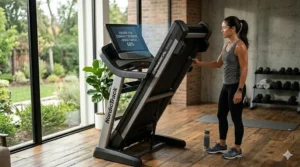
Understanding App Ecosystems: Choosing Your Digital Training Partner
The biggest mistake buyers make isn’t picking the wrong treadmill—it’s picking the wrong app ecosystem that the treadmill locks them into. Here’s what each platform actually delivers:
iFit (NordicTrack, ProForm, FreeMotion machines)
What you get: 10,000+ workouts across running, walking, HIIT, yoga, strength training. Trainers film on-location in dozens of countries. The app automatically adjusts your treadmill’s speed and incline to match terrain. Personal training mode analyzes your performance and adjusts future workouts.
What you sacrifice: $39/month makes this the most expensive subscription on this list. You’re heavily locked in—the NordicTrack and ProForm consoles are essentially iFit delivery devices with minimal functionality if you cancel the subscription.
Best for: People who need coaching structure and hate making their own workout decisions. The auto-adjust feature is genuinely valuable for users who’d otherwise just get on the treadmill and zone out at the same pace every session.
Peloton (via Bluetooth FTMS on compatible machines)
What you get: Charismatic instructors, competitive leaderboards, live classes with thousands of participants, and the Peloton community energy. Classes range from beginner-friendly 20-minute walks to advanced 60-minute boot camps combining running and strength.
What you sacrifice: No automatic speed/incline adjustment (you control your machine manually). The App+ membership ($12.99/month) is cheaper than iFit but costs more than just using YouTube workout videos.
Best for: Competitive personalities motivated by leaderboards and social pressure. If seeing your name climb from 500th to 250th place makes you push harder, Peloton’s gamification works.
UREVO Sport / Kinomap / Zwift (multi-app models)
What you get: Flexibility to switch between platforms without buying new hardware. UREVO Sport offers basic tracking and challenge modes. Kinomap ($9.99/month) streams real-world routes with auto-incline. Zwift (free for runners, though primarily a cycling app) turns treadmill running into a video game with avatars racing through virtual worlds.
What you sacrifice: None of these reach iFit or Peloton’s production quality. UREVO Sport feels bare-bones. Kinomap’s routes are stunning but the app interface clunky. Zwift focuses on cycling, treating running as secondary.
Best for: People who hate commitment. You can subscribe to Kinomap for marathon training season, cancel it, switch to Zwift for winter, cancel that, and use free YouTube videos come spring. The treadmill doesn’t care what app you pair with it.
No Subscription Needed (SOLE and others with Bluetooth but no mandatory platform)
What you get: Freedom. Stream Netflix, YouTube workouts, podcasts, or literally anything while using built-in manual programs. Pair with free apps like Strava or MapMyRun if you want basic tracking without subscriptions.
What you sacrifice: No auto-adjust features, no structured training plans unless you bring your own. You’re responsible for creating workout variety.
Best for: Self-directed exercisers who don’t need instructor motivation. Also perfect for people who already subscribe to separate fitness platforms (Apple Fitness+, Nike Training Club, etc.) and just want their treadmill to play nice with those existing subscriptions.
Common Buying Mistakes and How to Avoid Them
Mistake #1: Prioritizing Touchscreen Size Over Motor Quality
The trap: Buyers see a treadmill with a massive 16-inch touchscreen and assume it’s premium, overlooking the 2.0 HP motor underneath. Three months later, they’re frustrated the treadmill strains at 8 mph and sounds like a helicopter landing.
What to do instead: Motor horsepower (HP) or continuous horsepower (CHP) should be your first filter. Under 2.5 HP: walking only. 2.5-3.0 HP: walking plus occasional jogging. 3.0-3.5 HP: regular jogging and casual running. 3.5+ HP: serious running and marathon training. The touchscreen size matters far less than having a motor powerful enough for your intended use.
Mistake #2: Believing “Foldable” Means “Easily Movable”
The reality check: Yes, the NordicTrack 1750 folds to save 43% of its footprint. It still weighs 312 pounds. Folding it doesn’t make it light. If you’re picturing yourself casually rolling it room-to-room like a suitcase, prepare for disappointment. “Foldable” means it takes less floor space when stored, not that it becomes portable.
Smart solution: Before buying any treadmill over 200 pounds, identify its permanent home. You’ll move it there once during setup, and it’s staying there. If you genuinely need frequent repositioning, you’re shopping for a walking pad (UREVO Strol series) weighing 60-80 pounds, not a full treadmill.
Mistake #3: Underestimating Long-Term Subscription Costs
The math buyers skip: A $1,500 treadmill with a $39/month mandatory subscription (looking at you, iFit) costs $1,968 year one, then $468 every year after. Over five years, that’s $3,372 total. Meanwhile, a $1,700 treadmill with no subscription (SOLE F80) stays at $1,700 total.
The clarity you need: Calculate total cost of ownership across your realistic use timeline. If you’re buying a treadmill you’ll use for 3-5 years, add those subscription fees before comparing prices. Sometimes the “cheaper” machine ends up more expensive when you include the recurring costs.
Mistake #4: Buying Based on Maximum Speed Instead of Sustained Comfortable Speed
Why this misleads: A treadmill advertising “12 MPH MAX!” sounds impressive until you realize its 2.5 HP motor groans and overheats when you actually try maintaining 10 mph for 30 minutes. Maximum speed means “the belt can technically spin this fast,” not “you should routinely run this fast on this machine.”
Better approach: Look for continuous horsepower (CHP) ratings and user reviews mentioning sustained high-speed performance. A machine with 3.5 CHP and 10 mph max that runs smoothly is superior to one with 2.5 HP claiming 12 mph max but struggling to maintain it.
Mistake #5: Ignoring Deck Length Because “I’m Not That Tall”
The surprise: Deck length matters less for your height and more for your running stride length. A 5’8″ runner with an efficient stride can easily need the full 60-inch deck, while a 6’2″ walker uses less. When you run, your stride lengthens—sometimes dramatically. That 55-inch deck feeling fine at 4 mph walking becomes cramped at 7 mph running.
Test before you commit: If possible, try running (not just walking) on the deck length you’re considering before purchase. If buying online, know that anything under 55 inches is walking-only territory for most adults. 55-60 inches handles most joggers. 60+ inches accommodates serious runners and taller individuals.
App Connected Treadmill vs Traditional Treadmills: The Value Proposition
Let’s address the elephant in the room: are wireless treadmill technology features worth the premium over basic models? A no-frills treadmill with manual controls and no connectivity costs around $500-$700. An app connected treadmill with similar motor specs starts around $800-$1,000 and climbs from there. You’re paying $300-$1,500+ for software integration—is that justified?
When Smart Features Actually Enhance Training
Scenario 1 – Accountability through data tracking: If you’re someone who “plans to exercise more” but lacks concrete goals, app connectivity helps. The UREVO Sport App showing you averaged 12 miles weekly last month but only 7 this month creates measurable accountability. Research from the National Institutes of Health shows that people who track physical activity consistently perform more of it—the act of monitoring becomes motivational.
Scenario 2 – Structured progression for beginners: Totally new to running? iFit’s couch-to-5K programs guide you through graduated training loads, automatically adjusting intensity so you don’t burn out week two by running too hard too fast. This coaching value costs $39/month, but compare that to hiring a personal trainer at $60-$100 per session.
Scenario 3 – Boredom prevention: Running indoors is monotonous. Staring at your wall for 45 minutes tests even motivated athletes. Apps that stream scenic routes, offer competitive leaderboards, or gamify training with achievement badges make the time pass faster. This isn’t trivial—if app entertainment means you actually use your treadmill instead of it becoming a laundry rack, the feature paid for itself.
When Basic Treadmills Make More Sense
You’re an experienced runner with established routines: If you’ve been running for years and know exactly what workouts you need (tempo runs at 7:30 pace, long runs at 9:00 pace, interval sessions hitting specific targets), you don’t need an app telling you what to do. A basic treadmill with accurate speed/incline controls serves you perfectly fine.
You primarily watch shows while exercising: Lots of people fire up Netflix or YouTube and use the treadmill as background activity while consuming content. If that’s your pattern, paying extra for iFit workouts you’ll never use is wasteful. Get the basic treadmill, put a tablet in the holder, and save the money.
You’re unsure about long-term commitment: If you’re testing the waters with home fitness and might quit in six months (be honest with yourself), don’t drop $2,000 on a connected machine. Buy a $600 basic model. If you’re still using it consistently a year later, then upgrade to smart features knowing you’ll actually utilize them.
The Honest Cost-Benefit Analysis
Smart treadmill features cost $300-$1,500 upfront plus potential $10-$40 monthly subscriptions. Over two years, that’s $540-$2,460 in premium costs. What would similar coaching/entertainment/accountability cost through other means? Personal trainer sessions: $2,000+/year. Gym membership with classes: $720+/year. Boutique studio classes: $3,000+/year. Suddenly the connected treadmill starts looking economical—if you actually use those features. The caveat: most owners use maybe 30% of smart features post-honeymoon period. Pay for capabilities you’ll realistically use, not theoretical possibilities.
Frequently Asked Questions
❓ Can I use an app connected treadmill without the app subscription?
❓ Do app connected treadmills work with multiple fitness apps simultaneously?
❓ What's the difference between Bluetooth and WiFi connectivity on treadmills?
❓ Can you watch Netflix on an app connected treadmill?
❓ How accurate are treadmill app calorie calculations?
Conclusion: Finding Your Perfect App Connected Match
The best smart treadmill 2026 isn’t the one with the longest feature list or the biggest touchscreen—it’s the one that matches your actual workout patterns, available space, and budget reality. The NordicTrack Commercial 1750 dominates if you’re a serious runner willing to commit to iFit’s $39/month ecosystem and have both the budget ($2,200+) and the floor space for a 312-pound machine. The SOLE F80 brilliantly serves Peloton enthusiasts and app-agnostic buyers who value flexibility over locked-in platforms, delivering commercial build quality at mid-tier pricing ($1,600-$1,800). For apartment dwellers where space drives every decision, the Echelon Stride Auto-Fold‘s ability to disappear under your bed justifies its limitations.
Budget-conscious shoppers shouldn’t overlook the UREVO Strol series—the Strol 2E ($350-$450) and Strol 2S Pro ($500-$650) prove that bluetooth treadmill for home connectivity doesn’t require $1,000+ investments. Yes, you’re sacrificing motor power and belt length, but if your primary goal is escaping sedentary patterns rather than marathon training, these compact units deliver shocking value. The ProForm Pro 2000 occupies the sweet spot for iFit access on a budget ($1,400-$1,600), while the WELLFIT Foldable stands out for its 400-pound capacity and triple-app compatibility at under $1,000.
Before you click “buy,” revisit that fundamental question: will you actually use the connected features? If you honestly see yourself participating in live classes, following trainer-led programs, and syncing data to multiple apps, then paying the premium for smartphone-integrated cardio makes perfect sense. But if you’re someone who zones out to podcasts or Netflix while walking at a steady pace, a basic treadmill with a tablet holder costs half as much and serves you identically. According to CDC guidelines, consistency matters more than technology—getting your 150 minutes of moderate activity weekly on a $500 basic treadmill beats owning a $2,500 connected machine that intimidates you into inaction.
The connected fitness revolution isn’t hype—these machines genuinely make indoor cardio more engaging, accountable, and effective for millions of users. Just make sure you’re buying for your real workout habits, not your aspirational ones. Your perfect match is out there, whether it’s a feature-packed iFit powerhouse or a minimalist walking pad. Make your choice based on honest self-assessment, and that app connected treadmill will transform from expensive purchase into indispensable fitness partner.
Recommended for You
- 7 Best NordicTrack Treadmill Warranty Plans: 2026 Guide
- 7 Best NordicTrack Incline Trainer Models That Crush Hills (2026)
- 7 Best NordicTrack Folding Treadmills: Smart Solutions 2026
Disclaimer: This article contains affiliate links. As an Amazon Associate, I earn from qualifying purchases. If you purchase products through these links, we may earn a small commission at no additional cost to you.
✨ Found this helpful? Share it with your friends! 💬🤗
