
In This Article
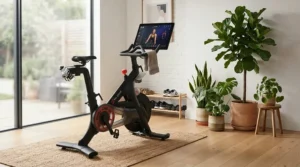
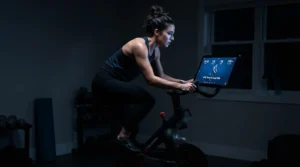
Somewhere between the dusty stationary bike currently doubling as a towel rack in your basement and the $2,500 machine your neighbor won’t stop mentioning at every barbecue, there’s a smarter middle ground. That’s what this guide is about: finding the right exercise bike with touchscreen for your space, your budget, and your actual habits — not your aspirational ones.
Here’s the honest pitch. A screen alone doesn’t make a workout stick. What makes it stick is whether the bike disappears into your routine instead of becoming another thing you have to think about. A 22-inch HD display is a nice flex, sure, but if the bike groans every time you climb on, or the subscription quietly eats $40 a month for a library you never open, the screen was never the problem worth solving.
We dug into real spec sheets, real aggregated review sentiment, and honest side-by-side analysis across seven current models — from a sub-$300 entry point to a flagship built for people who genuinely miss spin class. Every product mention below tells you what the spec actually means once you’re pedaling, not just what it says on the box. No invented test rides, no fabricated five-star quotes — just what the research and the reviewers are actually saying, framed honestly.
By the end, you’ll know exactly which exercise bike with touchscreen fits a small apartment, which one is worth the subscription commitment, and which one you can skip entirely because it’s mostly marketing gloss on last year’s hardware. Let’s get into it.
Quick Comparison Table
| Bike | Screen | Best For |
|---|---|---|
| Peloton Bike+ | 23.8″ swiveling HD | Riders who want the deepest live-class library |
| NordicTrack Commercial X24 | 24″ HD, pivoting | Largest screen and widest incline/decline range |
| NordicTrack Commercial S22i | 22″ HD, 360° rotate | Instructor-led hill and interval training |
| Sole Fitness SB1200 | 10.1″ HD, WiFi mirroring | Riders who refuse a monthly subscription |
| ProForm Studio Bike Pro 14 | 14″ tilt & pivot | Cheapest legitimate entry into an iFIT ecosystem |
| Freebeat Boom Bike | 15.6″ HD, rotatable | Gamified, playful workouts over serious cycling |
| MERACH S26 | 15.6″ HD, rotating | Tightest budget, under $300 |
Looking at this lineup, screen size and price don’t move in lockstep the way you’d assume — the MERACH S26 actually out-screens the Peloton Bike+ in raw inches while costing roughly a tenth of the price, though it trades away flywheel weight and resistance range to get there. The real decision isn’t “biggest screen wins,” it’s matching the software ecosystem and physical build quality to how seriously you plan to ride. We’ll unpack exactly where each bike earns its price tag next.
💬 Already spotted a favorite? Tap any bolded name above to check today’s price and availability before it changes.
Top 7 Exercise Bikes With Touchscreen: Expert Analysis
Before diving in, a quick note on approach: every price mentioned below is a range, not a fixed number, because retail pricing shifts constantly and Amazon listings change week to week. Check the current listing for exact figures at the time you’re buying.
1. Peloton Bike+ — sharpest swiveling screen with auto-follow resistance
The standout here is the auto-calibrated, auto-follow resistance system — the bike quietly adjusts tension to match your instructor’s cues so you’re not fumbling with a knob mid-sprint. The 23.8-inch HD touchscreen swivels a full range for off-bike strength and yoga sessions, and it runs on 100 micro-adjustable levels of magnetic resistance driven by a flywheel most testers clock somewhere in the 30-to-38-pound range, depending on which spec sheet you trust.
Based on the spec comparison, this is the bike for someone who wants Peloton’s actual content ecosystem — live classes, leaderboards, a genuine community feature — more than they want raw hardware specs. It’s overkill if you just want quiet cardio in the corner of a guest room.
Reviewers consistently note the ride feels noticeably smoother than the original Peloton Bike, largely thanks to that auto-calibration. A recurring critique, though: the 297-pound weight capacity is lower than several rivals costing hundreds less, which is a strange trade-off at this price point.
Pros:
- ✅ Auto-follow resistance removes manual guesswork mid-class
- ✅ Largest live-class content library of any bike here
- ✅ Swiveling screen genuinely useful for off-bike workouts
Cons:
- ❌ Weight capacity trails cheaper competitors
- ❌ Requires proprietary Delta-compatible cycling shoes
Expect to pay in the $2,400–$2,600 range, plus a required monthly membership. For riders who’ll actually use the class library, the value case holds up; for anyone eyeing it purely as a fancy stationary bike, it’s a hard sell.
2. NordicTrack Commercial X24 — biggest touchscreen with incline and decline
What most buyers overlook about the X24 is that its 24-inch HD touchscreen isn’t just bigger for bragging rights — it pairs with a genuine -10% to 20% incline and decline range that physically tilts the bike to simulate real hills, something flat-resistance bikes simply can’t replicate. It ships with two 3-pound dumbbells specifically for iFIT’s off-bike strength segments, which the screen pivots to display.
Here’s what to weigh: the incline hardware means real motorized resistance to terrain, not just a number on a screen, and one certified reviewer rated its ergonomics and Wi-Fi/Bluetooth setup process highly, calling the touchscreen easy to use with no connectivity headaches.
What the spec sheet won’t tell you, but reviewer notes suggest, is that a screen this large shifts the bike’s balance point — moving it solo without a second set of hands is genuinely awkward, since there’s no rear handle to compensate for the front-heavy weight distribution.
Pros:
- ✅ Widest incline/decline range of any bike in this roundup
- ✅ Included dumbbells extend workouts beyond cycling
- ✅ Easy Wi-Fi and Bluetooth setup per hands-on testing
Cons:
- ❌ Difficult to relocate alone due to screen-heavy balance
- ❌ iFIT subscription required to unlock full incline programming
Price typically lands around $2,200–$2,400. This is the pick for someone who specifically wants hill-climbing realism, not just a bigger rectangle to stare at.
3. NordicTrack Commercial S22i — best incline range for structured hill training
The S22i’s headline feature is its 22-inch HD touchscreen that rotates a full 360 degrees, letting you hop off for a floor workout without losing sight of your trainer. It runs 24 levels of quiet magnetic resistance alongside that same -10% to 20% incline/decline range found on its bigger sibling, and its AutoAdjust technology automatically shifts both incline and resistance to match whatever trail or class you’ve selected.
Practically speaking, that automatic incline adjustment means you can follow a virtual ride through the Rockies and physically feel the climb change under your legs — something a static-resistance bike can’t fake no matter how good its screen looks. One certified trainer rated the S22i’s tech capabilities and dynamic programming a perfect score during hands-on testing.
Reviewers are candid that without an iFIT subscription, you’re left with just a handful of free workouts — “basically a manual exercise bike,” as one tester bluntly put it. The screen’s size also makes moving the bike solo a two-person job in practice.
Pros:
- ✅ 360-degree rotating screen doubles as an off-bike display
- ✅ Automatic incline/decline mirrors real outdoor terrain
- ✅ Top marks from testers on programming and customization
Cons:
- ❌ Minimal value without an active iFIT subscription
- ❌ Front-heavy design makes solo relocation difficult
Typical pricing sits around $1,800–$2,000, making it roughly $400–$500 cheaper than the X24 while keeping most of the same climbing hardware.
4. Sole Fitness SB1200 — best touchscreen bike with no mandatory subscription
The standout advantage: a 10.1-inch touchscreen with built-in Wi-Fi and screen mirroring that lets you pull up Netflix, Zwift, or Kinomap without ever being asked for a credit card. That’s rare in this category, where most touchscreen bikes are really content-subscription delivery devices with pedals attached.
Under the hood, the SB1200 shares its commercial-grade bones with Sole’s SB900: a heavy 35-pound flywheel and 100 levels of magnetic resistance, both of which translate into a smoother, more stable pedal stroke than lighter budget bikes can manage, especially at higher intensity.
This is the bike for someone who’s been burned by subscription fatigue and just wants solid hardware with entertainment built in, rather than gamified programming. Reviewers consistently praise its stability — testers note no shaking or rocking of the bike or screen even during out-of-saddle intervals — and the free SOLE+ app adds hundreds of on-demand classes at no extra charge.
Pros:
- ✅ No mandatory monthly subscription required to use the screen
- ✅ Heavy 35-lb flywheel delivers a notably smooth ride
- ✅ Screen mirroring supports Netflix, Zwift, and Kinomap
Cons:
- ❌ 10.1-inch screen is noticeably smaller than premium rivals
- ❌ Price creeps close to subscription-based competitors, narrowing its edge
Expect a price range around $1,500–$1,700. If the subscription model is your main objection to bikes like Peloton, this is the most direct honest alternative on this list.
5. ProForm Studio Bike Pro 14 — most affordable route into an iFIT ecosystem
The hook here is unusual: the Pro 14 is essentially bundled with iFIT rather than sold as a standalone machine, meaning the hardware cost gets absorbed into a 3-year membership commitment. Its 14-inch tilt-and-pivot touchscreen rotates for off-equipment classes, and 22 levels of SMR (Silent Magnetic Resistance) keep tension changes smooth and quiet.
Based on the spec comparison against NordicTrack’s own lineup, the Pro 14 sits a clear notch below in raw resistance range and incline capability — this is the more affordable, less muscular cousin, not a lateral alternative. It suits beginner-to-intermediate riders more than anyone training for serious climbs.
Here’s the honest catch: aggregated Amazon feedback flags real durability concerns, with a notable number of buyers reporting units that arrived non-functional or failed shortly after setup, even as ProForm’s own site presents a rosier picture. The bike’s advertised weight capacity also lands lower than most competitors here, so larger riders should look elsewhere.
Pros:
- ✅ Lowest effective entry cost into iFIT’s class library
- ✅ Multi-directional seat and handlebar adjustment for comfort
- ✅ Smooth, quiet SMR magnetic resistance system
Cons:
- ❌ Lower weight capacity than most competitors in this list
- ❌ Aggregated reviews flag inconsistent build quality and DOA units
Retail pricing generally runs under $1,000, and the 3-year iFIT bundle is frequently marketed as making the hardware itself “free.” Read that as a financing structure, not a discount.
6. Freebeat Boom Bike — most gamified touchscreen experience
What stands out immediately is the Boom Bike’s personality: dynamic LED lightstrips, Smart Saddle Detection that senses when you’re in or out of the saddle, and an auto-resistance system that adjusts to instructor cues across 100 levels — all wrapped around a 15.6-inch rotatable HD touchscreen, plus a Les Mills class partnership for variety.
Here’s what buyers overlook: that same touchscreen sits on a notably light 15.4-pound flywheel — about half the weight found on the Peloton Bike and a fraction of what specialists recommend (25 to 30 pounds) for the smoothest possible pedal stroke. Lighter flywheels suit beginners and smaller riders well; seasoned cyclists pushing high resistance may notice the difference.
Reviewers frame it as a genuinely rock-solid pick for beginner-to-intermediate riders chasing an engaging, almost arcade-like workout, while cautioning that its overall durability leans toward casual use rather than serious daily training. One notable gap: it lacks a water bottle holder, a small but oddly common omission at this price.
Pros:
- ✅ Playful, gamified interface keeps beginners engaged
- ✅ Auto-resistance system tracks instructor cues in real time
- ✅ Compact footprint, roughly half the weight of a Peloton
Cons:
- ❌ Light flywheel can feel less smooth at higher resistance
- ❌ No clearly published weight capacity — confirm before buying for larger riders
MSRP sits around $1,299, though it’s frequently available for meaningfully less. A $39-per-month membership unlocks the full class and gamification suite.
7. MERACH S26 — best entry-level touchscreen pick under $300
The standout feature is simple: a genuinely large 15.6-inch Full HD screen that tilts and swivels, at a price point where most competitors are still using a basic LCD readout. It runs on 8 levels of magnetic resistance and a compact 13-pound flywheel, keeping the whole unit quiet — under 25 decibels by the manufacturer’s own measurement — and easy to fit into a shared living space.
In practice, this means the S26 trades resistance depth and flywheel momentum for accessibility and screen quality. Based on the spec comparison, it’s built for casual cardio and screen-mirrored entertainment (Netflix, YouTube, training apps from your phone) rather than structured, progressively harder training blocks.
We should be upfront here: independent lab-tested reviews of the S26 specifically are thin compared to established brands like Sole or Peloton, so treat manufacturer-reported specs with a bit more caution than the more heavily reviewed picks above. What we can verify — the touchscreen, the flywheel weight, the 300-pound capacity — comes directly from MERACH’s published listings.
Pros:
- ✅ Full HD touchscreen at a fraction of competitors’ pricing
- ✅ Screen mirroring works with Netflix, YouTube, and fitness apps
- ✅ Whisper-quiet operation suits apartments and shared walls
Cons:
- ❌ Only 8 resistance levels limits long-term progression
- ❌ Light 13-lb flywheel offers less momentum than heavier rivals
Typical pricing runs around $250–$300, making this the easiest way to try the touchscreen category without a four-figure commitment.
Practical Usage Guide: Setting Up and Living With Your New Bike
Getting the hardware right matters less than getting the fit right, and this is the step most first-time buyers rush. Before your first ride, stand beside the bike and set the saddle height so the top of the seat lines up roughly with your hip bone — a standard reference point used across cycling fit guides, including Hospital for Special Surgery’s bike setup guidance, which recommends fine-tuning from there based on how your knee feels at the bottom of the pedal stroke.
During the first 30 days, three mistakes come up constantly. First, riders leave the seat too low, which compresses the knees and makes hard efforts feel harder than they should. Second, people skip the Wi-Fi and account setup entirely and just ride in manual mode for weeks, missing the entire reason they bought a touchscreen bike in the first place. Third — and this one’s sneaky — riders assume the resistance knob or auto-calibration is accurate out of the box without checking; a quick manual calibration in the first week (most bikes walk you through this in settings) prevents resistance numbers from drifting inconsistent over time.
For ongoing maintenance, wipe down the frame and screen after sweaty sessions (screens especially hate salt residue), and check that bolts on the seat post and handlebar clamp are snug every few weeks — vibration from regular pedaling loosens them gradually. Belt-driven bikes rarely need lubrication, but chain-driven models benefit from a drop of bike-specific lube every month or two. None of this is complicated, but skipping it is exactly how a smooth new bike starts creaking within a year.
Real-World Scenarios: Who Actually Uses Each of These Bikes
Picture three different households, because the “best” bike genuinely depends on who’s asking. Take a college student sharing a 500-square-foot apartment, self-motivated but broke — the MERACH S26 or Freebeat Boom Bike fits that budget and footprint without demanding a long-term subscription commitment neither can afford right now.
Then there’s a busy parent squeezing in 20 minutes before the kids wake up, who wants variety without ever driving to a studio, but who’s already juggling too many monthly subscriptions to add another with a clear conscience. The Sole Fitness SB1200 solves that exact tension — a real touchscreen, real entertainment options, zero recurring bill.
Finally, imagine someone who genuinely misses in-person spin class — they thrive on instructor energy, live leaderboards, and structured hill programming that adjusts itself mid-ride. That’s the Peloton Bike+ or NordicTrack Commercial S22i territory, where the subscription isn’t a burden, it’s the entire point of the purchase.
Buyer’s Decision Framework
If you’re still torn, work through this simple priority checklist before you buy.
If your apartment can’t spare more than a yoga-mat-sized footprint, choose a compact model like the Freebeat Boom Bike or MERACH S26, because both are built around smaller frames and lighter overall weight than the NordicTrack or Peloton lines.
If a recurring subscription is a dealbreaker on principle, choose the Sole Fitness SB1200, because it’s the only bike here with a genuinely full-featured touchscreen that doesn’t gate its main functions behind a monthly fee.
If you weigh more than roughly 300 pounds, prioritize published weight capacity over screen size, and lean toward the Sole SB1200 or a NordicTrack model rather than the lighter-framed budget bikes, since frame stability under load directly affects both safety and how long the bike lasts.
If structured, auto-adjusting incline training is your actual goal — not just cardio, but simulated hill work — choose between the NordicTrack Commercial S22i and X24, because they’re the only two bikes here with genuine motorized incline and decline hardware.
What Is an Exercise Bike With Touchscreen?
An exercise bike with touchscreen is a stationary cycling machine that replaces a basic LCD readout with an interactive display — typically 10 to 24 inches — used to stream workout classes, track live metrics, and often mirror entertainment apps directly from the handlebars.
The category exploded alongside the broader shift toward home fitness, but the underlying appeal is straightforward: it’s easier to hit the CDC’s recommended 150 minutes of moderate-intensity aerobic activity per week when the workout in front of you is genuinely engaging rather than just a wall and your own thoughts. A touchscreen doesn’t replace motivation, but for a lot of riders it meaningfully lowers the friction of showing up.
It’s worth separating the screen from the software behind it, though — a smart bike with screen is only as good as what it connects to. Some bikes gate nearly everything behind a paid app ecosystem; others hand you the hardware and let you bring your own content. Neither approach is objectively better, but they suit very different buyers, which is exactly why the products above range so widely in both price and philosophy.
How to Choose an Exercise Bike With Touchscreen
- Screen size and viewing angle first, resolution second. A 22-inch display you can’t tilt to eye level is less useful day-to-day than a smaller screen that pivots and swivels comfortably.
- Check the resistance system and level count. More granular levels (aim for 20+) mean smoother progression as you get fitter, rather than jarring jumps in difficulty.
- Weigh the flywheel, literally. Heavier flywheels (25 lbs and up) generally deliver a smoother, more momentum-driven pedal stroke, especially at higher resistance.
- Calculate the real subscription cost over two to three years, not just the sticker price — a “cheap” bike with a mandatory $40/month membership can cost more than a pricier one with a free app.
- Match weight capacity to your actual body weight with margin, since a bike rated right at your limit will feel less stable and wear out faster than one with headroom.
- Confirm pedal compatibility — some premium bikes require proprietary cycling shoes, which adds a hidden cost most buyers don’t budget for upfront.
- Ask whether the app ecosystem is open or closed, meaning can you mirror your own content (Netflix, Zwift) or are you locked into one branded library — this single factor often matters more long-term than the screen’s inch count.
HD Touchscreen Bike vs Traditional Console Exercise Bike
A traditional console exercise bike — think a basic LCD screen showing time, distance, and calories — is cheaper, simpler, and has fewer things that can break. An HD touchscreen bike costs more upfront and often carries an ongoing subscription, but it fundamentally changes what a workout feels like by turning a repetitive motion into a guided, data-rich, entertainment-adjacent experience.
The honest case for sticking with a traditional console: if you’re self-motivated, listen to your own music or podcasts anyway, and mainly want reliable cardio without extra complexity, a $300 console bike will get your heart rate up just as effectively as a $2,000 touchscreen model — physiologically, a pedal stroke is a pedal stroke. Research on virtual-aid-assisted stationary bike interventions has found meaningful improvements in outcomes like aerobic capacity and adherence when compared to non-assisted programs, according to a systematic review of stationary bike interventions in older adults, suggesting the engagement layer isn’t purely cosmetic for people who benefit from external motivation.
Where the touchscreen genuinely earns its premium is consistency under pressure — on a bad-motivation day, a live instructor or a gamified leaderboard can be the difference between riding for 20 minutes and not riding at all. If that psychological nudge matters to you personally, the extra cost is buying behavior change, not just hardware.
Common Mistakes When Buying a Large Display Exercise Bike
The most expensive mistake is ignoring the recurring subscription cost and only comparing sticker prices — a $700 bike with a mandatory $40/month membership costs roughly $1,700 over two years, more than several subscription-free alternatives on this list. A close second: buying a large display exercise bike for a small room without measuring first, since a 22-to-24-inch screen adds real footprint and makes the bike front-heavy and awkward to reposition.
Buyers also frequently skip the weight capacity spec entirely, assuming “it’s a bike, it’ll hold anyone,” which isn’t true — capacities on this list range from roughly 250 to 350 pounds, a meaningful spread. Another common misstep is assuming a bigger screen automatically means a better machine; as the comparisons above show, some of the smallest screens here (the Sole SB1200) sit on the smoothest, most stable hardware. Finally, don’t skip checking the return and assembly policy — several models in this category ship requiring real assembly, and aggregated reviews suggest defective-on-arrival units aren’t rare enough to ignore.

Interactive Console Features That Actually Matter (And Those That Don’t)
Auto-resistance and auto-follow systems genuinely matter — they remove the mental overhead of manually adjusting tension mid-workout, letting you focus on form and effort instead of fiddling with a dial. Screen mirroring matters too, especially for subscription-free buyers, because it turns the interactive console into a genuinely flexible entertainment hub rather than a single-app appliance.
What matters less than marketing suggests: RGB lightstrips and cosmetic flourishes look great in product photos but don’t affect your workout quality at all. Raw screen size past a certain point also delivers diminishing returns — the jump from 14 to 22 inches is noticeable, but 22 to 24 inches is a marginal upgrade most riders won’t consciously register mid-ride. Built-in speakers, on the other hand, quietly matter more than most buyers expect, since tinny audio during a live class genuinely undercuts the experience the whole console is designed to deliver.
Multimedia Workout Interface: Matching the Right Bike to Different Riders
For beginners easing into a routine, a simpler multimedia workout interface with fewer settings to fuss over — like the MERACH S26 — reduces decision fatigue and gets you pedaling faster. Families sharing one bike across different fitness levels benefit from adjustable resistance ranges and screens that mirror kid-friendly content just as easily as a workout class, making the Sole SB1200 or Freebeat Boom Bike reasonable shared-household picks.
Serious athletes chasing structured progression want a multimedia workout interface tied to genuine incline hardware and deep resistance ranges — that’s squarely NordicTrack and Peloton territory, where the software is built around measurable training load, not just entertainment. Older adults or anyone returning from injury should prioritize stability and simplicity over screen size entirely; a heavy flywheel and a straightforward interface will serve that group better than the flashiest console on the market.
Responsive Touch Controls: What to Expect in Real-World Performance
On paper, “responsive touch controls” just means the screen registers taps quickly. In practice, it means being able to swipe through metrics, pause a class, or adjust volume mid-sweat without three failed attempts because your finger’s damp — a genuinely underrated quality-of-life detail that spec sheets rarely mention directly.
Swiveling and rotating screens, standard on the Peloton and NordicTrack models here, transform responsive touch controls from a cycling-only feature into something you’ll actually use for off-bike strength or yoga segments, since you can angle the display toward your mat instead of leaving it facing an empty bike. Budget bikes with smaller, non-rotating touchscreens still register taps reliably in most cases, but you lose that flexibility to reposition the screen for anything beyond straightforward pedaling — a fair trade for the price difference, but worth knowing before you buy.
Long-Term Cost & Maintenance
This is where the real math happens, and it rarely matches the sticker price alone. A subscription-free bike like the Sole SB1200 costs more upfront but nothing ongoing, while a bike like the Peloton Bike+ or NordicTrack S22i layers a $39–$44 monthly fee on top of the hardware, every month, indefinitely.
| Tier | Typical Price Range | Typical Monthly Add-On | 2-Year Total Cost Estimate |
|---|---|---|---|
| Budget (MERACH S26) | $250–$300 | None | ~$275 |
| Mid-range, no subscription (Sole SB1200) | $1,500–$1,700 | None | ~$1,600 |
| Mid-range, subscription-bundled (ProForm Studio Bike Pro 14) | Under $1,000 | Bundled into 3-yr iFIT commitment | Varies by iFIT plan chosen |
| Premium (Peloton Bike+) | $2,400–$2,600 | ~$44/month | ~$3,550+ |
Running the numbers this way, the Peloton Bike+ and comparable NordicTrack subscriptions can end up costing more than double their sticker price within two years, while the Sole SB1200 and MERACH S26 stay close to their upfront number indefinitely. Neither approach is wrong — you’re paying for genuinely different things — but skipping this calculation is the single most common regret buyers report after the fact.
Maintenance-wise, budget roughly 15 minutes a month: wipe the frame and screen, check bolt tightness, and inspect the flywheel area for dust buildup, which is the most common cause of unusual noise on any of these bikes over time.
Safety, Ergonomics, and Setup Considerations
Beyond seat height, a few safety basics apply across every bike on this list. Always engage the resistance knob or brake before mounting or dismounting, since flywheels — even lightweight ones like the Freebeat’s 15.4-pound unit — can continue spinning briefly after you stop pedaling. Keep the bike on a level, stable surface; several models here weigh well over 100 pounds assembled, and an uneven floor can create a rocking motion that stresses the frame over time.
If you have a pre-existing joint condition, recent surgery, or any concern about impact on your knees or hips, check with a healthcare provider before starting a new cycling routine, particularly around high-resistance or incline-heavy programming like NordicTrack’s incline classes. Stationary cycling is broadly considered a low-impact activity suitable for a wide range of fitness levels, but “low-impact” isn’t the same as “risk-free” at maximum resistance settings.
Frequently Asked Questions
❓ What's the difference between an exercise bike with touchscreen and one with just an LCD display?
❓ Do I need a subscription to use the touchscreen on these bikes?
❓ How big should the touchscreen be on an exercise bike with touchscreen?
❓ Can I mirror Netflix or YouTube on an exercise bike touchscreen?
❓ What weight capacity should I look for in a smart bike with screen?
Conclusion
There’s no single best exercise bike with touchscreen — there’s only the best one for how you actually plan to use it. If you want the deepest content library and don’t mind the ongoing cost, the Peloton Bike+ earns its price. If simulated hill climbing is the whole point, the NordicTrack X24 or S22i deliver hardware nothing else here matches. If you’re done paying monthly for hardware you already own, the Sole Fitness SB1200 is the most honest subscription-free option on the market right now.
And if you’re just testing whether a touchscreen bike changes your habits at all before committing real money, the MERACH S26 or Freebeat Boom Bike let you find out for a fraction of the cost. Whichever tier you land in, the research consistently points to the same conclusion: the bike that gets used beats the bike with the best spec sheet, every single time. Match the hardware to your space, your budget, and your actual tolerance for a monthly bill — not to whichever screen looked most impressive in a photo.
Recommended for You
- 7 Best Zwift Compatible Bikes in 2026: Budget to Pro Picks
- 7 Best Bike With Built In Classes Picks for 2026
- Virtual Cycling Bike 2026: 7 Picks That Actually Feel Real
Disclaimer: This article contains affiliate links. As an Amazon Associate, I earn from qualifying purchases. If you purchase products through these links, we may earn a small commission at no additional cost to you.
✨ Found this helpful? Share it with your friends! 💬🤗
