
In This Article
Somewhere between your third rainy commute cancellation and your fifth scroll through Strava kudos, you start wondering if there’s a smarter way to keep your legs honest through winter. There is, and it starts with picking the right zwift compatible bike setup — the hardware that turns your living room into Watopia, a Tuscan hill climb, or a sprint finish against strangers from four continents. A zwift compatible bike, in the simplest terms, is any bicycle, smart trainer, or dedicated indoor bike that can transmit power, cadence, and speed data to the Zwift platform over Bluetooth or ANT+, letting the app control resistance to match virtual terrain in real time. That’s the 45-second definition. The reality of shopping for one is messier, because “compatible” covers everything from a $400 wheel-on trainer to a $1,300 all-in-one smart frame, and the differences matter far more than most buying guides admit.
This guide skips the fluff and gets into the specifics: seven real, currently available products spanning budget, mid-range, and premium tiers, each broken down with honest analysis grounded in published specs and aggregated reviewer sentiment — not invented testimonials. You’ll get a quick-reference comparison table, a deep dive into each product’s strengths and weaknesses, a setup and troubleshooting walkthrough, and a decision framework for matching your riding habits to the right hardware. Whether you’re chasing your first structured FTP block or just trying to survive February without losing your outdoor fitness, there’s a setup on this list that fits your garage, your budget, and your patience for cables. Let’s get into it.
Quick Comparison Table
Before the deep dives, here’s the fast version for anyone skimming on their lunch break.
| Product | Type | Price Range | Best For |
|---|---|---|---|
| Zwift Hub One | Direct-drive trainer | Under $500 | Budget-conscious first-timers |
| Wahoo Kickr Core 2 | Direct-drive trainer | $450-$600 range | Best all-around value |
| Van Rysel D100 | Direct-drive trainer | Under $450 | Absolute lowest entry cost |
| JetBlack Victory | Direct-drive trainer | $400-$500 range | Quiet apartment training |
| Wahoo Kickr V6 | Direct-drive trainer | $1,000-$1,300 range | Serious structured training |
| Tacx Neo 2T | Direct-drive trainer | $1,200-$1,500 range | Most realistic road feel |
| Zwift Ride Smart Frame | All-in-one smart bike | $1,200-$1,400 range | Multi-rider households |
Looking at the spread, the pattern is pretty clear: everything under $600 gets you a genuinely capable direct-drive trainer, and the jump past $1,000 buys you either flagship-level accuracy (the Wahoo Kickr V6 and Tacx Neo 2T) or a fundamentally different, always-ready form factor (the Zwift Ride Smart Frame). If you’re brand new to indoor training, resist the urge to overspend on your first setup — the Zwift Hub One or Van Rysel D100 will teach you what you actually value before you commit real money.
Just one click — help others make better buying decisions too!😊
Top 7 Zwift Compatible Bikes: Expert Analysis
Every product below is a real, currently sold trainer or smart bike, chosen to cover budget, mid-range, and premium buyers, plus a couple of lesser-hyped alternatives worth your attention.
1. Zwift Hub One — best budget pick with Zwift Cog built in
The standout here is simplicity: the Zwift Hub One ships with Zwift’s own Cog and Click shifter pre-installed, so there’s no cassette to buy or swap before your first ride. Under the hood you’re looking at a direct-drive design rated for realistic power accuracy and enough resistance to simulate steep Watopia climbs without the trainer feeling like it’s fighting you — a meaningful upgrade over the wheel-on trainers that dominated this price bracket a few years ago.
Based on the spec comparison with pricier direct-drive units, the Zwift Hub One trades a bit of flywheel inertia and refinement for a dramatically lower price, which is exactly the right compromise for someone who isn’t sure indoor training will stick yet. Reviewers consistently report that the ride feel, while slightly “draggier” at first than premium trainers, becomes unnoticeable within a few sessions — the muscle memory simply resets.
Aggregated user feedback also flags the single-cog design as a genuine convenience win for anyone tired of freehub compatibility headaches.
Pros:
- ✅ Zwift Cog and Click included, zero extra setup cost
- ✅ Strong value-to-accuracy ratio for a first trainer
- ✅ Compact footprint fits small apartments easily
Cons:
- ❌ Lighter flywheel feels less smooth than premium models
- ❌ Limited to Zwift’s ecosystem unless you add a cassette
At around $500 or less depending on retailer promotions, the Zwift Hub One is the easiest “yes” on this list for anyone testing the indoor-training waters before spending real money.

2. Wahoo Kickr Core 2 — best all-around value trainer
What most buyers overlook about the Wahoo Kickr Core 2 is that its 2026 hardware refresh finally brought it up to parity with trainers costing twice as much in terms of connectivity and build quality, without the price climbing to match. The direct-drive flywheel delivers a noticeably smoother pedal stroke than budget wheel-on units, and the trainer supports both a traditional cassette and Zwift’s Cog and Click system, so you’re not locked into one ecosystem. On paper this means you get flexibility that pricier “ready-made” bundles don’t always offer.
Here’s what to weigh: the Wahoo Kickr Core 2 isn’t the quietest trainer in this lineup, but reviewers who’ve logged serious mileage on it describe the ride feel as remarkably close to Wahoo’s flagship model, just without the last few percentage points of gradient simulation accuracy. It’s also become something of an industry default for a reason — Zwift itself bundles it with the Zwift Ride Smart Frame as the recommended trainer pairing.
Pros:
- ✅ Excellent ride feel for the mid-range price point
- ✅ Works with both cassette and Zwift Cog setups
- ✅ Trusted, widely serviced brand with long track record
Cons:
- ❌ Slightly louder than newer competitors under load
- ❌ Cassette not always included depending on bundle
Prices land in the $450-$600 range depending on cassette and Zwift-membership bundling, and for most riders this is the trainer that offers the best balance of cost, durability, and everyday usability.
3. Van Rysel D100 — cheapest direct-drive with virtual shifting
The Van Rysel D100‘s claim to fame is being one of the least expensive direct-drive trainers that still ships with the Zwift Cog and Click shifter, undercutting most name-brand competitors by a real margin. Its 600-watt max power output and roughly six-percent maximum simulated gradient sound modest next to premium units, but for endurance rides and moderate climbs, that ceiling rarely becomes a limiting factor in practice. Based on the spec sheet, this is a trainer built for consistency rather than ceiling-pushing performance — a smart trade-off for anyone doing base miles rather than max-effort intervals.
Reviewers who’ve put real hours on the D100 note that its cadence data is a bit less consistent than pricier rivals, though power accuracy holds up impressively well given the price tag; what the spec sheet won’t tell you, but user reports suggest, is that the shape and stability feel closer to trainers three times the cost.
Pros:
- ✅ Lowest entry price among Zwift Ready trainers
- ✅ Zwift Cog and Click included on current models
- ✅ Stable platform despite the budget positioning
Cons:
- ❌ 600-watt ceiling limits high-intensity sprint work
- ❌ Cadence readings less consistent than premium units
At under $450, the Van Rysel D100 is the pick for riders who want the Zwift Ready convenience without paying for headroom they’ll never use.
4. JetBlack Victory — quietest mid-range performer
The JetBlack Victory earned its reputation the unglamorous way: by being boringly reliable and impressively quiet during high-intensity efforts, which matters enormously if your trainer lives in a shared apartment or a room next to a sleeping toddler. Key specs put its ride feel close to the popular Zwift Hub line, with the trainer responding quickly to in-app gradient changes and holding accurate power data that reviewers describe as exceeding expectations for its roughly $400 price tag. Here’s what to weigh: the ERG-mode power smoothing on the JetBlack Victory can’t be disabled, which structured-workout purists may find limiting during very short, punchy intervals, but for the vast majority of Zwift group rides and races, that’s a non-issue. Aggregated reviewer sentiment consistently praises the easy setup process and the included Zwift Cog, calling out the trainer’s quiet operation as a genuine differentiator rather than marketing spin.
Pros:
- ✅ Exceptionally quiet even during hard efforts
- ✅ Accurate power data relative to its price bracket
- ✅ Simple setup with Zwift Cog pre-installed
Cons:
- ❌ ERG smoothing can’t be turned off for short intervals
- ❌ Smaller brand means fewer third-party accessories
Priced in the $400-$500 range, the JetBlack Victory is the strongest pick specifically for noise-sensitive households that still want serious training accuracy.
5. Wahoo Kickr V6 — most accurate power meter-grade trainer
Stepping into flagship territory, the Wahoo Kickr V6 pushes maximum resistance up around 2,200 watts with claimed power accuracy near plus-or-minus one percent — figures that matter if you’re doing structured FTP testing or racing competitively in Zwift’s higher categories. The jump in gradient simulation, up to roughly 20 percent, means steep Watopia sections actually feel steep, rather than being smoothed out by a trainer that’s hit its ceiling. Based on the spec comparison with mid-range options, the extra investment buys you finer resistance granularity during rapid effort changes, which structured-workout enthusiasts will notice immediately during over-under intervals. Reviewers who’ve spent extended time on the Wahoo Kickr V6 consistently note that the ride feel and connectivity reliability set the bar other trainers are measured against, though a few flag that Wi-Fi connectivity setup can be fussier than simple Bluetooth pairing.
Pros:
- ✅ Near power-meter-grade accuracy for serious training
- ✅ Handles steep gradients without hitting resistance limits
- ✅ Wi-Fi, Bluetooth, and ANT+ connectivity all included
Cons:
- ❌ Significant price jump over mid-range alternatives
- ❌ Wi-Fi setup occasionally trickier than Bluetooth-only units
Expect to pay somewhere in the $1,000-$1,300 range, which makes sense once you’re training with real intent rather than just spinning through the winter.
6. Tacx Neo 2T — most realistic road-feel simulation
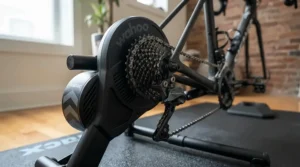
If ride feel is the deciding factor, the Tacx Neo 2T consistently gets singled out by longtime reviewers as the most realistic-feeling direct-drive trainer on the market, largely thanks to its electromagnetic resistance system that doesn’t rely on a physical flywheel touching a brake pad. What most buyers overlook about this model is that it requires no calibration at all, which sounds minor until you’ve spent a frustrating five minutes recalibrating a lesser trainer mid-warmup. Key specs include road-feel simulation of cobblestones and descents, a feature that’s more than a gimmick — it genuinely changes how engaged you stay during long endurance rides. On paper, the trade-off is weight and footprint: this is a heavier, bulkier unit than the trainers earlier on this list, and reviewers note that while the accuracy and feel are exceptional, the price puts it firmly in enthusiast territory rather than casual-user range.
Pros:
- ✅ Industry-leading realistic road-feel simulation
- ✅ No calibration required before rides
- ✅ Extremely quiet operation for its resistance ceiling
Cons:
- ❌ Heavier and bulkier than most competitors
- ❌ Premium price limits it to committed indoor cyclists
Pricing generally sits in the $1,200-$1,500 range, and the value verdict is straightforward: pay this much only if realism and long-term durability matter more to you than saving money.
7. Zwift Ride Smart Frame — best all-in-one Zwift ready smart bike
The Zwift Ride Smart Frame solves a problem none of the trainers above can: the daily hassle of mounting and unmounting your actual outdoor bike. Instead, it pairs a dedicated steel indoor frame with a compatible trainer (commonly the Wahoo Kickr Core 2) to create a permanently ready setup with built-in handlebar controls for shifting, steering, and navigating Zwift’s menus without ever touching a keyboard.
Key specs show a rider fit range from five feet to six-foot-six with tool-free adjustments via a frame key, which matters enormously for multi-person households where swapping bike setups used to mean re-fitting saddle height every session. Based on the spec comparison with dedicated smart bikes from Wahoo and Tacx that run $3,000 or more, the Zwift Ride Smart Frame undercuts the smart-bike category by a wide margin while still delivering true virtual shifting and quiet, cassette-free operation.
Reviewers who’ve spent weeks on it describe the experience as “so much more than the sum of its parts,” though several note the fixed 170mm crank length as a genuine limitation for very tall or very short riders sharing one household unit.
Pros:
- ✅ Always-ready setup, no bike swapping required
- ✅ Built-in handlebar controls for full Zwift command
- ✅ Dramatically cheaper than rival dedicated smart bikes
Cons:
- ❌ Fixed crank length isn’t ideal for every rider
- ❌ Requires a separately purchased or bundled trainer
Bundled pricing typically falls in the $1,200-$1,400 range, making this the strongest pick for households where more than one person wants to ride, or anyone simply done with the friction of a traditional trainer setup.
Practical Usage Guide: Get Rolling With Your Zwift Compatible Bike
Buying the hardware is the easy part — actually getting a clean first month out of it takes a bit of know-how that the product page won’t mention. Start by pairing your trainer to Zwift over Bluetooth rather than ANT+ if you’re running the app on a phone or tablet, since it avoids the extra cost and fuss of an ANT+ dongle. During your first three rides, resist the urge to crank up ERG-mode intervals immediately; let the trainer’s firmware update fully and calibrate (if required) before pushing hard efforts, since early inconsistent power readings are almost always a calibration issue, not a defective unit. A common first-30-days mistake is neglecting floor protection — a proper trainer mat isn’t just about noise, it also catches the sweat that would otherwise corrode your frame or flooring over a winter of hard sessions. For maintenance, wipe down the flywheel area monthly and check cassette or Zwift Cog tightness every few weeks, since heavy standing efforts can gradually work fittings loose. Finally, invest in a solid fan early rather than late — most new users underestimate how much indoor heat buildup affects both comfort and, indirectly, power output consistency once you’re properly sweating through a structured session.
Real-World Scenarios: Matching Riders to the Right Setup
Picture three very different households shopping for the same broad category of gear. First, there’s the college student living in a shared apartment, riding four times a week between classes on a tight budget — for this rider, the Van Rysel D100 or Zwift Hub One makes the most sense, since both keep upfront costs low while still delivering the Zwift Ready experience without extra shopping for cassettes or cogs. Second, consider the marathon-training parent squeezing in early-morning sessions before the household wakes up — noise matters as much as accuracy here, making the JetBlack Victory the standout choice thanks to its quiet operation under load. Third, imagine a two-cyclist household where partners of different heights want to ride together several nights a week — the Zwift Ride Smart Frame removes the daily swap-and-refit hassle entirely, letting each rider adjust the frame in seconds via the built-in frame key rather than repeatedly remounting bikes on a shared trainer. None of these scenarios is more “correct” than another; they simply illustrate that the right zwift compatible bike setup depends far more on your household’s actual rhythm than on chasing the highest spec sheet available.
Problem → Solution: Fixing the Most Common Zwift Compatible Bike Headaches
Even reliable trainers run into predictable snags, and most have simple fixes. If your power readings spike erratically during the first ride, the likely culprit is a trainer that hasn’t been properly calibrated or “spun up” — most direct-drive units need a short calibration ride at consistent speed before they report accurate numbers. If Zwift keeps dropping the Bluetooth connection mid-ride, move your phone or tablet closer to the trainer, or better yet, switch to a hardwired ANT+ USB dongle on a laptop or desktop for a more stable signal than Bluetooth typically provides over distance. If your drivetrain sounds unusually loud or grindy on a direct-drive trainer, check that your cassette or Zwift Cog is properly seated and torqued — a loose lockring is the most common cause of that harsh grinding noise reviewers sometimes mistake for a trainer defect. If you’re experiencing unexpected resistance jumps on steep virtual climbs, confirm your trainer’s maximum simulated gradient isn’t being exceeded by the route you’ve chosen, since budget units like the Van Rysel D100 simply cap out earlier than flagship models like the Wahoo Kickr V6. And if your indoor sessions feel monotonous despite good hardware, the fix usually isn’t equipment at all — it’s exploring Zwift’s group rides and structured workouts rather than free-riding the same virtual loop every time.
How to Choose a Zwift Compatible Bike
Choosing between seven strong options gets easier once you break the decision into a short sequence of questions rather than trying to compare every spec at once.
- Set your real budget first. Decide whether you’re spending under $600, in the $1,000-$1,300 range, or above that, since this single choice eliminates most of the list immediately.
- Consider your living situation. Apartment dwellers or households with sleeping children should weight noise level heavily, favoring options like the JetBlack Victory.
- Think about who else will ride it. Multi-person households benefit disproportionately from the always-ready convenience of the Zwift Ride Smart Frame.
- Match resistance ceiling to your training style. Sprinters and racers should prioritize higher wattage ceilings like those on the Wahoo Kickr V6, while endurance riders rarely need to.
- Factor in existing gear. If you already own a compatible smart trainer, buying just the Zwift Ride Smart Frame may cost less than a full new smart bike.
- Check the Zwift Ready designation. Trainers with Zwift Cog and Click pre-installed, as detailed on Zwift’s own compatible-trainer support page, save you a separate cassette purchase.
- Read the return policy before buying. Ride feel is subjective, and even well-reviewed trainers occasionally don’t suit an individual rider’s preferences.
Zwift Indoor Cycling Bike vs Smart Trainer Bike: What’s the Difference
The terms get used almost interchangeably online, but there’s a real distinction worth understanding before you buy. A zwift indoor cycling bike, in the strictest sense, refers to a dedicated stationary unit — think the Zwift Ride Smart Frame — built specifically for indoor use, with fixed geometry, integrated controls, and no removable wheels involved. A smart trainer bike, by contrast, usually describes the combination of your own outdoor bicycle mounted onto a separate direct-drive trainer like the Wahoo Kickr Core 2 or Tacx Neo 2T. The practical difference shows up in daily use: a dedicated indoor bike stays permanently set up and ready, while a trainer-based setup requires mounting your bike before each session and removing it afterward if you also ride outdoors. Feature-by-feature, dedicated smart bikes typically win on convenience and multi-rider flexibility, while trainer-based setups win on cost and the ability to use your own bike’s exact fit and feel. For a rider who owns one road bike and rides outdoors regularly, a trainer-based smart trainer bike setup usually makes more financial sense; for a household with multiple riders or someone who no longer rides outside much, a dedicated zwift indoor cycling bike setup like the Zwift Ride Smart Frame starts to look like the smarter long-term investment despite its higher upfront cost.
Common Mistakes When Buying a Zwift Compatible Bike
The single most common mistake is buying based on flywheel weight or wattage ceiling alone, without considering how those numbers translate to your actual training style — a rider doing steady Zone 2 rides rarely benefits from a 2,200-watt ceiling they’ll never approach. A close second is skipping the compatibility check between your existing bike’s axle type (quick-release versus thru-axle) and a chosen trainer, which can mean an unexpected adapter purchase after the box is already open. Buyers also frequently underestimate cassette costs, forgetting that many trainers ship without one, turning an advertised “budget” purchase into a pricier one once an 11-speed cassette gets added to the cart. Another frequent misstep is ignoring noise ratings entirely, only to discover after purchase that a trainer’s decibel level makes early-morning or late-night sessions impossible in a shared living space. Finally, some buyers assume every “Zwift compatible” label means identical functionality, when in reality there’s a meaningful gap between a trainer that merely broadcasts power data and one that’s genuinely interactive, letting Zwift control resistance to match virtual terrain — the BikeRadar compatibility breakdown is a useful reference if you’re unsure which category a specific trainer falls into.
What to Expect: Real-World Performance on a Smart Trainer Bike
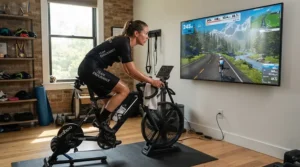
Spec sheets rarely translate cleanly into what a ride actually feels like, so here’s the honest picture. On a budget unit like the Zwift Hub One, expect a slightly “draggier” pedal stroke for the first several sessions, an artifact of a lighter flywheel that most riders stop noticing within a week or two of consistent use. Mid-range trainers like the Wahoo Kickr Core 2 and JetBlack Victory deliver a noticeably smoother, more inertia-driven feel that mimics outdoor momentum reasonably well, particularly on rolling terrain rather than sharp accelerations. Premium units like the Tacx Neo 2T go further still, simulating road textures like cobblestones through subtle vibration, a detail that sounds gimmicky until you’re grinding through Watopia’s cobbled sections and genuinely feel the difference. Across every tier, the biggest real-world performance factor isn’t the trainer at all — it’s your bike’s drivetrain condition, since a worn chain or poorly indexed derailleur will introduce noise and shifting inconsistency that no amount of trainer accuracy can mask.
Multiplayer Cycling Games and the Virtual Racing Platform Experience
Part of what separates Zwift from a plain resistance trainer app is its identity as a genuine virtual racing platform, complete with categorized races, time trials, and drafting mechanics that mirror real pack dynamics. According to Zwift’s own history, the platform has evolved considerably since its 2014 launch, expanding from a single virtual island into a dozen distinct virtual worlds hosting millions of riders, alongside dedicated esports-style tournament formats. That multiplayer layer matters more than most first-time buyers expect: riding alongside — and drafting off — dozens of other real cyclists changes the psychological experience of a hard interval session, turning what would otherwise be a solitary suffer-fest into something closer to an actual bike race. Multiplayer cycling games built around real power data also introduce a fairness dimension that pure video games don’t have to solve — your placement in a Zwift race genuinely reflects your fitness that day, not just reaction time or joystick skill. For competitive-minded riders, this is where trainer accuracy stops being a nice-to-have and starts mattering for results: a trainer with inconsistent power readings, like some budget wheel-on units, can genuinely misrepresent your effort relative to riders on more accurate hardware in the same virtual race.
Gamified Indoor Training: Why the Game Layer Actually Works
Skeptics sometimes dismiss the game elements in Zwift as gimmicky window-dressing, but the psychology behind gamified indoor training is better supported than that critique suggests. Earning in-platform currency for completing rides, unlocking new routes as you level up, and tracking visible progress bars all tap into the same completion-driven motivation that keeps people engaged with fitness apps generally, translating what used to be a monotonous stare at a garage wall into something with built-in incentive structures. Reviewers and longtime users consistently describe this as the difference between dreading indoor sessions and genuinely looking forward to them, particularly through the darker winter months when outdoor riding becomes impractical. That said, the gamification only works as well as the underlying hardware allows — a trainer with laggy resistance changes undercuts the immersion that makes gamified training effective in the first place, which is one more reason the accuracy differences between something like the Van Rysel D100 and the Wahoo Kickr V6 matter beyond pure numbers on a spec sheet. The practical takeaway is that gamification is a genuine behavior-change tool, not just marketing flavor, but it depends on hardware responsive enough to make the virtual world feel connected to your actual effort.
Zwift Ready Exercise Bike vs Traditional Exercise Bike: Benefits Compared
| Factor | Zwift Ready Exercise Bike | Traditional Exercise Bike |
|---|---|---|
| Resistance control | Automatically adjusts to virtual terrain | Manually set by the rider |
| Social element | Rides alongside real global users | Typically solitary |
| Data accuracy | Power, cadence, speed all transmitted | Often estimated, less precise |
| Best For | Zwift Ride Smart Frame, structured training | Casual, low-engagement cardio |
The core distinction is engagement: a zwift ready exercise bike like the Zwift Ride Smart Frame ties your effort directly to a responsive virtual world, while a traditional exercise bike leaves pacing and motivation entirely up to you. From a health standpoint, both can help riders meet the CDC’s recommended 150 minutes of moderate-intensity aerobic activity per week, but the automatic resistance adjustment and social racing dynamics of a Zwift Ready setup tend to produce longer, more consistent session lengths in practice, simply because riders stay engaged rather than clock-watching. For anyone who has previously bought a traditional stationary bike and stopped using it within a few months, the added engagement layer of a genuinely interactive setup is worth the price difference.
Long-Term Cost & Maintenance
| Cost Factor | Budget Setup (e.g., Zwift Hub One) | Premium Setup (e.g., Tacx Neo 2T) |
|---|---|---|
| Upfront hardware cost | Under $500 | $1,200-$1,500 range |
| Annual Zwift membership | ~$180-$240/year | ~$180-$240/year |
| Replacement parts (5 yrs) | Cassette, occasional belt | Minimal, sealed system |
| Expected lifespan | 4-6 years typical use | 6-10 years typical use |
Looking at the numbers, the premium tier’s higher upfront cost gets partially offset over a five-to-ten-year horizon by lower part-replacement frequency and generally longer product lifespans, since flagship trainers tend to use more durable internal components. That said, for a rider who trains three times a week rather than daily, the cost-per-use math rarely justifies the premium jump — the Zwift Hub One or Wahoo Kickr Core 2 will comfortably outlast several winters of moderate use. The Zwift membership fee itself is identical regardless of hardware tier, so it’s worth remembering that your recurring cost floor is roughly $180-$240 annually no matter which trainer you choose.
FAQ
❓ Is any smart trainer compatible with Zwift?
❓ Do I need a cassette for a Zwift compatible bike setup?
❓ Can I use Zwift without a smart trainer?
❓ What's the difference between Zwift Ready and Zwift Cog Compatible?
❓ Is a smart bike worth it over a trainer and bike combo?
Conclusion
Picking the right zwift compatible bike setup really comes down to being honest about three things: your budget ceiling, how many people will actually use it, and whether noise or ultimate accuracy matters more in your living situation. Budget-conscious first-timers get real value from the Zwift Hub One or Van Rysel D100, quiet-conscious households should look hard at the JetBlack Victory, and anyone chasing genuine structured-training accuracy will find that the Wahoo Kickr V6 and Tacx Neo 2T justify their premium pricing through consistency and realism. For households juggling multiple riders or anyone simply exhausted by daily bike-mounting rituals, the Zwift Ride Smart Frame solves a problem no trainer alone can fix. Whichever tier you land in, the underlying platform experience — drafting real riders, chasing route completion badges, and turning a gray Tuesday into a Watopia sprint finish — stays remarkably consistent. Start with what fits your budget and household today; upgrading later is always easier than convincing yourself indoor training was worth it in the first place.
Recommended for You
- 7 Best Bike With Built In Classes Picks for 2026
- Virtual Cycling Bike 2026: 7 Picks That Actually Feel Real
- Interactive Exercise Bike: 7 Best Smart Picks for UK Homes (2026)
Disclaimer: This article contains affiliate links. As an Amazon Associate, I earn from qualifying purchases. If you purchase products through these links, we may earn a small commission at no additional cost to you.
✨ Found this helpful? Share it with your friends! 💬🤗
