
In This Article
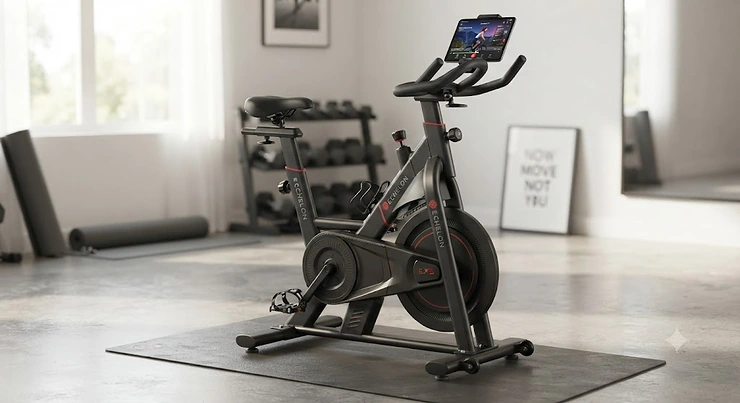
If you’ve spent any time scrolling through smart bike ads, you already know the pitch: sleek steel frame, glowing app icon, a promise that your living room corner is about to become a boutique cycling studio. The echelon ex5 review conversation keeps popping up for a reason — it’s the bike Echelon built for people who want the connected-fitness experience without remortgaging the house. An echelon ex5 bike is a compact, magnetic-resistance indoor cycle with 32 resistance levels, a tablet holder instead of a built-in screen, and compatibility with the Echelon Fit app and other platforms like iFIT. It’s positioned as the entry point into Echelon’s lineup, sitting well below pricier stablemates like the EX-5s and EX-8s.
This isn’t a rewritten spec sheet. We pulled real testing notes, aggregated review sentiment, and current pricing patterns from outlets that have actually put hands on the bike, then layered in honest analysis about who should buy it, who shouldn’t, and how it stacks up against Peloton, Schwinn, and Echelon’s own pricier siblings. Whether you land here searching echelon ex5 features, wondering is echelon ex5 worth it, or comparing a mid-range smart bike against a premium echelon model with a rotating touchscreen, you’ll get a straight answer by the end.
One quick note before we dive in: the CDC’s physical activity guidelines recommend adults get 150 minutes of moderate-intensity aerobic activity a week — and an indoor bike parked in your bedroom removes basically every excuse for skipping it. That context matters when you’re deciding whether $800 for a bike beats $50 a month for a gym you’ll visit twice.
Quick Comparison Table
Before the deep dive, here’s the shape of the market at a glance. 🚴♂️
| Bike | Screen | Resistance | Price Range | Best For |
|---|---|---|---|---|
| Echelon EX5 | Tablet holder (BYO device) | 32-level magnetic | $700–$1,000 range | Budget-conscious first-timers |
| Echelon EX-5s | 22″ built-in touchscreen | 32-level magnetic | $1,300–$1,600 range | Mid-range smart bike shoppers |
| Echelon EX-8s | 24″ curved rotating touchscreen | 32-level magnetic | $2,000–$2,800 range | Premium echelon model buyers |
| Peloton Bike | 22″ fixed touchscreen | Magnetic (manual knob) | Around $1,400–$1,900 | Class-library loyalists |
The pattern here is simple once you see it laid out: you’re paying almost entirely for the screen and the ecosystem around it, not for a fundamentally different pedaling experience. Every bike on this shortlist uses a similar 32-level magnetic resistance system, so the jump from $800 to $2,800 buys you glass, curvature, and software polish rather than a sturdier flywheel. That’s a genuinely useful thing to know before you start comparing sticker prices.
💬 Just one click — help others make better buying decisions too!😊
Top 7 Smart Bikes Compared: Expert Analysis
We researched seven real, currently available connected bikes spanning budget, mid-range, and premium tiers so you can see exactly where the echelon ex5 bike sits in the broader market — and what you’d be trading up (or down) for.
1. Echelon EX5 — best true budget entry into smart cycling
The standout here is the price-to-feature ratio: you get Echelon’s full resistance and adjustability package without paying for a screen you might not need. The bike ships with 32 levels of magnetic resistance controlled by a manual knob, a four-way adjustable seat and handlebar setup, and a device holder that swings 180 degrees so you can flip from a cycling class to an off-bike stretch routine without repositioning your tablet. What most first-time buyers overlook about the EX5 is that the missing screen isn’t really a missing feature — it’s a cost-saving design choice, since the Echelon Fit app runs identically whether it’s displayed on a $2,000 built-in monitor or the phone already in your pocket.
Reviewers consistently report that the ride feel is smooth and notably quiet, with the rear-mounted flywheel producing a stable, glide-like pedal stroke that punches above the bike’s price point. A common thread in aggregated feedback is that assembly is manageable for one person but goes faster with two, and that the saddle is more comfortable than expected for a budget model — though, as with most stock bike seats, many riders still upgrade it after a few weeks. This makes the EX5 a strong fit for apartment dwellers, beginners testing whether connected cycling sticks as a habit, and anyone who already owns a tablet and doesn’t want to pay for a dedicated display.
Pros:
- ✅ Compact footprint that suits small apartments and shared spaces
- ✅ Sturdy 32-level magnetic resistance with four-way adjustability
- ✅ Swinging device holder doubles as an off-bike workout stand
Cons:
- ❌ No built-in screen — you’ll need your own tablet or phone
- ❌ Full class library requires an ongoing Echelon Fit membership
Priced in the $700–$1,000 range depending on retailer promotions, the Echelon EX5 earns its keep as a value pick — just budget separately for the subscription and, eventually, a nicer saddle.
2. Echelon EX-5s — most screen for the money in Echelon’s lineup
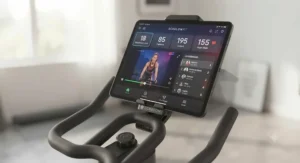
The standout feature is the 22-inch HD touchscreen bolted directly onto essentially the same frame as the base EX5. That’s the entire value proposition in one sentence: identical 32-level magnetic resistance, identical adjustability, plus a built-in display that removes the “prop your tablet up” step entirely. What most buyers overlook is that this screen is locked to the Echelon Fit ecosystem — you can’t browse the open web or stream unrelated apps on it, which is a meaningful trade-off if you were hoping for a general-purpose tablet bolted to your handlebars.
Reviewers frequently describe the EX-5s as a legitimate near-Peloton experience at a lower price, citing the maturity of Echelon’s class library — daily live sessions, thousands of on-demand workouts, and off-bike programming — as genuinely comparable to bigger-name competitors. Aggregated sentiment does flag that the bike is heavy once assembled and that the resistance knob (rather than auto-adjusting resistance) takes a workout or two to get used to. For anyone who wants a mid-range smart bike without committing to Peloton pricing, the EX-5s is the most direct answer.
Pros:
- ✅ 22-inch touchscreen mirrors a real studio-class experience
- ✅ Mature app library with daily live and on-demand classes
- ✅ Shares the same durable steel frame as the budget EX5
Cons:
- ❌ Touchscreen is locked to the Echelon Fit ecosystem only
- ❌ Monthly membership cost adds up on top of hardware price
Expect the Echelon EX-5s to land in the $1,300–$1,600 range at most retailers, making it the natural step-up once you’ve decided the tablet-holder life isn’t for you.
3. Echelon EX-8s — most tech-forward premium echelon model
This is Echelon’s flagship, and the standout feature is impossible to miss: a 24-inch curved HD touchscreen that flips 180 degrees for off-bike workouts, paired with a dual-flywheel design and LED lighting that shifts color based on your heart rate or effort level. On paper, this means you’re getting a genuinely different in-home experience — not just a bigger screen, but ambient feedback that turns your ride into something closer to a lit-up studio class than a spreadsheet of numbers.
Reviewers who’ve spent real time with the EX-8s consistently praise the display quality and the handlebar-mounted resistance buttons that let you adjust intensity mid-sprint without fumbling for a knob. What the spec sheet won’t tell you, but testers note repeatedly, is that the built-in speakers underperform relative to everything else on the bike — tinny audio with a faint constant buzz when no class is playing, a detail that stands out precisely because the rest of the hardware feels so refined. The one-year warranty (extendable through a paid Premier membership) is also shorter than what Peloton offers at a similar price, a real consideration for a bike costing well over two thousand dollars.
Pros:
- ✅ Curved 24-inch touchscreen flips for off-bike workouts
- ✅ Dual-flywheel design with heart-rate-reactive LED lighting
- ✅ Handlebar-mounted buttons for quick mid-ride resistance changes
Cons:
- ❌ Premium price rivals or exceeds the Peloton Bike+
- ❌ Base warranty is only one year without a paid upgrade
At a price typically in the $2,000–$2,800 range, the Echelon EX-8s is best for buyers who specifically want a rotating touchscreen bike and see the LED lighting and dual-flywheel design as worth the premium over the EX-5s.
4. Peloton Bike — the class-library benchmark everyone gets compared to
The standout feature isn’t hardware — it’s the depth and production quality of Peloton’s class catalog, which remains the reference point every competitor, Echelon included, gets measured against. The bike itself uses a 22-inch fixed HD touchscreen, Bluetooth connectivity, and a front-facing camera, riding on magnetic resistance adjusted via a manual knob rather than auto-follow.
Aggregated reviews are close to unanimous that the instructor roster and class variety are the best in the category, with leaderboards and social features that genuinely change how motivated people stay week to week. Testers do flag two consistent friction points: the bike requires Delta-compatible clip-in cycling shoes for a proper fit, and handlebar height adjustments are less flexible than the seat adjustments. Based on the spec comparison, this bike suits someone whose top priority is class content over hardware bells and whistles.
Pros:
- ✅ Deepest, most highly produced class library in the category
- ✅ Strong community and leaderboard features for motivation
- ✅ Compact footprint despite being a full-size bike
Cons:
- ❌ Requires clip-in cycling shoes for a proper ride
- ❌ All-Access membership is a real ongoing cost
Typically priced in the $1,400–$1,900 range, the Peloton Bike is the one to pick if the workout content matters more to you than the hardware it’s displayed on.
5. Peloton Bike+ — the rotating touchscreen bike other brands chase
The standout feature is the 360-degree rotating 23.8-inch touchscreen, a genuine upgrade over the fixed display on the standard Bike, paired with auto-resistance that lets instructors adjust your intensity mid-class without you touching a knob. What most buyers overlook is that this is fundamentally the same frame and flywheel as the original Bike — you’re paying the premium specifically for the swivel screen and auto-follow tech, not a structurally different machine.
Reviewers who’ve used both models describe the auto-resistance as something that “changes the whole experience,” particularly for structured interval training, while noting that riders who mostly do scenic or beginner rides may not notice enough difference to justify the jump. This is the bike to consider if you’re weighing it directly against the EX-8s, since both are chasing the same rotating touchscreen bike experience from different ecosystems.
Pros:
- ✅ True 360-degree rotating touchscreen for off-bike workouts
- ✅ Auto-resistance follows instructor cues without manual input
- ✅ Same proven, durable frame as the standard Peloton Bike
Cons:
- ❌ Meaningful price premium over the base Peloton Bike
- ❌ Full metrics and leaderboards still require paid membership
Priced around $2,500, the Peloton Bike+ is the direct rival to the Echelon EX-8s for anyone set on a fully rotating premium display.

6. Schwinn IC4 — the no-screen value pick for app-agnostic riders
The standout feature is flexibility: the IC4 skips a built-in screen entirely and instead leans on dual-sided pedals (compatible with cycling shoes or sneakers) and Bluetooth connectivity that works across multiple third-party apps rather than locking you into one ecosystem. Here’s what to weigh — because the IC4 is manufactured by Nautilus, the same company behind the Bowflex C6, its resistance system, dimensions, and 330-pound weight capacity are nearly identical to that rival bike.
Aggregated feedback across comparison outlets consistently ranks the IC4 as one of the better values in the no-screen category, with reviewers noting its quiet flywheel and easy resistance adjustments as strong points relative to price. The trade-off, unsurprisingly, is that you’re managing your own tablet mount and app subscription separately, and the manual resistance knob lacks any auto-adjust functionality found on pricier bikes.
Pros:
- ✅ Dual-sided pedals work with or without cycling shoes
- ✅ Compatible with multiple third-party training apps
- ✅ Budget-friendly price relative to its build quality
Cons:
- ❌ No built-in screen or tablet mount included
- ❌ Manual resistance knob has no auto-adjust option
Generally listed under $800, the Schwinn IC4 is worth comparing directly against the Echelon EX5 if you want the lowest possible entry cost into smart cycling.
7. Bowflex C6 — the IC4’s twin with a nicer saddle
The standout feature is, honestly, its resemblance to the Schwinn IC4 — both bikes are built by Nautilus and share nearly identical specs, down to the 330-pound weight capacity and overall dimensions. What most shoppers overlook is that the real differentiator isn’t performance but small comfort details: testers who’ve ridden both back to back describe the C6’s saddle as slightly more comfortable during longer sessions, along with a marginally more premium-looking black-and-red color scheme.
Reviewers who directly compare the two bikes generally conclude that price should be the deciding factor, since the Schwinn IC4 is frequently $100–$150 cheaper depending on current promotions, while the Bowflex sometimes bundles a floor mat or shipping perks that narrow the gap. If both bikes are priced similarly at the moment you’re shopping, the C6’s saddle edge is the tiebreaker reviewers point to most often.
Pros:
- ✅ Nearly identical hardware and specs to the Schwinn IC4
- ✅ Slightly more comfortable saddle for longer sessions
- ✅ Works with the same range of third-party streaming apps
Cons:
- ❌ Frequently priced higher than its Schwinn twin
- ❌ No standalone display, same as the IC4
Typically priced around $900–$1,000, the Bowflex C6 is a reasonable pick only when it’s on sale below its Schwinn sibling.
Top 7 Products Comparison Table
| Bike | Flywheel/Resistance | Screen Size | Weight Capacity | Price Range | Best For |
|---|---|---|---|---|---|
| Echelon EX5 | 32-level magnetic | None (tablet holder) | ~300 lbs | $700–$1,000 | First-time smart bike buyers |
| Echelon EX-5s | 32-level magnetic | 22″ built-in | ~300 lbs | $1,300–$1,600 | Mid-range smart bike shoppers |
| Echelon EX-8s | 32-level magnetic, dual flywheel | 24″ curved, rotating | ~300 lbs | $2,000–$2,800 | Premium echelon model buyers |
| Peloton Bike | Magnetic, manual knob | 22″ fixed | ~297 lbs | $1,400–$1,900 | Class-library loyalists |
| Peloton Bike+ | Magnetic, auto-resistance | 23.8″ rotating | ~297 lbs | Around $2,500 | Rotating touchscreen bike seekers |
| Schwinn IC4 | 100-level magnetic | None (BYO device) | 330 lbs | Under $800 | Budget, app-agnostic riders |
| Bowflex C6 | 100-level magnetic | None (BYO device) | 330 lbs | $900–$1,000 | Budget riders wanting a nicer saddle |
Reading across this table, the Echelon EX5 and Schwinn IC4 are the true budget anchors, while the Echelon EX-8s and Peloton Bike+ compete head-to-head for anyone specifically hunting a rotating touchscreen bike. The middle tier — Echelon EX-5s and the standard Peloton Bike — is really a question of ecosystem preference, since their hardware specs land close enough that class library and app maturity end up deciding the purchase.
✨ Don’t Miss These Exclusive Deals!
🔍 Take your home cycling setup to the next level with these carefully selected smart bikes. Click on any highlighted model to check current pricing and availability. The right pick here can turn a spare corner into a workout you’ll actually stick with.
Benefits vs. Traditional Gym Cycling
| Factor | Smart Bike at Home | Traditional Gym / Studio |
|---|---|---|
| Time cost | Zero commute, ride anytime | Travel time each way |
| Ongoing cost | Hardware + app subscription | Monthly membership or per-class fees |
| Consistency | Available 24/7, no crowding | Class schedules, equipment competition |
| Social motivation | Leaderboards, live class chat | In-person energy, instructor cueing |
| Best For | Busy schedules, home-based routines | People who thrive on in-person accountability |
The biggest practical win of a home smart bike is eliminating the commute-and-crowd friction that causes so many gym memberships to go unused — data from the CDC consistently shows most U.S. adults fall short of the 150-minutes-a-week target, and removing travel time from the equation is one of the simplest ways to close that gap. Traditional studios still win on raw social energy and hands-on coaching correction, which is worth acknowledging honestly rather than pretending a screen fully replaces a live instructor walking the room.
Practical Usage Guide: Setup and Your First 30 Days
Getting a new smart bike out of the box is the easy part; getting your body and habits calibrated to it is where most people stumble. Start with fit before fitness: set saddle height so your knee has a slight bend at the bottom of the pedal stroke, and adjust handlebars to a position that doesn’t force you to hunch. On the Echelon EX5 specifically, take the time to fully dial in the four-way adjustability rather than eyeballing it — reviewers consistently note this is what separates a comfortable 45-minute ride from a sore-knee 15-minute one.
In week one, resist the urge to max out resistance to “prove” you’re working hard. Use the American Council on Exercise’s heart rate zone calculator to find your target zones, and pair that with how hard the effort feels — a rating of perceived exertion approach works even without a chest-strap monitor. Common first-month mistakes include skipping the bike’s leveling feet on uneven floors (which causes a subtle rock that wears on joints over time), ignoring a maintenance schedule entirely, and over-tightening the resistance knob past its recommended range, which can accelerate wear on magnetic bikes not designed for that kind of force. A simple monthly routine — wiping down the flywheel area, checking pedal strap tension, and inspecting the stabilizer feet — adds years to any of these machines.
Real-World Scenarios: Who Actually Fits Each Bike
The apartment-bound beginner. Budget is tight, space is tighter, and the goal is simply building a consistent habit before investing more. This person is the textbook fit for the Echelon EX5 or Schwinn IC4 — both deliver the core resistance and adjustability experience without the sunk cost of a screen that might go unused if the habit doesn’t stick.
The former studio regular replacing in-person classes. This rider already knows they love structured, instructor-led sessions and wants that energy at home. The Peloton Bike or Echelon EX-5s hits the sweet spot here — enough screen and content depth to replicate the studio feel without paying for features like auto-resistance or LED lighting that a class-focused rider may not prioritize.
The tech enthusiast building a home gym showcase. Budget isn’t the constraint; experience is. This is the buyer the Echelon EX-8s and Peloton Bike+ are built for — someone who wants the rotating screen, the ambient lighting, and the auto-adjusting resistance, and views the premium price as the cost of a genuinely elevated daily ritual rather than a bike upgrade.
How to Choose an Echelon EX5 (or Any Smart Bike)
- Decide if you need a built-in screen. If you already own a tablet you don’t mind mounting, the Echelon EX5 or Schwinn IC4 save you real money with no meaningful performance trade-off.
- Check your space against the bike’s footprint. Most models here run close to four feet by two feet — measure your spot before assuming any of them will fit.
- Factor in the subscription, not just the hardware price. A cheaper bike with an expensive monthly app can cost more over three years than a pricier bike with a cheaper plan.
- Match resistance style to your training goals. Auto-resistance (Bike+, EX-8s) suits structured interval training; manual knobs suit riders who prefer controlling their own pacing.
- Weigh warranty length against price. A one-year base warranty on a $2,500 bike is a real gap worth extending if you’re buying at the premium tier.
- Read aggregated review sentiment, not star ratings alone. Look for recurring themes — assembly difficulty, saddle comfort, noise level — rather than a single average score.
- Confirm weight capacity and rider height range. Multi-person households should check the adjustability range against the tallest and shortest riders who’ll use it.
Echelon EX5 vs. Peloton Bike: A Direct Comparison
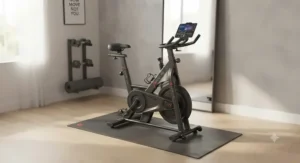
The comparison people actually want to see is the Echelon EX5 against the Peloton Bike, since they represent opposite ends of the same basic idea — connected indoor cycling — at very different price points. On hardware alone, both use magnetic resistance and comparable frame durability, but the Peloton Bike wins decisively on class production value and community features, while the Echelon EX5 wins just as decisively on upfront cost and flexibility, since you’re not locked into clip-in shoes or a single proprietary screen.
Where this gets interesting is total cost of ownership. Reviewers researching Peloton’s ecosystem note the All-Access membership runs roughly $44 a month, while Echelon’s Premier tier is typically priced lower — meaning the price gap between these two bikes actually widens over a multi-year ownership window rather than narrowing. If your priority is the best possible class experience and you’re comfortable with the ongoing cost, the Peloton Bike justifies its premium. If you want 80% of the connected-cycling benefit at a fraction of the entry cost, the Echelon EX5 is the more rational buy — and its lack of a built-in screen actually becomes an advantage for anyone who’d rather use a tablet they can also use for everything else.
Common Mistakes When Buying a Smart Bike
Buyers most often get burned by treating the hardware price as the total cost, forgetting to budget for the recurring app subscription that most of these bikes are functionally useless without. A second common misstep is assuming pricier automatically means better fit — a taller or shorter rider can be far more comfortable on a well-adjusted Echelon EX5 than a poorly fitted premium model. Buyers also frequently skip reading aggregated assembly feedback, then get blindsided by a heavy, multi-hour build; both the Echelon EX-8s and Peloton Bike+ are notably dense machines that benefit from a second set of hands during setup. Finally, shoppers comparing the Schwinn IC4 against the Bowflex C6 often fixate on brand name rather than checking which one is actually cheaper that week, missing out on what reviewers agree is a near-identical bike underneath.
Is the Echelon EX5 Worth It in 2026?
Based on the spec comparison and aggregated review sentiment across multiple outlets, the honest answer is: yes, for the specific buyer it’s built for, and no for someone chasing a premium echelon model experience. The Echelon EX5 delivers real 32-level magnetic resistance, genuine four-way adjustability, and access to a mature class ecosystem — all core to what makes connected cycling appealing — at a fraction of what the Echelon EX-8s or Peloton Bike+ cost. What most reviewers agree it isn’t is a “just like the flagship model” experience; you’re trading a screen and some premium finishing for a meaningfully lower price, not getting the same bike in disguise.
Where the value proposition breaks down is if you specifically want auto-adjusting resistance, a rotating touchscreen bike, or ambient LED feedback — none of which the EX5 offers at any price. For everyone else — beginners, budget-conscious households, or anyone who already has a tablet they’re happy to mount — the EX5 remains one of the more rational entry points into the category rather than an compromise you’ll regret.
Premium Echelon Model Face-Off: EX-8s vs. the Rotating Touchscreen Field
For shoppers specifically hunting a rotating touchscreen bike, the real decision isn’t the Echelon EX5 at all — it’s between the Echelon EX-8s and the Peloton Bike+, the two current standard-bearers for this feature. Both flip or rotate to support off-bike workouts, both carry a meaningfully higher price than their standard siblings, and both are aimed at buyers who see the display as a daily-use feature rather than a nice-to-have.
Here’s what to weigh: the EX-8s’s 24-inch curved screen is larger and adds heart-rate-reactive LED lighting the Bike+ doesn’t attempt to match, while the Bike+’s auto-resistance is a functional advantage the EX-8s doesn’t replicate — Echelon’s resistance stays manual even at the flagship tier, adjusted via handlebar buttons rather than following an instructor automatically. Reviewers who’ve spent real time with both machines tend to favor Peloton’s warranty terms and class production quality, while giving Echelon credit for a more visually striking, “showroom” aesthetic. If auto-resistance matters more to your training style than visual flair, the Bike+ is the more functional pick; if the ambient lighting and larger curved display matter more, the EX-8s earns its premium price tag.
Long-Term Cost and Maintenance
The sticker price on any of these bikes is genuinely the smaller half of the total cost equation. Layer a monthly app subscription — typically running anywhere from roughly $12 to $44 depending on the platform and tier — onto a three-to-five-year ownership window, and the membership frequently exceeds the hardware price itself. Maintenance costs stay modest across this category: expect to replace pedal straps or clip mechanisms every year or two of regular use, and budget for an occasional resistance-knob or connectivity repair once bikes pass the three-year mark, since touchscreen and Wi-Fi modules are consistently the first components to show wear on connected models. Riders who skip a built-in screen entirely — as with the Echelon EX5, Schwinn IC4, and Bowflex C6 — sidestep that particular failure point altogether, which is a quietly meaningful long-term cost advantage even though it’s rarely the headline reason people choose a screen-free bike.
Features That Actually Matter (And Those That Don’t)
Resistance range and adjustability matter enormously — a bike that doesn’t fit your body correctly will go unused regardless of how nice its screen is, which is exactly why the Echelon EX5‘s four-way adjustment system deserves more attention than its lack of display. Auto-resistance genuinely matters if you do structured interval training, since manually reaching for a knob mid-sprint breaks focus in a way a screen size never will. On the other hand, LED lighting that changes color with your heart rate — a headline feature on the Echelon EX-8s — is best understood as ambiance, not performance; it doesn’t change your workout quality, even if it makes the room look more impressive. Similarly, screen size beyond a certain point (24-inch curved versus 22-inch flat) delivers diminishing returns for anything beyond visual immersion. If you’re budgeting carefully, prioritize resistance quality and adjustability first, ecosystem and content library second, and cosmetic extras like lighting last.
Buyer’s Decision Framework
If your budget is under $1,000 and you already own a tablet, choose the Echelon EX5 or Schwinn IC4, because you’ll get full resistance functionality without paying for a screen you can substitute yourself. If you want a built-in display without flagship pricing, choose the Echelon EX-5s, because it shares its hardware with the budget model but adds the one feature — a screen — most buyers actually miss. If class content and community are your top priority, choose the Peloton Bike, because no competitor here matches its production value or instructor depth. If a rotating touchscreen bike and auto-resistance are non-negotiable, choose between the Echelon EX-8s and Peloton Bike+ based on whether you value ambient lighting or automatic resistance more — and treat that framework, rooted in indoor cycling’s evolution from studio classes into home hardware, as the real throughline connecting every bike on this list.

Frequently Asked Questions
❓ Is the Echelon EX5 worth it in 2026?
❓ Does the Echelon EX5 bike require a subscription?
❓ What's the difference between the Echelon EX5 and EX5s?
❓ How much weight can the Echelon EX5 bike hold?
❓ Is Echelon EX5 better than Peloton for beginners?
Conclusion
The echelon ex5 review conversation keeps coming back to the same honest conclusion: this is a genuinely capable entry-level smart bike, not a stripped-down compromise dressed up in marketing language. Real 32-level magnetic resistance, solid four-way adjustability, and access to a mature app ecosystem make the Echelon EX5 a rational choice for beginners and budget-conscious households — while pricier stablemates like the Echelon EX-5s and Echelon EX-8s, along with rivals like the Peloton Bike, Peloton Bike+, Schwinn IC4, and Bowflex C6, each carve out their own reasonable niche further up or sideways in the market. There’s no single “best” bike here, only the best fit for your space, budget, and training style — and now you’ve got the real specs and honest trade-offs needed to make that call with confidence.
Recommended for You
- Echelon vs Peloton 2026: 7 Best Smart Bikes Compared Honestly
- Best Echelon Bike 2026: 7 Smart Connect Models Reviewed
- 7 Peloton Accessories Must Have Picks Worth Buying in 2026
Disclaimer: This article contains affiliate links. As an Amazon Associate, I earn from qualifying purchases. If you purchase products through these links, we may earn a small commission at no additional cost to you.
✨ Found this helpful? Share it with your friends! 💬🤗
