

In This Article
Here’s the thing nobody tells you before you buy a connected exercise bike: the hardware is the easy decision. The peloton bike subscription is where the real math happens, and it’s messier than the glossy unboxing video ever let on. You’re not just picking a monthly fee — you’re picking how much of your fitness life gets locked behind a paywall, and whether that paywall is worth crossing at all.

This guide breaks down what a Peloton membership actually costs in 2026, tier by tier, and stacks it against six real alternatives — from Apple’s $9.99 option to the full iFit Pro experience. We’ll dig into who each plan is genuinely built for, where the value quietly falls apart, and how to avoid paying for features you’ll never touch. What is a peloton bike subscription, in plain terms? It’s the recurring membership fee that unlocks Peloton’s instructor-led classes, performance metrics, and leaderboard features — either through Peloton hardware or the standalone app, priced anywhere from free to roughly $50 a month depending on the tier you choose.
We built this comparison from Peloton’s own published fee schedule, competitor pricing pages, and aggregated user sentiment pulled from app reviews, forums, and independent coverage — not guesswork, and not a rewritten spec sheet. Every dollar figure here reflects publicly listed rates at the time of research; subscription pricing shifts often, so always confirm the current rate before you commit. According to the CDC’s physical activity guidelines, most adults need roughly 150 minutes of moderate exercise weekly — a target that a well-chosen streaming class membership can make dramatically easier to hit, or a poorly chosen one can quietly sabotage through subscription fatigue. Let’s find out which is which.
Quick Comparison Table
| Membership | Monthly Range | Hardware Required? | Best For |
|---|---|---|---|
| Peloton App One | Around $13-16 | No | Budget beginners testing the waters |
| Peloton App+ | Around $24-29 | No | App-only riders who want unlimited cardio |
| Peloton All-Access | Around $45-50 | Yes | Owners who want the full bike-screen experience |
| iFit Pro | Around $39 | Recommended | NordicTrack/ProForm bike owners |
| Echelon Premier | Around $35-40 | Recommended | Budget-conscious Echelon bike owners |
| Zwift | Around $20 | No (own bike + trainer) | Gamified outdoor-style training |
| Apple Fitness+ | Around $10 | No | Apple ecosystem users, casual cross-training |
Looking at the spread above, the gap between the cheapest and priciest option is roughly $40 a month — enough to fund an entirely separate streaming subscription or two. The Peloton All-Access membership sits at the top of the price ladder for good reason: it’s the only plan on this list that syncs directly with dedicated hardware, tracks live output metrics, and supports up to 20 profiles. But for solo riders without Peloton equipment, Apple Fitness+ and Peloton App One prove you don’t need to spend $50 a month to build a consistent habit.
💬 Just one click — help others make better buying decisions too!😊
Top 7 Peloton Bike Subscription Alternatives: Expert Analysis
1. Peloton App One — cheapest legitimate way into the Peloton ecosystem
Peloton’s entry-level digital tier opened the brand up to people who’ll never own a bike, and it shows in how the pricing is structured. At around $12.99 a month through Peloton’s own site (roughly $15.99 if you’re billed through the Apple App Store, since Apple takes a cut that Peloton passes along), App One gives unlimited access to strength, yoga, meditation, and outdoor-running classes, plus a capped allowance of three equipment-based cardio classes per month. That cap matters more than it sounds: if you’re riding four or five times a week on your own bike, you’ll blow through it before the second week of the month is over.
Based on the spec comparison, App One is really a floor-workout membership with a cycling teaser bolted on — not a cycling subscription in disguise. It’s built for people layering Peloton’s strength and mobility programming onto an existing routine, not for anyone whose main goal is regular bike rides. Reviewers and forum commenters consistently flag the three-class limit as the tier’s biggest friction point, with several noting they upgraded to App+ within a month once the cap started cramping their routine. What most buyers overlook is that the “three classes” rule resets monthly and doesn’t roll over, so skipping a week doesn’t bank you extra rides later.
Pros:
- ✅ Lowest entry price of any legitimate Peloton tier
- ✅ Full access to strength, yoga, and meditation libraries
- ✅ Works with any bike, treadmill, or none at all
Cons:
- ❌ Only three cardio equipment classes per month
- ❌ iOS billing carries a noticeably higher price
Value verdict: at around $13-16 a month, App One is a smart low-commitment trial run — but budget-conscious riders who actually plan to cycle several times weekly should expect to outgrow it fast.
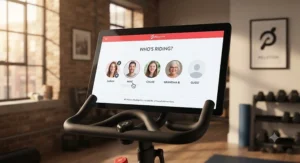
2. Peloton App+ — unlimited cardio classes without buying the bike
App+ exists for exactly the audience App One frustrates: people who ride, run, or row often but don’t own Peloton hardware. At roughly $24-29 a month (Peloton raised this tier from $24 to $28.99 in an October 2025 pricing update), it strips away the equipment-class cap entirely, unlocking thousands of cycling, treadmill, and rowing workouts on any compatible bike, tread, or rower you already own.
The unlock here isn’t just “more classes” — it’s the difference between rationing your workouts and just showing up whenever you feel like moving. What most buyers overlook is that App+ still excludes Lanebreak (the gamified arcade-style ride mode) and Scenic content, both of which remain locked to All-Access hardware owners. That’s a deliberate wall Peloton built to protect its equipment sales, and it’s worth knowing before you assume App+ replicates the full in-studio bike experience. Aggregated app-store sentiment on this tier skews positive on content variety, with a recurring complaint about the price increase feeling steep for a service that still can’t run on the Peloton Bike’s actual touchscreen without All-Access.
Pros:
- ✅ No monthly cap on cardio equipment classes
- ✅ Works with third-party bikes, treads, and rowers
- ✅ Includes full strength, yoga, and meditation library too
Cons:
- ❌ Locked out of Lanebreak and Scenic content
- ❌ Recent price hike narrowed the gap versus All-Access
Value verdict: in the $24-29 range, App+ is the sweet spot for anyone riding a non-Peloton bike who still wants Peloton’s actual class library and instructors.
3. Peloton All-Access Membership — the full bike-screen experience, at a premium
This is the one most people picture when they hear “peloton bike subscription.” The All-Access membership is mandatory for anyone who owns a Peloton Bike, Bike+, Tread, or Row, and it jumped from $44 to roughly $49.99 a month as part of Peloton’s October 2025 relaunch alongside its new Cross Training hardware line. That’s a meaningful jump — nearly 14% — and it now sits well above every competitor on this list.
Here’s what the spec sheet won’t tell you outright: the price increase wasn’t purely a cash grab. It coincided with the rollout of Peloton IQ, an AI-driven camera-tracking system that gives real-time form feedback, plus support for up to 20 user profiles on a single subscription. For a household of three or four riders sharing one bike, that per-person cost math actually improves compared to buying separate memberships elsewhere. Reviewers consistently note the leaderboard and live-class energy as the tier’s strongest selling point — the thing competitors struggle to replicate — while cost-conscious users increasingly ask whether the jump to $49.99 pushes the total ownership cost too high once you factor in the bike itself.
Pros:
- ✅ Full touchscreen integration and live performance metrics
- ✅ Up to 20 user profiles per household
- ✅ Includes Peloton IQ AI form-tracking and Scenic rides
Cons:
- ❌ Most expensive tier on this list by a wide margin
- ❌ Mandatory for hardware owners — no way to opt down
Value verdict: at $49.99 a month, All-Access earns its premium price for multi-person households and live-class devotees, but solo riders should seriously weigh the App+ alternative first.
4. iFit Pro — the built-for-NordicTrack rival with genuine polish
If you bought a NordicTrack, ProForm, or Freemotion bike instead of a Peloton, iFit Pro is your equivalent All-Access tier, running about $39 a month (or roughly $396 annually, which works out cheaper per month). It’s designed specifically for equipment with integrated touchscreens, automatically adjusting incline and resistance to match the trainer on screen — a feature Peloton’s own bikes don’t replicate in quite the same automated way.
The real-world meaning of that auto-adjust feature is bigger than it sounds: instead of manually dialing in resistance to match instructor cues, the bike does it for you mid-ride, which lowers the mental overhead of following a class. Consumer Reports’ independent testing found the subscription cost comparable to Peloton’s own equivalent tier, while noting that Peloton’s live-class feature isn’t matched by iFit’s mostly on-demand catalog. That’s an honest trade-off worth weighing: iFit leans harder into global scenic content and automated coaching, while Peloton leans into live community energy.
Pros:
- ✅ Auto-adjusting resistance synced to trainer-led rides
- ✅ Supports up to five users on the Pro tier
- ✅ Deep scenic and destination-ride content library
Cons:
- ❌ Mostly on-demand — thinner live-class schedule than Peloton
- ❌ Only useful at full value with iFit-branded hardware
Value verdict: around $39 a month, iFit Pro is the strongest Peloton alternative for anyone who already committed to NordicTrack or ProForm hardware.
5. Echelon Premier — the budget-conscious bike owner’s safety net
Echelon built its entire pitch around undercutting Peloton on price, and the Echelon Premier membership reflects that — landing somewhere around $35-40 a month depending on the current promotional cycle, with a stripped-down FitPass tier available from roughly $12 a month for off-equipment content only. Premier unlocks the full library: cycling, treadmill, rowing, and thousands of off-bike classes including yoga, strength, and boxing.
What most buyers overlook about Echelon is that its lower sticker price comes with a smaller live-class footprint than Peloton’s — Echelon runs hundreds of live sessions a month rather than the daily multi-hour live schedule Peloton offers. On paper, this means Echelon rewards on-demand riders more than it rewards live-class chasers. Aggregated review sentiment across retailer sites frequently praises the value-for-money angle, especially for households that don’t need the deepest live-class catalog, while a recurring complaint centers on FitPass excluding equipment-based classes, which can catch new subscribers off guard at checkout.
Pros:
- ✅ Meaningfully cheaper than Peloton All-Access
- ✅ Thousands of on-demand classes across formats
- ✅ FitPass tier lets non-owners access off-bike content cheaply
Cons:
- ❌ Smaller live-class schedule than Peloton
- ❌ FitPass alone excludes cycling and rowing classes
Value verdict: around $35-40 a month, Echelon Premier is the strongest budget play for anyone who owns the hardware and prioritizes savings over live-class density.
 6. Zwift — the gamified alternative for riders who want a world, not a studio
Zwift takes a completely different approach: instead of instructor-led classes, it drops you into a persistent 3D cycling world where you ride alongside thousands of real users in real time. It costs $19.99 a month or $199.99 annually (that annual price effectively buys you roughly two free months), a price that’s climbed twice since 2023 as the platform expanded its structured-training features.
The real-world meaning here is a genuine philosophy difference, not just a cheaper price tag. On paper, Zwift trades Peloton’s motivational-instructor format for competitive, game-like structure — climbs, group rides, and races that reward consistency through in-game progression rather than leaderboard bragging rights alone. According to Zwift’s own company history, the platform’s monthly price has risen from $10 in 2015 to today’s $19.99, tracking a pattern of gradual fee increases similar to Peloton’s own trajectory. Reviewers who came from Peloton often note the adjustment period — Zwift rewards structured training plans and racing more than casual “just show up” motivation, which suits disciplined riders better than beginners looking for hand-holding.
Pros:
- ✅ Genuinely different, game-like training format
- ✅ Works with almost any bike and smart trainer
- ✅ Annual plan meaningfully undercuts the monthly rate
Cons:
- ❌ No instructor-led motivation — a different vibe entirely
- ❌ Requires your own smart trainer, a real added cost
Value verdict: at $19.99 a month, Zwift suits riders who already have a trainer and want structured, competitive training rather than a studio-class feel.
7. Apple Fitness+ — the cheapest cross-platform option worth taking seriously
Apple Fitness+ rounds out this list as the budget outlier — $9.99 a month or $79.99 annually, and it doesn’t require any Peloton-style hardware at all, just an iPhone, iPad, Apple TV, or Apple Watch. It covers twelve workout types including cycling, strength, HIIT, and yoga, with real-time Apple Watch metrics overlaid directly on the workout video.
Here’s what the spec sheet won’t spell out: Fitness+ shares to up to six family members at no extra charge, which makes its effective per-person cost dramatically lower than any tier on this list once a household splits it. Based on the spec comparison, it’s less a Peloton competitor than a lighter-weight cross-training companion — you won’t get dedicated bike-specific metrics like cadence or resistance tracking unless you’re also using compatible equipment, and there’s no live class or leaderboard community to speak of. Reviewers consistently praise the seamless Apple Watch integration and describe it as the easiest service to stay consistent with, largely because the low price removes the guilt of letting a subscription go unused.
Pros:
- ✅ Lowest price of any option on this list
- ✅ Shares free across up to six family members
- ✅ Deep Apple Watch and ecosystem integration
Cons:
- ❌ No dedicated bike hardware or cadence tracking
- ❌ No live classes or leaderboard community features
Value verdict: at $9.99 a month, Apple Fitness+ is the smartest entry point for Apple households who want variety without committing to a cycling-specific ecosystem.
Benefits vs Traditional Alternatives
| Factor | Connected Fitness Subscription | Traditional Gym Membership |
|---|---|---|
| Typical monthly cost | $10-$50 | $10-$60+ |
| Commute required | No | Yes |
| Class variety | High, on-demand | Limited by schedule |
| Equipment cost upfront | Often required ($400-$3,000+) | Usually none |
| Best For | Home-based consistency | Social gym-goers, equipment variety |
The comparison above cuts against the common assumption that a home subscription is automatically cheaper than a gym. In year one, the numbers land close to even once you count the equipment purchase, but a Peloton App+ or Echelon Premier subscription pulls ahead from year two onward simply because there’s no commute and no missed-class penalty baked into a rainy commute or a packed parking lot. The trade-off is real, though: gyms offer spontaneous variety and social contact that a solo living-room ride can’t fully replace.
✨ Don’t Miss These Exclusive Deals!
🔍 Take your fitness routine to the next level with these carefully selected memberships. Click on any highlighted plan to check current pricing and availability. These options will help you build a habit your future self will thank you for!
How to Choose a Peloton Bike Subscription
Picking the right tier isn’t about finding the “best” plan in the abstract — it’s about matching the subscription to how you’ll actually use it. Here’s a practical framework:
- Count your realistic weekly rides. If you’re honest and it’s fewer than three, App One’s capped tier may cover you fine; more than that, and you need App+ or All-Access.
- Check what hardware you already own. Peloton hardware locks you into All-Access; NordicTrack locks you into iFit; a generic spin bike leaves App+ or Zwift open.
- Weigh live classes against on-demand flexibility. Peloton and Echelon lean live; iFit and Apple Fitness+ lean on-demand.
- Add up the household math. All-Access and Apple Fitness+ both support multiple users — divide the price by riders before comparing.
- Factor in the cancellation friction. Apple App Store billing often costs more and requires canceling through Apple, not the provider directly.
- Decide how much gamification actually motivates you. Zwift’s racing format helps some riders and feels like noise to others.
- Revisit the decision after 90 days. Usage patterns almost always shift once the “new bike” enthusiasm settles.

Practical Usage Guide: Getting the Most From Your Membership
Signing up is the easy part — the first 30 days determine whether the subscription earns its keep. Start by setting a recurring calendar block for your rides rather than relying on motivation alone; Peloton’s own data and independent coverage consistently show that scheduled sessions outlast “whenever I feel like it” plans. Connect a heart rate monitor early, since output and calorie estimates without one tend to run inaccurate, and most platforms — Peloton, iFit, and Echelon alike — support Bluetooth straps.
A common first-month mistake is over-subscribing: signing up for the top tier before confirming how often you’ll actually ride. Start one tier below what you think you need, then upgrade once your actual usage pattern proves it. Maintenance-wise, wipe down the resistance knob and pedal threads monthly to prevent the creaking that eventually shows up in almost every long-term owner review, and recalibrate your bike’s resistance settings after the first 20-30 rides once the components have broken in. Finally, explore Programs and Collections early — these curated multi-week plans, offered across nearly every platform on this list, solve the “what do I even take today” paralysis that kills momentum faster than almost anything else.
Real-World Scenarios: Who Should Choose What
The budget-conscious beginner: A 28-year-old testing whether home cycling sticks, riding twice a week on a basic spin bike, working around a tight budget. Peloton App One or Apple Fitness+ makes sense here — low commitment, low cost, easy to cancel if the habit doesn’t take.
The daily rider with a Peloton Bike+: Someone riding five or six mornings a week, chasing personal-record output numbers, motivated by the live leaderboard. All-Access isn’t optional for this person — it’s the only tier that unlocks the metrics and live-class energy driving their consistency.
The household splitting costs across three people: A family where three household members work out on the same equipment at different times. Here, the per-person math on All-Access (20 profiles) or Apple Fitness+ (six-person sharing) both beat paying for three separate lower-tier accounts.
Is a Peloton Subscription Worth It in 2026?
This is the question that actually matters more than the price tag alone. The honest answer: it depends almost entirely on ride frequency, not enthusiasm at signup. If you’re riding or running several times a week — especially splitting the cost across a household — the All-Access membership’s $49.99 monthly fee amortizes into a genuinely reasonable per-session cost. If you’re not yet sure the habit will stick, starting on App One or App+ avoids locking yourself into the priciest tier before you’ve proven consistency to yourself.
What most buyers overlook is that the equipment cost compounds this decision. A Peloton Bike starts around $1,400-$1,700, and that upfront number changes the math considerably: paying $49.99 a month on top of financed hardware is a different commitment than paying $24-29 a month for App+ on a bike you already own. Reviewers and independent coverage consistently frame Peloton’s value proposition the same way — genuinely premium instructor quality and production values, undercut by a combined hardware-plus-subscription cost that’s hard to justify without consistent, multi-weekly use.
Common Mistakes When Buying a Peloton Bike Subscription
The most frequent misstep is signing up for All-Access before confirming you actually own compatible hardware — it’s mandatory for Bike, Bike+, Tread, and Row owners, and non-owners simply can’t use it to its full potential. A close second is underestimating the App One cardio-class cap, which quietly pushes committed riders into an unplanned upgrade within weeks. Buyers also frequently overlook billing-channel differences: subscribing through the Apple App Store instead of Peloton’s own site or Google Play routinely costs more per month due to Apple’s platform fee, a detail buried in fine print rather than the marketing page. Finally, many people forget to check special-pricing eligibility — students, military members, first responders, and healthcare workers can often unlock meaningfully discounted App membership rates, but only through verified sign-up channels.
Peloton Bike Subscription vs Other Streaming Class Memberships
Comparing Peloton against other streaming class membership options really comes down to one question: do you want a studio, or a world? Peloton and Echelon both lean hard into the studio format — real instructors, scheduled live sessions, a shared leaderboard energy that mimics an actual class. iFit takes a hybrid approach, layering trainer-led coaching over auto-adjusting hardware and destination-style scenic rides. Zwift abandons the studio metaphor entirely in favor of a persistent gamified world where structured workouts and races replace instructor cues.
For sheer content depth, Peloton and iFit are neck-and-neck, though iFit leans more heavily on-demand while Peloton maintains the more extensive live schedule. Apple Fitness+ occupies a different category altogether — a lighter, cross-training-focused service rather than a dedicated cycling platform, which makes it a poor head-to-head comparison for cyclists specifically but a genuinely strong value pick for anyone wanting broader variety at a lower monthly fitness fee.
What to Expect: Real-World Performance
Specs only tell part of the story — what actually happens once you’re three months in looks different from the marketing copy. Expect the novelty of live classes to fade somewhat by month two, with on-demand libraries becoming the actual daily driver for most riders regardless of platform. Expect leaderboard motivation to work powerfully for some personality types and to feel like background noise for others — this is one of the more polarizing aspects across aggregated user sentiment, with almost no middle ground reported. Expect your device or hardware to occasionally lag behind software updates; Peloton’s recent Peloton IQ rollout, for instance, requires the newer swivel-screen hardware to function at full capability, meaning older bike owners get a diminished version of headline features until they upgrade equipment.
Long-Term Cost & Maintenance: The Real Math on Monthly Fitness Fees
Run the numbers over three years and the picture shifts considerably. At $49.99 a month, All-Access totals roughly $1,800 across three years — before counting the original hardware purchase. Compare that to Zwift at $19.99 monthly (about $720 over three years) or Apple Fitness+ at $9.99 (roughly $360), and the gap becomes hard to ignore. According to Retail Dive’s coverage of Peloton’s most recent pricing update, the company raised fees across every tier as part of a broader relaunch strategy aimed at funding new AI features and hardware — a pattern that’s repeated at least twice since 2022, suggesting monthly fitness fees on this platform are unlikely to stay flat long-term.
The practical takeaway: total cost of ownership matters more than the advertised monthly number. Factor in whether you’ll actually use live classes (a Peloton and Echelon strength), whether you need dedicated hardware integration (iFit’s core value), or whether a lighter, cheaper cross-training app genuinely covers your needs (Apple Fitness+’s lane). Reassessing your tier annually, rather than defaulting to auto-renewal, is the single easiest way to avoid quietly overpaying for features you’ve stopped using.
Features That Actually Matter (And Those That Don’t)
Live leaderboards matter enormously to competitive riders and genuinely nothing to riders who just want to zone out — know which one you are before paying extra for it. Auto-adjusting resistance (iFit’s signature feature) matters if you dislike manually dialing in intensity mid-workout, but it’s irrelevant if you’re using a bike without compatible connectivity. Scenic and destination content sounds appealing in marketing but, based on aggregated usage patterns, gets used far less often than instructor-led classes once the initial novelty wears off. What actually drives long-term consistency, across nearly every platform reviewed here, isn’t a flashy feature — it’s whether the class library has enough variety to prevent boredom by month three, which is exactly when most subscription cancellations happen.
Buyer’s Decision Framework
If you already own Peloton hardware, choose All-Access because it’s contractually required and unlocks the equipment’s full capability. If you own a non-Peloton bike but want Peloton’s actual class library, choose App+ because it removes the cardio-class cap without requiring new hardware. If your budget is the primary constraint and you’re comfortable without live classes, choose Apple Fitness+ or Echelon’s FitPass tier because they minimize monthly fitness fees while still delivering genuine workout variety. If competitive, game-like structure motivates you more than instructor energy, choose Zwift because its format rewards a fundamentally different kind of consistency.

FAQ
❓ How much is a peloton bike subscription per month?
❓ Can I use a Peloton bike without a subscription?
❓ Is the Peloton App+ membership worth it without owning a bike?
❓ Why did my Peloton membership price go up?
❓ What's the cheapest way to try Peloton-style classes?
Conclusion
The peloton bike subscription landscape in 2026 isn’t a single price tag — it’s a ladder, and the right rung depends entirely on your actual riding habits rather than your aspirational ones. Budget-conscious beginners and casual cross-trainers are genuinely well served by the cheaper end of this list, while daily riders chasing live-class energy and leaderboard motivation will find that All-Access earns its premium price. The rivals covered here — iFit, Echelon, Zwift, and Apple Fitness+ — aren’t consolation prizes; each solves a different version of the same problem, and the smartest move is matching the platform to your actual routine rather than the most heavily marketed option.
Before committing to any tier, revisit the comparison table above, count your realistic weekly workouts, and check whether your existing hardware locks you into a specific ecosystem. That thirty seconds of honest math will save you far more than thirty seconds worth of subscription fees over the next few years.
Recommended for You
- Used Peloton Bike: 7 Real Deals Worth Buying in 2026
- 7 Peloton Bike Alternatives in 2026 That Won’t Wreck Your Budget
- Peloton Bike vs Bike Plus: 7 Real Differences That Matter (2026)
Disclaimer: This article contains affiliate links. As an Amazon Associate, I earn from qualifying purchases. If you purchase products through these links, we may earn a small commission at no additional cost to you.
✨ Found this helpful? Share it with your friends! 💬🤗
