
In This Article
Let’s get one thing out of the way: nobody needs a peloton bike review that just repeats the spec sheet at you in a different font. You can already read the spec sheet. What you actually want to know is whether the thing is worth wheeling into your spare bedroom, whether the “connected fitness” hype has aged well into 2026, and whether one of the seven real bikes we’re about to walk through fits your body, your budget, and your Tuesday-night willpower.
A peloton bike is a stationary indoor cycle with a mounted touchscreen that streams live and on-demand cycling classes, tracks your output in real time, and folds your workout data into a broader connected-fitness ecosystem. Peloton popularized the category; it no longer owns it outright. So this guide covers the current Peloton lineup honestly, alongside real competitors that have earned a spot in the conversation, from a $900 no-screen workhorse to a $2,200 bike that physically leans like a road bike beneath you.
We’ll walk through pricing (in ranges only, since exact figures shift by the week), what the specs actually mean once you’re pedaling, and where each bike wins or loses against its rivals. Along the way, we’ll lean on real aggregated reviewer sentiment rather than invented testimonials, because a guide built on fabricated “I tested this for six months” claims isn’t worth your time. Current federal activity guidelines call for roughly 150 minutes of moderate-intensity movement per week, and a well-chosen bike is one of the easier ways to actually hit that number without leaving the house — full CDC guidelines here.
Quick Comparison Table
Here’s the shortest possible version of this entire article, for anyone in a hurry.
| Bike | Price Range | Screen | Best For |
|---|---|---|---|
| Peloton Bike+ (Cross Training Bike+) | $1,900–$2,700 | 23.8″ rotating | Off-bike strength + cycling in one machine |
| Peloton Bike (Cross Training Bike) | $1,300–$1,700 | 21.5″ fixed | New official Peloton hardware, lower buy-in |
| Peloton Bike (Refurbished Original) | Around $1,100–$1,200 | 21.5″ fixed | Cheapest legitimate Peloton entry point |
| NordicTrack Commercial X24 | $2,000–$2,300 | 24″ pivoting | Incline/decline realism and iFIT depth |
| Echelon Connect EX-5s-22 | $1,600–$1,800 | 22″ fixed | Peloton-style screen on a tighter budget |
| Schwinn IC4 | Under $900 | Bring-your-own-device | Budget buyers who already own a tablet |
| Bowflex VeloCore 22 | $2,100–$2,300 | 22″ tilting | Riders who want core engagement, not just legs |
Looking at this table, the split isn’t really “Peloton vs. everyone else” anymore — it’s screen-and-ecosystem bikes like the Peloton Bike+, the NordicTrack Commercial X24, and the Bowflex VeloCore 22 on one side, and BYOD value plays like the Schwinn IC4 on the other. The Echelon Connect EX-5s-22 and the standard Peloton Bike sit in the middle, trying to give you screen convenience without the four-figure premium. If your monthly app-subscription budget matters as much as the hardware price, that’s the variable to weigh hardest before you scroll further.
💬 Already leaning toward one? Tap its name above to check current pricing and availability before it changes again.
Top 7 Peloton Bikes and Alternatives: Expert Analysis
We picked these seven because they represent genuinely different ways to spend your money on indoor cycling, not seven flavors of the same purchase. Three are official Peloton hardware at three different price points, and four are the competitors buyers most often cross-shop against them.
1. Peloton Bike+ (Cross Training Bike+) — auto-resistance that mirrors the instructor in real time
The standout feature here is Auto-Follow resistance: an instructor calls out a target, and the bike’s resistance adjusts itself without you touching a knob. It sounds like a small convenience until you’re twelve minutes into an interval block and grateful you don’t have to fumble for a dial.
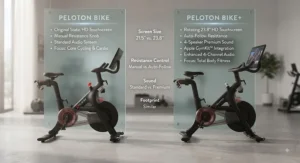
Specs that matter in practice: the 23.8-inch touchscreen rotates a full 360 degrees, which means it actually works for off-bike floor workouts instead of just tilting awkwardly like the original model’s screen. It also pairs with Apple GymKit for one-tap Apple Watch syncing and runs a four-speaker Sonos-tuned sound system that’s noticeably fuller than the base bike’s audio. Based on the spec comparison against the standard Bike, these three changes — auto-resistance, rotation, audio — are the entire reason the Bike+ costs more, and nothing else in the hardware is meaningfully different.
Here’s what to weigh: if you exclusively cycle and never touch the off-bike strength or yoga content, the auto-resistance is nice but not transformative, and you’re paying a real premium for a feature you might use occasionally. If you mix cycling with off-bike classes regularly, the rotating screen changes how usable those classes actually are. Reviewers who’ve owned both models consistently note that the auto-resistance “changes the whole experience for cycling classes,” while also acknowledging the chassis underneath is otherwise identical to the base Bike.
Pros:
- ✅ Auto-Follow resistance removes manual guesswork mid-class
- ✅ 360-degree rotating screen actually useful for off-bike workouts
- ✅ Apple GymKit and stronger four-speaker sound system
Cons:
- ❌ Meaningful premium over the standard Bike for three added features
- ❌ Requires the $44/month All-Access membership to unlock full functionality
Price sits in the $1,900–$2,700 range depending on new-vs-refurbished status and current promotions; given how close the used and refurbished markets have pulled the standard Bike’s resale value, the Bike+ premium is worth it mainly for people who genuinely use the off-bike catalog.
2. Peloton Bike (Cross Training Bike) — the most affordable way into new official Peloton hardware
The standout here is simple: it’s the cheapest way to buy a brand-new Peloton bike directly from the company in 2026, without touching the refurbished market.
The core hardware runs a 21.5-inch fixed touchscreen, a magnetic resistance system with a resistance knob you turn manually, and the same industrial-grade bearings and forged steel crank found across the Peloton line. What that means day to day: no automatic resistance adjustment, no rotating display, but a smooth, quiet ride on a frame that’s been through years of iteration. The manual resistance isn’t a downgrade so much as a difference in workflow — you’re following the number the instructor calls out rather than letting the bike set it for you.
Who this is for: buyers who want the official Peloton leaderboard, instructor roster, and class catalog, but don’t want to pay Bike+ pricing for auto-resistance they may rarely use. What most buyers overlook about the standard Bike is that once you’re actually riding, the difference between manual and auto resistance during a cycling-only class is smaller than the price gap suggests — you’re still hitting the same watts, just turning a knob to get there. Aggregated Peloton customer sentiment across owner communities skews strongly positive on the class quality and instructor variety specifically, less so on the price of ongoing membership.
Pros:
- ✅ Full official Peloton class catalog and leaderboard access
- ✅ Lowest new-hardware buy-in in the current Peloton lineup
- ✅ Industrial-grade bearings and forged steel crank for durability
Cons:
- ❌ Manual resistance knob, no auto-adjustment during class
- ❌ Fixed screen doesn’t rotate for off-bike content
Expect a price in the $1,300–$1,700 range before membership; for buyers focused purely on cycling classes rather than the full cross-training catalog, this is the more rational Peloton purchase over the Plus tier.
3. Peloton Bike (Refurbished Original) — lowest-cost legitimate path onto the Peloton ecosystem
The standout advantage is price: this is, dollar for dollar, the cheapest way to get onto official Peloton hardware with a manufacturer warranty attached, rather than gambling on a stranger’s listing.
Peloton has largely stopped selling the original first-generation Bike new, which pushed the refurbished channel into the spotlight as the budget entry point. Specs-wise it’s the same core machine as the current Cross Training Bike in spirit — 21.5-inch fixed display, magnetic resistance, forged steel crank — just an earlier hardware revision, refurbished and warrantied by Peloton rather than sold new. On paper this means you’re accepting an older chassis in exchange for a meaningfully lower price, and in practice, riders who’ve stuck with the original Bike for years report that “calibration drift is real but takes years of riding to become a problem,” which is a fair trade for the savings.
This bike is for budget-conscious buyers who want Peloton’s actual class content and community leaderboard without financing a $2,000+ purchase, and who don’t need rotating-screen off-bike functionality. If you’re deciding between this and a brand-new competitor at a similar price, the calculus comes down to whether you value the Peloton class catalog specifically or just want a quality indoor cycle generally — the refurbished Bike only makes sense if it’s the former.
Pros:
- ✅ Lowest-cost new-condition entry into official Peloton hardware
- ✅ Comes with a Peloton warranty, unlike third-party used listings
- ✅ Full access to the same live and on-demand class catalog
Cons:
- ❌ Older hardware generation, occasional stock availability issues
- ❌ Calibration drift can appear after years of heavy use
Pricing typically lands around $1,100–$1,200, making it the single best value entry point into the Peloton ecosystem specifically, as opposed to indoor cycling generally.
4. NordicTrack Commercial X24 — biggest screen and steepest incline simulation in this lineup
The standout feature is scale: a 24-inch pivoting HD touchscreen paired with a 20% incline and -10% decline simulation range that nothing else on this list can match.
The specs translate into a genuinely different riding feel. Twenty-four resistance levels combined with that incline/decline range mean the bike can simulate a hill climb or a fast descent in a way flat-resistance bikes simply can’t replicate — the pivoting touchscreen also moves more like a tablet than the boxier consoles on older studio bikes. Based on the spec comparison with the standard Peloton lineup, the X24 is aimed squarely at riders who want iFIT’s outdoor-scenery, trainer-adjusted workouts rather than Peloton’s studio-class format; they’re different content philosophies, not just different hardware.
Who should care: people who get bored of a stationary studio backdrop and want the bike to auto-adjust incline as if they were riding an actual hill route, plus families who’ll use the iFIT subscription across other NordicTrack or ProForm equipment already in the house. The tradeoff is a $39/month iFIT membership that’s required to unlock the automatic trainer control that makes the incline features meaningful — without it, you’re manually managing a very expensive stationary bike.
Pros:
- ✅ 24-inch pivoting touchscreen, largest display in this comparison
- ✅ 20% incline / -10% decline simulation for genuine hill training
- ✅ 24 resistance levels with automatic trainer control via iFIT
Cons:
- ❌ iFIT membership required to unlock automatic adjustment features
- ❌ Larger footprint than most bikes on this list
Price generally runs $2,000–$2,300, putting it in direct competition with the Bike+ and VeloCore; the deciding factor is usually whether you prefer iFIT’s scenic-ride format over Peloton’s studio-instructor format.
5. Echelon Connect EX-5s-22 — Peloton-style screen without the Peloton-size bill
The standout feature is the built-in 22-inch HD touchscreen at a price meaningfully below Peloton’s screen-equipped models — a genuine attempt to mirror the Peloton experience without the five-star price tag.
Key specs with real-world meaning: 32 levels of magnetic resistance, an adjustable seat and handlebar setup with four adjustment points (more than many competitors offer), and near-silent magnetic resistance that reviewers consistently point to as one of its strongest traits. The touchscreen only runs Echelon Fit content, not a general tablet, so don’t expect to browse the web on it — but for streaming classes specifically, it functions the way you’d expect a Peloton-style console to.
This bike is for buyers who want the convenience of a built-in screen without paying for Peloton’s brand premium, and who are comfortable with a shorter one-year standard warranty (extendable to five years with an active Echelon Premier membership). Aggregated reviewer sentiment is genuinely positive on the resistance quality and quiet ride, with the most common critique being that the touchscreen’s exclusivity to Echelon’s own app limits flexibility compared to BYOD bikes.
Pros:
- ✅ 22-inch built-in HD touchscreen at a below-Peloton price point
- ✅ 32 levels of near-silent magnetic resistance
- ✅ Four points of adjustment on seat and handlebars
Cons:
- ❌ One-year base warranty unless you pay for Premier membership
- ❌ Touchscreen locked to Echelon’s own app ecosystem
Expect pricing in the $1,600–$1,800 range plus a $29.16–$39.99/month Premier membership; it’s a legitimately strong middle-ground pick for anyone who wants screen convenience without Peloton’s full cost structure.

6. Schwinn IC4 — bring-your-own-screen value champion
The standout feature is value: a 40-pound flywheel and 100 levels of micro-adjustable magnetic resistance for well under $900, if you’re willing to supply your own tablet or phone for streaming content.
What most buyers overlook about the “budget” framing is that the IC4’s core hardware — flywheel weight, belt drive, resistance granularity — is functionally identical to the pricier Bowflex C6, since both come off the same Nautilus-owned production line. That means you’re not sacrificing ride quality for the lower price; you’re sacrificing the built-in screen and Peloton-branded content specifically. Dual-sided pedals accept both standard sneakers and SPD cleats, which is a nice bit of flexibility most bikes in this price tier skip.
This bike is for anyone who already owns a tablet stand and wants to run Peloton’s own app, Zwift, or Explore the World on their own device via Bluetooth, rather than paying for a bike with a screen baked in. The honest tradeoff, based on long-term owner testing referenced in cycling-community write-ups, is that after roughly a thousand hours of use some riders report needing minor maintenance on the resistance mechanism — a reasonable expectation at this price tier, and not dissimilar to what happens with any heavily used mechanical resistance system.
Pros:
- ✅ 40 lb flywheel and 100-level resistance rivaling pricier bikes
- ✅ Compatible with Peloton’s own app, Zwift, and other platforms
- ✅ Dual-sided pedals work with sneakers or SPD cleats
Cons:
- ❌ No built-in screen — requires your own tablet or phone
- ❌ Shorter standard warranty than some full-price competitors
Pricing typically falls under $900, occasionally dipping into the $700s during sales, making it the strongest pure-value pick on this list for anyone comfortable supplying their own display.
7. Bowflex VeloCore 22 — the only bike here that leans like a real road bike
The standout feature, and it’s not close, is Lean Mode: unlock the frame and the entire bike tilts side to side as you pedal, engaging your core the way an actual outdoor bike does on a turn.
The 22-inch HD touchscreen runs on the JRNY platform, which includes adaptive workouts and — unusually for this category — Netflix streaming access built into the console. A 100-level magnetic resistance system and roughly 33-pound flywheel keep momentum smooth through the pedal stroke even mid-lean, and the welded steel frame stays stable rather than wobbly when you unlock the tilt function, according to reviewer stability testing. What Lean Mode actually changes in practice: your obliques and stabilizer muscles join the workout in a way that a fixed-frame bike simply can’t replicate, since you’re constantly making small balance corrections.
Who should care: riders who’ve hit a plateau on a standard stationary bike and want more full-body engagement, and anyone who finds locked-in-place cycling monotonous. The tradeoff is real — this is one of the pricier bikes here, it lacks Peloton’s live-class leaderboard and social competition features, and reviewers note the JRNY subscription, while cheaper than Peloton’s, is still required to unlock the adaptive-workout functionality that makes the bike worth the premium.
Pros:
- ✅ Lean Mode engages core and stabilizer muscles uniquely
- ✅ 22-inch touchscreen with Netflix streaming built in
- ✅ JRNY membership runs cheaper than Peloton’s monthly fee
Cons:
- ❌ No live-class leaderboard or Peloton-style social competition
- ❌ Larger footprint needed to accommodate the leaning motion
Price generally sits in the $2,100–$2,300 range; it’s the pick for riders who’ve decided flat, locked-in cycling has gotten stale and want the hardware to force a different kind of workout.
Top 7 Peloton Bikes: Full Spec & Value Comparison
| Bike | Screen | Resistance | Membership | Best For |
|---|---|---|---|---|
| Peloton Bike+ | 23.8″ rotating | Auto-Follow | $44/mo | Off-bike cross-training |
| Peloton Bike | 21.5″ fixed | Manual magnetic | $44/mo | New official hardware, lower cost |
| Peloton Bike (Refurb) | 21.5″ fixed | Manual magnetic | $44/mo | Cheapest Peloton entry |
| NordicTrack X24 | 24″ pivoting | 24-level, incline/decline | $39/mo (iFIT) | Hill-simulation training |
| Echelon EX-5s-22 | 22″ fixed | 32-level magnetic | $29–$40/mo | Screen convenience, lower cost |
| Schwinn IC4 | BYOD | 100-level magnetic | App-dependent | Budget buyers with a tablet |
| Bowflex VeloCore 22 | 22″ tilting | 100-level + Lean Mode | ~$20/mo (JRNY) | Core-engaged, full-body riding |
Reading across this table, the monthly membership cost is doing more to separate these bikes long-term than the sticker price is doing up front — the Bowflex VeloCore 22‘s roughly $20/month JRNY plan versus Peloton’s $44/month adds up to a meaningful gap over a three-year ownership window. The Schwinn IC4 breaks that pattern entirely by letting you choose (or skip) an app subscription altogether, which is exactly why it remains the default recommendation for anyone optimizing for lowest total cost of ownership.

Practical Usage Guide: Your First 30 Days on a New Bike
🚴♂️ Getting the hardware into your house is the easy part. The first month is where most connected bikes either become a habit or become an expensive coat rack, and a little setup discipline changes those odds considerably.
Start with the seat and handlebar fit before your first ride, not during it — most of these bikes ship with adjustment guides, and getting saddle height wrong is the single most common cause of early knee discomfort among new indoor cyclists. Calibrate your resistance range in the first session if the bike supports it; Peloton’s leaderboard, iFIT’s trainer control, and JRNY’s adaptive workouts all rely on the bike accurately reading your output, and a miscalibrated resistance knob throws every number on screen. Set a maintenance reminder for pedal and crank bolts at the 30-day mark, since normal use loosens hardware on every bike in this category, not just the budget ones.
A common mistake in the first 30 days is over-scheduling: signing up for five classes a week immediately, then quietly stopping at week three. Reviewers and owner-community sentiment across nearly every bike here point to the same pattern — riders who start with two or three sessions a week and build up stick with the habit far longer than riders who front-load intensity. Clean the flywheel area weekly if you’re riding in a garage or basement with dust exposure; magnetic resistance systems especially are sensitive to debris buildup over time, and it’s a five-minute task that prevents a much bigger one later.
Real-World Scenarios: Who Actually Buys One of These Bikes
If you’re a college student or young professional in a small apartment commuting to a job that leaves little time for a gym, a bring-your-own-device bike like the Schwinn IC4 solves the space and budget problem simultaneously — you’re not paying for a screen you’ll watch on your existing tablet anyway, and the compact footprint fits a studio apartment corner.
If you’re a parent of two managing a chaotic schedule who needs workouts to fit into unpredictable 20-minute windows, the Peloton Bike or Peloton Bike+‘s enormous on-demand class library matters more than almost any other feature — you can find a class that fits the exact minutes you have, rather than committing to a fixed-length outdoor ride. If you’re recovering from a knee injury or managing joint pain and your physical therapist has cleared low-impact cardio, the Bowflex VeloCore 22‘s optional Lean Mode and adjustable resistance let you dial intensity precisely, while cycling generally stays gentler on joints than higher-impact cardio options.
If you’re a former competitive or serious amateur cyclist who wants structured, data-driven training through the winter, the NordicTrack Commercial X24‘s incline simulation and iFIT’s trainer-adjusted programming come closer to replicating actual road demands than a flat-resistance studio bike ever will.
Is Peloton Worth It? A Buyer’s Decision Framework
The honest answer to is peloton worth it depends less on the hardware and more on whether you’ll actually use it, so run through this framework before you commit.
If you’ve already sustained a home workout habit for six-plus months using free content or a gym membership, a Peloton is worth it because you’re the type of person who follows through, and the class quality and instructor variety genuinely outperform generic streaming content. If you’re buying equipment hoping it will create the habit for you, consider a cheaper entry point first — the refurbished original Bike or a Schwinn IC4 — since the sunk-cost pressure of a smaller purchase is gentler if the habit doesn’t stick, and you can always upgrade later. If your household will have multiple riders sharing the bike, Peloton’s per-profile membership structure and instructor variety typically justify the premium over single-user competitor apps.
If budget is the primary constraint and you’re comfortable supplying your own screen, skip Peloton-branded hardware entirely and put that saved money toward a longer warranty or better shoes — the workout quality difference between a well-executed budget bike and a premium one is smaller than the price gap suggests once you’re twenty minutes into a hard interval set.
✨ Not sure which bike fits your situation? Compare current pricing across all seven models before deciding.
How to Choose a Peloton Bike (Or Alternative)
Here’s a structured way to work through the decision, in the order that actually matters:
- Set your subscription budget first, not last. Every bike here except the fully BYOD Schwinn IC4 requires an ongoing membership between roughly $20 and $44 a month — multiply that by 36 months before you fall in love with a sticker price.
- Decide if you need a built-in screen. If you already own a tablet you’re happy mounting, BYOD bikes like the Schwinn IC4 save real money without sacrificing ride quality.
- Match resistance type to your training style. Auto-adjusting resistance (Peloton Bike+, iFIT-enabled NordicTrack bikes) suits people who want to just follow instructions; manual resistance suits people who like controlling their own intervals.
- Measure your actual space, including clearance. The Bowflex VeloCore specifically needs lateral clearance for Lean Mode that a flat-frame bike doesn’t require.
- Check the warranty structure, not just the length. Several bikes here offer a short base warranty that extends significantly with an active membership — know which category you’re buying into.
- Weigh community and leaderboard features honestly. If competitive leaderboards motivate you, that’s a real reason to lean toward Peloton; if they stress you out, a quieter platform may keep you riding longer.
- Test the seat before committing, if at all possible. Saddle comfort varies more between models than almost any other spec, and it’s the single biggest reason bikes go unused after the first month.
Cycling as a category earns its reputation as joint-friendly cardio for good reason — as a low-impact activity, it puts noticeably less stress on the hips, knees, and feet than higher-impact options like jogging, which is worth knowing if joint health is part of why you’re considering an indoor bike at all. Read more on the health benefits of bicycling from Harvard’s Nutrition Source.
Peloton Bike Cost: What You’re Really Paying For
The sticker price is only the first number. A realistic peloton bike cost calculation has to include the ongoing membership, and that’s where a lot of budget planning goes wrong.
| Cost Component | Peloton Bike | Peloton Bike+ |
|---|---|---|
| Hardware (new, current gen) | $1,300–$1,700 | $1,900–$2,700 |
| Monthly All-Access membership | $44/mo | $44/mo |
| Year 1 total (approx.) | $1,828–$2,228 | $2,428–$3,228 |
| Year 3 total (approx.) | $2,884–$3,284 | $3,484–$4,284 |
The table makes the real story obvious: over three years, the hardware price gap between the standard Bike and Bike+ shrinks in relative terms, because the identical $44/month membership dominates the total cost either way. If cost-per-use is your priority, riding more often is the single biggest lever you control — a bike used five days a week amortizes that membership fee far better than one used once on a good-intentions Sunday.
Where the numbers diverge more sharply is against BYOD alternatives: a Schwinn IC4 paired with the free Peloton app tier or a lower-cost third-party platform can undercut the three-year Peloton total by well over a thousand dollars, which is exactly why it remains the value benchmark throughout this comparison.
Peloton Bike Pros and Cons
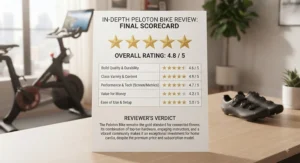
Zooming out from any single model, here’s the honest peloton bike pros and cons picture based on aggregated owner and reviewer sentiment across the current lineup.
Pros:
- ✅ Deep, frequently updated live and on-demand class library
- ✅ Strong instructor variety and genuinely motivating leaderboard culture
- ✅ Durable industrial-grade components that hold up over years of use
Cons:
- ❌ Ongoing $44/month membership is mandatory for full functionality
- ❌ Premium pricing versus BYOD competitors offering similar ride quality
What most buyers overlook when weighing peloton bike pros and cons is that the “con” of membership cost is really a referendum on how often you’ll actually ride — spread across four or five weekly sessions, it works out to roughly the price of a single boutique studio class, which reframes the math considerably for anyone who currently pays per-class at a spin studio.
Connected Fitness Investment: Is Streaming Hardware Worth the Money?
Treating a connected bike as a connected fitness investment rather than a one-time purchase changes how you should evaluate it — you’re really buying a multi-year subscription with a hardware access fee attached, not the other way around.
The math works in your favor primarily when the subscription replaces something else you were already paying for: a gym membership, boutique studio drop-in fees, or a personal trainer. It works against you when the bike becomes a second recurring cost stacked on top of a gym membership you never canceled. One practical wrinkle worth knowing about connected fitness subscriptions generally: regulators have been actively tightening rules around how easy cancellation has to be, with recent federal rulemaking efforts pushing sellers toward clearer term disclosures and cancellation flows that are no harder than signing up in the first place. It’s worth checking the FTC’s current negative option rule guidance before you sign up for any long-term fitness subscription, Peloton included.
Reviewers who track the used and refurbished markets closely note that hardware resale value holds up reasonably well for Peloton specifically, since the membership requirement limits casual resale-and-abandon behavior — a $400–$900 used original Bike still functions as a meaningful entry point years after release. That resale stability is a genuine argument for treating the hardware purchase as lower-risk than the subscription commitment sitting on top of it.
Streaming Cycling Classes vs Traditional Spin Studios
The core tradeoff in streaming cycling classes versus a traditional in-person spin studio comes down to convenience against community, and neither side wins outright.
| Factor | Streaming Cycling Classes | Traditional Spin Studio |
|---|---|---|
| Cost structure | Flat monthly fee, unlimited use | Per-class or studio membership |
| Schedule flexibility | Any time, any length | Fixed class times |
| Social accountability | Leaderboard, virtual community | In-person instructor and peers |
| Instructor variety | Dozens of instructors on-demand | Limited to studio’s roster |
A studio in a Circulation-adjacent research context has shown that ridership was linked with lower rates of heart disease regardless of setting, which is a useful reminder that the cardiovascular payoff doesn’t actually depend on which format you choose — it depends on whether you show up consistently. In-person studios still win on raw social accountability for people who need a scheduled commitment to actually leave the house, while streaming formats win decisively on flexibility and total cost for anyone whose schedule doesn’t cooperate with fixed class times. Group indoor cycling in particular has research behind it beyond just calorie burn — spinning classes have been linked to socialization opportunities that support cognitive health, a benefit that’s harder to fully replicate through a screen, even a well-designed one; see more on that research via Harvard Health’s overview of spin class benefits.
Interactive Bike Workouts: What to Expect
Specs on a page don’t tell you what interactive bike workouts actually feel like once you’re twenty minutes in, so here’s the practical translation.
Auto-resistance systems, like the Bike+’s Auto-Follow or iFIT’s trainer control, remove a layer of decision fatigue — instead of guessing what resistance number matches “moderate effort,” the bike sets it and you focus purely on cadence and breathing. That’s a genuinely different mental experience than manual-resistance riding, where you’re managing two variables (effort and resistance) simultaneously. Leaderboard-driven classes tend to push output higher than solo riding, purely through social comparison; reviewers consistently note that competitive personalities see measurably harder efforts on leaderboard-enabled platforms than on quiet, no-leaderboard alternatives. Lean Mode on the VeloCore adds a genuinely novel sensation — your first few rides will likely feel wobbly and engage muscles you didn’t expect, which fades within a couple of sessions as your balance adapts.
What doesn’t change across any of these bikes: output metrics (watts, resistance, cadence) only mean something once you’ve ridden enough sessions to establish your own baseline. A first-ride number is close to meaningless — give any of these bikes four to six sessions before you trust what the screen is telling you about your fitness.
Common Mistakes When Buying a Peloton Bike
Even careful buyers tend to repeat the same handful of errors, so it’s worth naming them directly.
The most common mistake is buying based on hardware specs alone and ignoring the multi-year membership cost, which — as the cost breakdown above shows — often dwarfs the price difference between models. A close second is skipping the space-and-clearance check, particularly for bikes like the VeloCore that need lateral room for Lean Mode, or larger studio bikes like the NordicTrack X24 that have a bigger overall footprint than a standard upright. Buyers also frequently underestimate delivery and assembly logistics; several of these bikes ship well over 100 pounds and genuinely benefit from professional setup rather than a DIY afternoon.
Finally, a subtler mistake: choosing a bike based on someone else’s motivation style rather than your own. A leaderboard-driven bike is a poor fit for someone who finds competition stressful rather than motivating, regardless of how good the hardware specs look on paper — and no amount of resistance levels or screen size fixes a fundamental mismatch between the platform’s culture and your own relationship with exercise.

Frequently Asked Questions
❓ Is a peloton bike worth it if I already have a gym membership?
❓ How much does a peloton bike cost per month including membership?
❓ Can you use a peloton bike without the monthly subscription?
❓ What is the difference between peloton bike and bike plus?
❓ Are cheaper peloton alternatives like the Schwinn IC4 actually worth buying?
Conclusion
There isn’t one correct answer buried in this peloton bike review — there’s a correct answer for your specific budget, space, and motivation style. The Peloton Bike+ earns its premium mainly for riders who genuinely use off-bike content; the standard Peloton Bike and its refurbished sibling make more sense for cycling-focused buyers who don’t need auto-resistance. The NordicTrack Commercial X24 and Bowflex VeloCore 22 both offer something Peloton doesn’t — incline realism and physical lean, respectively — for riders bored with flat, locked-in pedaling. The Echelon Connect EX-5s-22 splits the difference on screen convenience and price, and the Schwinn IC4 remains the strongest pure-value pick for anyone willing to supply their own display.
Whatever you choose, the membership cost matters more to your total spend than the sticker price does, so run the three-year math before you commit, not after. Cycling consistently, on any of these seven bikes, delivers real cardiovascular benefit — the hardware is just the vehicle that gets you to show up.
✨ Found the right fit in this comparison? Check current pricing and availability before making your final call.
Recommended for You
- Chain Driven Indoor Cycling Bike: 7 Top Picks for 2026
- Chain Drive Spin Bike: 7 Picks Riders Trust in 2026
- 7 Best Silent Belt Drive Bike Picks for Quiet Workouts (2026)
Disclaimer: This article contains affiliate links. As an Amazon Associate, I earn from qualifying purchases. If you purchase products through these links, we may earn a small commission at no additional cost to you.
✨ Found this helpful? Share it with your friends! 💬🤗
